
Short answer: what an APN is
APN stands for Access Point Name. It is the setting on your phone that determines which route your device takes through your carrier's network to reach the internet. As Apple puts it, the APN “defines the network path for all cellular data connectivity” (Apple Support, checked 23.08.2026). That single setting governs every data connection your phone makes — browsing, apps, messaging over data, all of it.
Here is the part most guides skip: you almost certainly never need to see this setting, let alone type anything into it. On nearly every modern phone the carrier fills the APN in automatically the moment you insert a SIM or set up an eSIM. The field exists in your settings, but it is pre-populated and hidden from view on many devices by design.
If you arrived here because your data is not working, resist the urge to search for a value to paste in. Apple explicitly warns that entering incorrect APN settings can cause you to lose cellular data connectivity entirely — and may even result in additional charges (Apple Support, checked 23.08.2026). A value copied from a forum post or a YouTube video does not count as guidance from your carrier.
The rest of this article explains what the APN does under the surface, why the setting is rarely relevant today, where to find it if you genuinely need to check, and what to do instead when your connection drops. Every recommendation is grounded in manufacturer documentation rather than crowdsourced values.
What the APN actually does
Think of the APN as a postal address for data. When your phone opens a webpage, streams a video or syncs an email, the APN tells the carrier's gateway exactly where to route that traffic. Without a correct APN, the device can authenticate onto the mobile network — signal bars appear, calls may even work — but data has no path to the internet.
Apple describes this concisely: the APN “defines the network path for all cellular data connectivity” (Apple Support, checked 23.08.2026). That single line captures the entire role. The APN is not a speed setting, not a security toggle, and not something you switch on or off. It is a routing instruction embedded in your phone's network profile.
What the APN contains
An APN entry typically holds several fields. Only the carrier that issued your SIM or eSIM knows the correct combination for its own network. That is why manufacturer documentation consistently tells you to get these values from your carrier rather than from a third-party list.
- A name identifying the access point on the carrier's infrastructure.
- Authentication credentials, if the carrier requires them.
- A proxy or port number for specific traffic types such as MMS.
- Protocol settings that determine whether the connection uses IPv4, IPv6 or both.
Each field must match what the carrier expects. A single wrong value — even an extra space in the name — can silently break the data path while leaving voice and SMS unaffected. This is why the problem is so confusing when it occurs: the phone looks connected, signal strength is normal, yet nothing loads.
On almost every modern device, your carrier fills these fields automatically the moment a SIM is inserted or an eSIM profile is downloaded. The setting works quietly in the background, and most users will never need to open it. The sections that follow explain why that automatic process has made manual APN editing largely unnecessary — and why touching it yourself can create exactly the problem you were trying to fix.
Why you should almost never touch it
The previous section ended with a hint: editing the APN yourself can cause the very problem you sat down to solve. That is not our opinion. It comes straight from Apple's own support documentation.
Apple states plainly: 'If you enter incorrect APN settings, you might lose cellular data connectivity and receive additional charges. Don't edit the APN unless directed by your carrier or mobile device administrator' (Apple Support, checked 23.08.2026). Read the second sentence again. Directed by your carrier. Not directed by a forum post, not directed by a YouTube tutorial, and not directed by a generic settings list someone compiled three years ago.
This matters because almost every other guide on the subject exists specifically to hand you values to type in. The manufacturer documentation says the opposite. The carrier is the only authority on what that field should contain, and on a modern device the carrier has almost certainly already filled it in for you.
What goes wrong when you override it
When you type a value into the APN field, you overwrite whatever the carrier or eSIM profile placed there. If the value is wrong — even slightly — the phone still shows signal bars, still registers on the network, but cannot route data. You appear connected and nothing loads. Worse, an incorrect APN can sometimes route your traffic through a gateway that incurs extra charges, exactly the scenario Apple warns about.
There is another layer most people miss. Apple notes that unless you are using a configuration profile, updating iOS resets any manual APN changes you have made (Apple Support, checked 23.08.2026). So even if a hand-typed value works today, a routine software update can silently erase it. Your data stops working days or weeks later, and nothing obvious connects the update to the outage.
- A wrong APN does not trigger an error message — the phone simply fails to load data while appearing connected.
- An iOS update wipes manual APN values unless they are delivered via a configuration profile.
- Extra charges can result from routing through the wrong gateway, not just from using too much data.
- Only your carrier or device administrator should provide the value. No other source qualifies.
For travel eSIM users the risk is sharper still. An eSIM downloads its own profile, and the correct network configuration arrives with it. A stale APN typed in from an old guide can override what the profile just set correctly (Apple Support, checked 23.08.2026). That makes a wrong APN a more common cause of a dead travel eSIM than a missing one.
The bottom line: if your data is not working, the fix is almost never to open the APN field and start typing. The sections ahead cover what actually helps — and none of them begin with “enter this value.”
Why this rarely comes up any more
Most guides telling you to type APN values by hand were written before phones started handling the job themselves. The landscape has changed substantially since then, and the change explains why millions of travellers never encounter this setting at all.
Automatic configuration on Apple devices
Since iOS 16 and iPadOS 15, iPhones and iPads fill in the APN automatically where the carrier supports it. According to Apple Support (checked 23.08.2026), the process is straightforward: insert your SIM card or set up an eSIM, open Settings, tap Cellular, then tap Cellular Data Network. The device reads the carrier profile and writes the correct values without asking you to do anything. Apple notes that you should only enter APN settings manually if your device does not offer the option to use carrier settings — and for most current carriers, it does.
Samsung and Android follow the same principle
Samsung documents a similar expectation for Galaxy devices. When a SIM is first used, Samsung states that “your network operator should send you their APN details in a configuration message” (Samsung UK Support, updated 14.08.2026). The phone receives the configuration over the air. No manual typing required.
This automatic delivery is the reason older step-by-step APN guides feel outdated. They were accurate at the time of writing — before carrier-provisioned configuration became the default. Today the same advice can actively cause harm, because entering a value by hand can overwrite what the device already received automatically.
eSIMs make the point even stronger
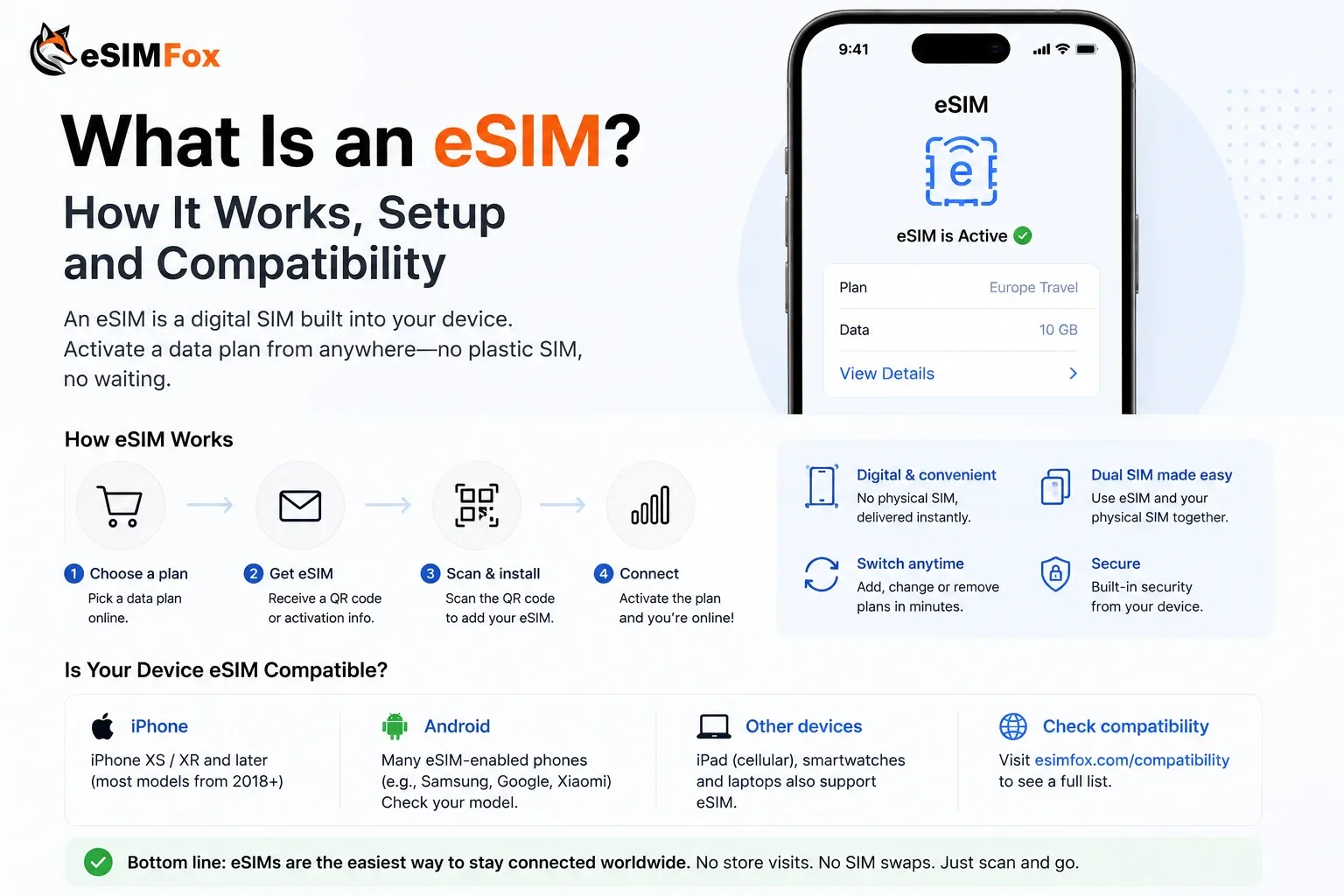
An eSIM profile bundles the network configuration inside the download itself. Apple's own automatic setup path begins with either inserting a physical SIM or setting up an eSIM (Apple Support, checked 23.08.2026). That means a travel eSIM arrives with the right APN already embedded. The growing scale of eSIM adoption — Juniper Research forecasts 1.5 billion devices using eSIMs globally in 2026 (Juniper Research, January 2026) — means an increasing share of travellers will never need to think about this setting.
If your phone connected to data the moment you activated your SIM or eSIM, the APN was configured automatically. Leave it alone.
The practical takeaway is simple. Guides that list APN values for you to copy and paste were solving a problem that modern operating systems now solve on their own. Following those instructions today carries a real risk: you may replace a working, carrier-provisioned configuration with a stale or incorrect one. The next sections cover where to find the setting if you genuinely need to check it, and what to do when your data is not working — starting from the assumption that the phone already knows more than a years-old tutorial.
Where to find the setting
If you do need to check which APN your phone is currently using, the menu exists — but it is not always visible. Whether you can see it depends on your carrier, not on your device model. Here are the documented paths for the two major platforms.
On iPhone and iPad
Apple documents two possible routes to the APN screen, and notes that the option appears “only if your carrier allows it” (Apple Support, checked 23.08.2026).
- Open Settings, tap Cellular, then tap Cellular Data Network.
- Alternatively: open Settings, tap Mobile Data, tap Mobile Data Options, then tap Mobile Data Network.
If neither path leads to a Cellular Data Network screen on your device, the carrier has locked APN editing. That is intentional behaviour, not a fault. Many carriers choose to hide the field precisely so that subscribers cannot overwrite the correct configuration by accident. You do not need to look for a workaround.
On Samsung Galaxy (Android Nougat and later)
Samsung documents one path for Galaxy devices running Android Nougat or later (Samsung UK Support, updated 14.08.2026):
- Swipe up from the home screen to open your app drawer.
- Tap Settings, then tap Connections.
- Tap Mobile networks, then tap Access Point Names.
- Tap the access point you want to inspect.
Samsung itself cautions that “the steps to find the APN settings will differ depending on your device and its operating system.” Older Android releases may place the menu elsewhere. Other Android manufacturers — Google Pixel, Xiaomi, OnePlus, and so on — use different menu structures entirely. Do not assume the Samsung path applies to a non-Samsung phone.
What if the menu is missing?
A missing APN menu almost always means the carrier has decided to manage that value for you. This is common with eSIM profiles, where the network configuration is delivered as part of the profile download itself. Trying to force the menu open through third-party apps or configuration profiles is not recommended. If your data connection is working, there is no reason to view the field. If it is not working, the fix is unlikely to be a manual APN entry — the next section explains why.
Seeing the APN field and editing it are two different things. Even where the menu is visible, changing the value without direction from your carrier risks breaking a working connection. Apple is explicit about this risk, as covered in the earlier section on why you should almost never touch the setting.
The catch with manual changes
Even when a manual APN value fixes a problem today, that fix can silently disappear tomorrow. Apple states this plainly: unless you are using a configuration profile, updating iOS resets any changes made to your APN settings (Apple Support, checked 23.08.2026). That single sentence explains a pattern that frustrates thousands of users and appears on no other ranking page for this topic.
What happens after a system update
Suppose you typed in an APN value months ago. Your data has been working fine ever since. Then your iPhone installs a routine iOS update overnight. The next morning you have no mobile data. You did nothing wrong, changed no setting, swapped no SIM. The connection simply stopped.
The cause is straightforward. iOS wiped the manual value you entered and reverted to whatever the carrier profile supplies. If the carrier profile already contained the correct APN, you may not notice. But if the carrier profile is incomplete — or if you were relying on a manually entered value that differed from the carrier default — your data connection breaks. Most people never connect these two events because the update and the loss of data may be hours apart.
- The update removes your custom APN silently. No warning, no prompt.
- A configuration profile (installed by your carrier or an MDM administrator) survives the update. A value you typed in by hand does not.
- The problem repeats after every future iOS update unless you stop editing the field manually.
Why this matters more for travellers
Travel eSIMs are especially vulnerable to this cycle. When you activate a travel eSIM, the network configuration arrives bundled inside the downloaded profile — Apple's own documentation describes this automatic path beginning with inserting a SIM or setting up an eSIM (Apple Support, checked 23.08.2026). The profile delivers the correct APN without your involvement. But if you previously typed in a stale APN from an old guide or forum post, that leftover value can override what the new profile just set correctly. A wrong APN becomes a more common cause of a dead travel eSIM than a missing one.
Now add the update cycle. You land in a new country, install a travel eSIM, and everything works. Your phone installs a queued iOS update on hotel Wi-Fi that night. The next morning the manual override you forgot about is gone — but so is the profile-delivered value it was masking. You are left troubleshooting a problem whose root cause was a manual edit you made weeks or months earlier.
Apple warns that entering incorrect APN settings can cause you to lose cellular data connectivity and may result in additional charges. Only edit the APN if your carrier or mobile device administrator specifically directs you to do so (Apple Support, checked 23.08.2026). A value copied from a video, a forum thread or a generic settings list does not meet that standard.
The practical takeaway: if you must enter a manual APN for a legitimate reason, write down exactly what you changed and expect to re-enter it after every system update. Better yet, avoid the manual path entirely. The next section covers what actually resolves a dead data connection without creating this recurring fragility.
No internet? What actually helps
When mobile data stops working, the instinct is to search for APN values and start typing. That instinct is wrong almost every time. The documented fix from both major platform vendors is the opposite: restore the values your carrier already set, rather than replacing them with something you found online.
On iPhone and iPad
Apple documents a single repair path for APN-related connectivity loss. Open Settings, tap Cellular, tap Cellular Data Network, then tap Reset Settings (Apple Support, checked 23.08.2026). This wipes any manual entries and restores the carrier-supplied configuration. It does not delete your eSIM profile or remove your SIM — it only resets the network fields to what the carrier originally delivered.
If you do not see a Cellular Data Network option at all, your carrier has locked APN editing on purpose. That is not a bug. It means the carrier manages those values remotely and does not want manual interference.
On Samsung Galaxy and other Android devices
Samsung advises that “your network operator should send you their APN details in a configuration message” when a SIM is first used in a device (Samsung UK Support, updated 14.08.2026). If something has gone wrong, the equivalent repair on Samsung Galaxy handsets running Nougat or later is: open Settings, tap Connections, tap Mobile networks, tap Access Point Names, then look for a menu option to reset to default. Samsung itself cautions that “the steps to find the APN settings will differ depending on your device and its operating system”, so the exact menu label may vary on non-Samsung Android phones.
The core principle is the same across both platforms: let the carrier supply the correct values instead of guessing them yourself.
What to try before touching any APN field
- Toggle Airplane Mode on, wait ten seconds, toggle it off. This forces the device to re-register on the network.
- Confirm that mobile data is actually enabled — it can be switched off without any visible error message.
- Restart the device. A reboot re-reads the carrier profile and often restores connectivity on its own.
- Check whether a system update installed recently. Apple states that updating iOS resets any manual APN changes unless a configuration profile is in place (Apple Support, checked 23.08.2026). A post-update data outage and a forgotten manual APN edit are frequently the same problem.
- If you are using a travel eSIM, verify that the correct data plan is selected as your active cellular line. A phone with two profiles can route data through the wrong one.
Only after every step above fails should you consider contacting your carrier to ask whether a specific APN value is required. The key word is “your carrier”. Apple is explicit: editing the APN without direction from your carrier or mobile device administrator risks losing data connectivity entirely and may incur additional charges (Apple Support, checked 23.08.2026). A value copied from a forum post, a YouTube tutorial or a generic settings list does not qualify as carrier direction.
If your eSIM data connection is dead after installation, do not paste a manual APN from a web search. The eSIM profile delivers its own network configuration automatically. Overwriting it with a stale value is a more common cause of a broken travel eSIM than a missing value. Reset to carrier defaults first.
APN and eSIM
Everything above applies doubly when an eSIM is involved. A travel eSIM downloads its profile over the air, and the network configuration it needs arrives bundled inside that profile. Apple's own documentation for automatic APN setup begins with “insert your SIM card or set up an eSIM” — the device treats both paths identically (Apple Support, checked 23.08.2026). The profile already carries the correct gateway address. There is nothing for you to type in.
This is precisely why a stale, hand-typed APN value is more dangerous with an eSIM than with a physical SIM. If you previously entered a custom value for another carrier and never removed it, that leftover setting can override the configuration the new eSIM profile just delivered. The result: a profile that installed correctly, a plan with data remaining, and a phone that refuses to connect. The cause is not a missing APN — it is a wrong one that was already sitting there before the eSIM arrived.
Remember too that an iOS update wipes any manual APN edits unless a configuration profile is in place (Apple Support, checked 23.08.2026). So a value that happened to work last trip may silently disappear after the next software update, leaving you stranded mid-journey with no obvious explanation.
What to do before activating a travel eSIM
- Check whether you have any manually entered APN values from a previous carrier or trip. If so, reset them using the method your device manufacturer documents — on iPhone, that is the Reset Settings option inside Cellular Data Network.
- Ensure your device supports eSIM hardware and is carrier-unlocked. eSIMFOX maintains a compatible-device list you can check before purchasing.
- Install the eSIM profile and let the device configure itself. Do not pre-emptively enter an APN value you found online.
- If data does not work after activation, revisit the troubleshooting steps in the previous section before reaching for APN settings.
Travel eSIM providers such as eSIMFOX deliver profiles that configure themselves on installation. eSIMFOX currently offers data plans for a range of destinations — you can browse the live catalogue on the website for current pricing and coverage regions. The entire point of an eSIM profile is that it removes the manual configuration step that once made roaming painful. Typing in an APN value you found in a forum undoes that convenience and introduces exactly the risk Apple warns about.
If your travel eSIM connects successfully but you still see no data, the issue is rarely the APN. Toggle aeroplane mode, restart the device, and confirm mobile data is enabled for the eSIM line. Contact your eSIM provider before editing any network setting.
Sources and status
Every claim in this article is traceable to manufacturer documentation or an identified industry source. No APN values are listed anywhere on this page, and none were tested by us. The reasoning is simple: a concrete value goes stale the moment a carrier changes its configuration, and a stale value is the single most common cause of the connectivity failures this article exists to prevent.
Primary sources
The two manufacturer references underpinning most of the guidance above are Apple and Samsung. Both were re-checked on 23 August 2026 and remained live at the stated addresses.
Sources and status
| Source | Document title | Last checked |
|---|---|---|
| Apple Support | View and edit your APN on your iPhone and iPad | 23.08.2026 |
| Samsung UK Support | What is an APN & how to change mobile network internet settings (updated 14 August 2026) | 23.08.2026 |
| Juniper Research | eSIM Connections to Reach 1.5bn Globally in 2026 (press release, 27 January 2026) | 23.08.2026 |
| eSIMFOX | Compatible devices page | 23.08.2026 |
What each source covers
- Apple Support provides the definition of an APN, the warning against editing it without carrier direction, the automatic configuration behaviour introduced from iOS 16 onwards, the reset path for restoring carrier defaults, and the disclosure that an iOS update erases any manually entered APN values.
- Samsung UK Support supplies the menu path for Galaxy devices running Android Nougat or later and notes that steps differ across device models and operating-system versions.
- The Juniper Research press release from January 2026 provides the eSIM adoption figure of 1.5 billion connected devices forecast for 2026, up from 1.2 billion in 2025. No further projection was drawn from this data.
- The eSIMFOX compatible-devices page is referenced solely for device-support eligibility, not for network or coverage claims.
Currency of this page
All sources were verified on 23 August 2026. Manufacturer support pages can change without notice. If a menu path described here does not match what you see on your device, check the manufacturer site directly rather than guessing. Carrier-side APN configurations change independently of device software, which is exactly why this article does not publish any specific values.
Should any of the documents above move or be withdrawn, the factual claims they support will be reviewed before the next update of this page. If you spot a broken reference, the eSIMFOX support team can be reached through the website.
No APN values, carrier names or network coverage claims were sourced from forums, user-generated wikis or third-party settings databases. Every technical assertion traces back to a named manufacturer or research publication listed in the table above.
Related guides
- eSIM troubleshooting guide
- how to install an eSIM
- compatible devices
- eSIM plans for Europe
- eSIMFOX reviews
- Browse eSIM data plans for Europe
Sources
This article draws, among others, on the following sources:
- EU roaming rules (official consumer page) — European Union — Roam like at Home (official scope)
- Trusted Connectivity Alliance — Trusted Connectivity Alliance — industry eSIM market monitoring
- eSIMFOX on Trustpilot — Trustpilot — independent eSIMFOX customer reviews
Frequently Asked Questions
How do I find out my APN?
Should APN be on or off?
What is an APN for a SIM card?
How do I set my APN on my phone?
Do I need to enter an APN for an eSIM?
Stay connected on your next trip
Browse eSIM plans for 200+ destinations and activate in 60 seconds.