Short answer: what applies now
Russia enforces a 24-hour cooling-off period on every foreign SIM and eSIM. From the moment your eSIM first connects to a Russian network, mobile data and SMS are blocked. Voice calls still work during that window. The restriction was introduced in early October 2025 as an anti-drone security measure (The Record, October 2025).
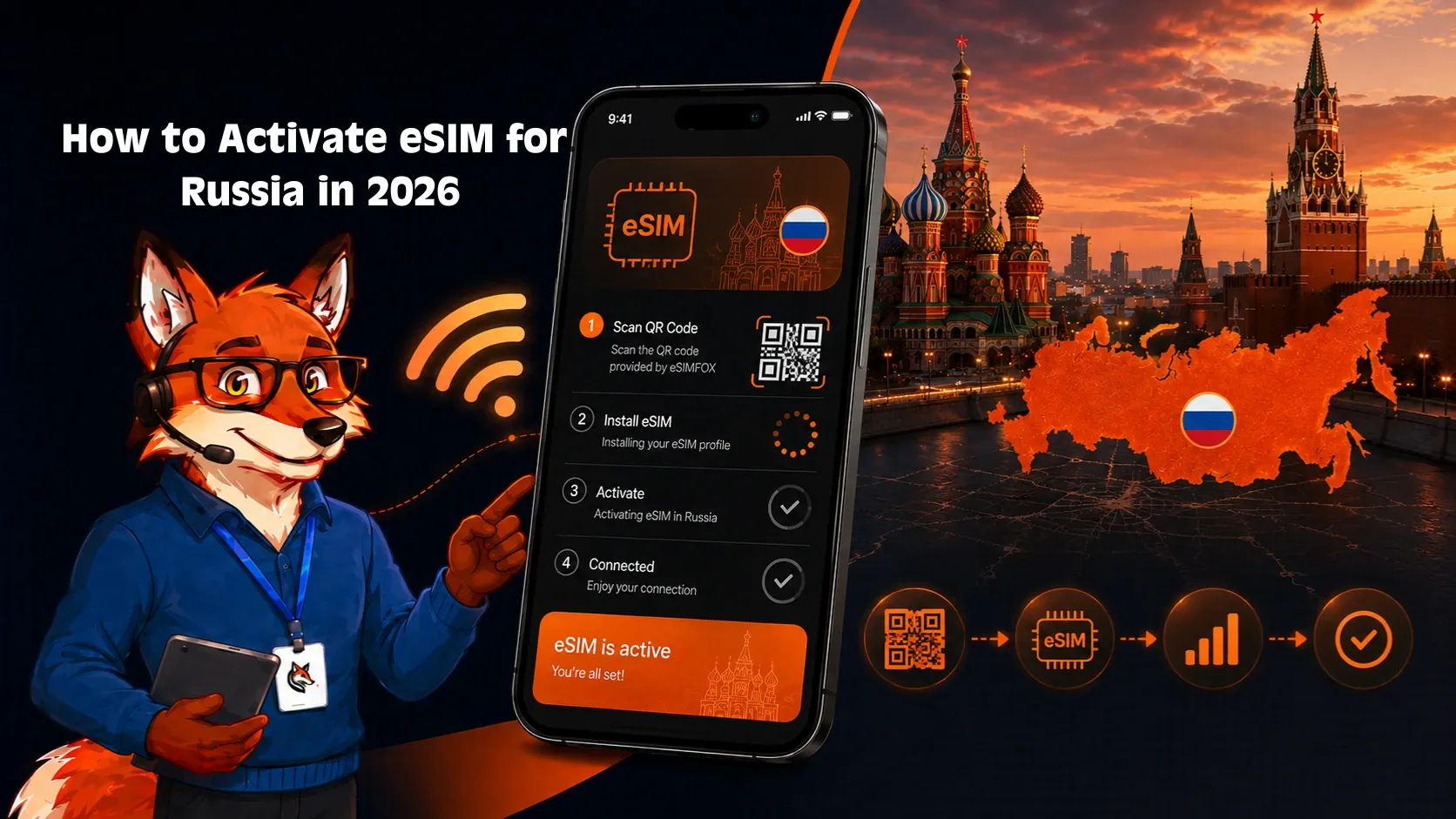
You can shorten the wait. After landing, your device will receive an identification SMS from the Russian host network. Complete the identification process through the link in that SMS — over the mobile connection, not Wi-Fi or a VPN — and data access is typically restored within minutes. If you skip identification, the block simply expires after 24 hours and data begins flowing on its own (Gateway to Russia, December 2025).
This rule applies to all foreign eSIM providers equally. eSIMFOX Russia eSIMs are subject to the same 24-hour restriction. Support records from August 2026 confirm that customers who follow the identification steps are usually browsing within minutes of completing them (eSIMFOX support, August 2026).
The same cooling-off period also kicks in for any SIM — including Russian ones — that has been inactive for more than 72 consecutive hours (Gateway to Russia, December 2025). So this is not just a foreign-SIM issue; it is a blanket network-level policy.
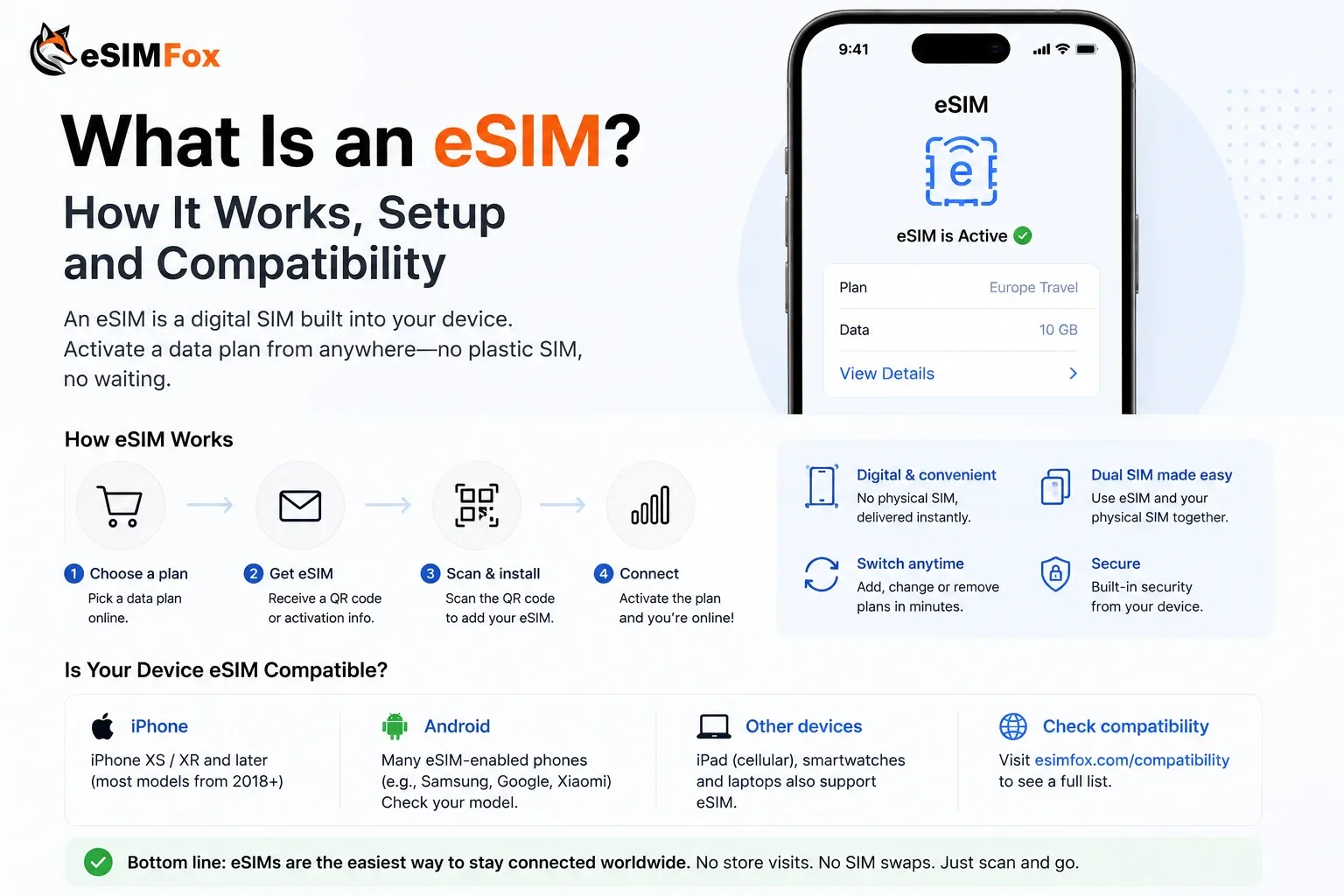
What does this mean for planning? Buy and install your eSIM before you leave home. eSIMFOX Russia plans activate on first use — the validity countdown starts only when the profile connects to a supported network, not at purchase. That means you lose nothing by installing early, and you avoid the problem of needing Wi-Fi in Russia to download a profile you have not yet installed. Metered plans currently start from €1.99 for 1 GB over 7 days, at €0.70 per GB (catalogue as of 10 August 2026). Unlimited plans with a 2 GB daily fair-use cap before throttling to 1024 kbit/s are also available.
The sections below walk through what is blocked, what is not, and exactly how to handle installation, identification and plan timing — step by step.
What is blocked, and what is not
Russia's 24-hour cooling-off rule does not shut down every function on a foreign eSIM. Some services keep working, others do not. Understanding the split matters because it determines what you can and cannot do during your first hours in the country.
What stays available during the cooling-off period
Regular voice calls continue to work throughout the entire 24-hour window. You can make and receive phone calls the moment your eSIM registers on the Russian network. The operator's own identification portal also remains reachable over the mobile connection — this is the page where you can lift the block early (Gateway to Russia, December 2025). These two channels — voice and the identification portal — are the only reliable communication paths during the restriction.
What is blocked
Mobile data and SMS are both blocked for the first 24 hours after a foreign SIM or eSIM first connects to a Russian network (The Record, October 2025). That means no web browsing, no messaging apps, no email, and no map navigation over cellular data. SMS-based two-factor authentication codes will not arrive either.
What is blocked, and what is not
| Service | Status during 24-hour block |
|---|---|
| Mobile data | Blocked |
| SMS (send and receive) | Blocked |
| Voice calls | Available |
| Operator identification portal | Reachable over mobile connection |
| All other websites and apps | Not reachable over mobile data |
Does installing before departure change anything?
An eSIM that was installed before you boarded your flight still registers on the Russian network normally once you land. However, data and SMS remain blocked until either you complete the identification step or the 24-hour period expires on its own. Voice calls work the whole time (Gateway to Russia, December 2025). Installing beforehand does not bypass the cooling-off rule — it simply avoids a worse problem: trying to download an eSIM profile without working data or Wi-Fi after arrival.
Does this apply to previously inactive Russian SIMs too?
Yes. Any SIM — including a Russian-issued one — that has been inactive for more than 72 consecutive hours is subject to the same cooling-off block when it reconnects (Gateway to Russia, December 2025). The rule is not limited to foreign SIMs; it applies broadly based on recent network inactivity.
What about eSIMFOX plans specifically?
eSIMFOX Russia eSIMs fall under the same 24-hour restriction. After landing and enabling the eSIM line, customers receive an identification SMS from the host network. eSIMFOX support records from August 2026 show that completing the identification typically restores full data access within minutes. If you skip identification, the block simply expires after 24 hours and data starts flowing automatically.
During the block, the eSIMFOX website and top-up page may be unreachable over mobile data. Plan any top-ups before departure or wait until identification is complete and data is restored (eSIMFOX support records, August 2026).
Installation, activation and plan start
These three words — installation, activation, plan start — sound interchangeable. They are not. Confusing them leads to wasted validity days or a profile you cannot download when you need it most. Here is how each one works for an eSIMFOX Russia plan.
Step 1: Installation (loading the profile onto your device)
Installation means scanning the QR code or tapping the activation link to store the eSIM profile on your phone. This step requires an internet connection — Wi-Fi or mobile data — because the profile has to be downloaded from a remote server. It does not consume any plan data and does not start your validity window. You can install the profile days or even weeks before your trip.
Why this matters for Russia specifically: if you wait until after arrival to install, you face a chicken-and-egg problem. Without working data, you would need Wi-Fi to download the profile. And once the fresh profile connects to the Russian network, the 24-hour cooling-off period begins regardless (Gateway to Russia, December 2025). Installing at home removes that dependency entirely.
Step 2: Network registration (connecting in Russia)
When you land and enable the eSIM line with data roaming turned on, the profile registers on a supported Russian network. This is the moment two things happen simultaneously: your plan validity period begins, and the 24-hour security restriction kicks in. During this phase, data and SMS are blocked, but voice calls remain functional. The host network sends an identification SMS with a link to lift the block early.
Because eSIMFOX Russia plans activate on first use — meaning the validity countdown starts only when the eSIM first connects to a network at the destination (per the published Activation Policy on the product pages) — there is no penalty for buying early. A plan purchased a week before departure still delivers its full validity from the moment you touch down.
Step 3: Plan start (when your days and data begin counting)
Plan start is identical to network registration for eSIMFOX Russia plans. The first-use activation model ties both events together. A 7-day plan gives you seven full days from that first network connection, not from purchase. A 30-day plan works the same way. No data is consumed during the cooling-off block, but the validity clock is already running.
Installation, activation and plan start
| Event | When it happens | Internet required? | Validity starts? |
|---|---|---|---|
| Installation | Any time before departure | Yes (Wi-Fi or existing data) | |
| Network registration | When you enable the eSIM line in Russia | No — the device registers automatically | |
| Plan start | Same moment as network registration |
This first-use model is not universal across all eSIM providers. Some competitors start the validity period at purchase or at the moment of installation. If you are comparing plans, check whether the provider specifies a first-use policy — it can make the difference between a plan that covers your entire trip and one that partially expires before you board your flight.
Your device must support eSIM hardware and be carrier-unlocked. Most phones sold directly by carriers are locked. eSIMFOX maintains a compatible-device list you can check before purchasing.
Separating these three steps in your mind simplifies the entire process. Install at home, fly to Russia, enable the line, handle the identification prompt, and your data arrives — all without swapping a physical SIM card or signing a roaming contract.
Before departure: the order that works
Knowing the theory is one thing. Here is the concrete sequence, step by step, drawn from eSIMFOX customer cases (eSIMFOX support records, August 2026). Following it in order avoids the most common pitfalls — especially the chicken-and-egg problem of needing data to download an eSIM profile when you have no data.
The identification SMS eSIMFOX customers receive from Beeline reads: "Welcome to Russia! Your roaming is temporarily restricted for 24 hours for security reasons. To restore full access now, please complete identification at the link below. Turn off Wi-Fi and VPN first. [link: balance.beeline.ru/guest] You may also unlock the service by calling the number +7 969 350 45 20." If you receive this message, it is legitimate — open the link from the SMS on your phone over the eSIM's mobile connection (Wi-Fi and VPN switched off) and complete the identification; access is typically restored within minutes (eSIMFOX support records, August 2026).
At home, before your flight
- Check that your phone supports eSIM and is not locked to a carrier. eSIMFOX publishes a compatible-device list you can check beforehand.
- Buy your eSIM for Russia before departure. Metered plans start from €1.99 for 1 GB / 7 days, as of 10 August 2026. The validity period does not start at purchase — it begins only when the profile first connects to a network in Russia, so buying early costs nothing extra.
- Install the eSIM profile while you still have stable Wi-Fi. Scan the QR code or use the manual activation method your device offers. Confirm the profile appears in your phone settings, then leave it disabled for now.
Why install before departure? If you wait until you land, you need Wi-Fi to download the profile. Airport Wi-Fi in Russia can be unreliable or require a local phone number for authentication. Installing at home removes that dependency entirely (Gateway to Russia, December 2025).
After landing in Russia
- Enable the eSIM line in your phone settings and turn on data roaming for that line.
- Turn off Wi-Fi and any active VPN. Both can interfere with the identification process that follows.
- Wait for the SMS from the Russian host network. The message confirms a temporary 24-hour restriction and provides a link to complete identification. It also lists a phone number as an alternative.
- Open the identification link using the eSIM mobile connection — not Wi-Fi, not a VPN. Complete the steps on the page. Access is typically restored within minutes after successful identification.
- If you prefer not to identify, you can simply wait. The block expires automatically after 24 hours, after which data and SMS begin working without any action on your part.
Voice calls remain available throughout the waiting period, so you are not entirely cut off even before identification is done (Gateway to Russia, December 2025).
Common mistakes to avoid
Before departure: the order that works
| Mistake | Why it matters | Fix |
|---|---|---|
| Leaving Wi-Fi or VPN on during identification | The identification portal may not load correctly or may not recognise the eSIM connection | Disable both before opening the link |
| Waiting to buy the eSIM until after arrival | Without working data, downloading the profile requires airport Wi-Fi — which may demand a local number | Purchase and install while still at home on reliable internet |
| Assuming data works immediately on landing | Russia enforces a 24-hour cooling-off period on foreign SIMs and eSIMs | Plan for identification or a 24-hour delay before data is available |
| Ignoring the SMS | The identification shortcut can restore access in minutes rather than hours | Read the message carefully and follow its instructions |
One detail worth noting: top-ups and additional plan purchases through the eSIMFOX website work once identification is completed and data is flowing. During the initial block, the website may be unreachable over mobile data (eSIMFOX support records, August 2026). If you suspect your data needs might grow, consider purchasing a larger plan upfront — say the 10 GB / 30 days tier at €12.99, as of 10 August 2026 — rather than relying on a top-up you cannot execute until the restriction lifts.
This sequence is straightforward, but the order matters. Buy, install, fly, enable, identify. Each step depends on the one before it. Skip or rearrange them and you risk spending your first day in Russia without mobile data.
If you are already in Russia
Maybe you did not plan ahead. Maybe you arrived with a physical SIM that is not working as expected. Either way, you are in Russia right now and need mobile data. Your options are narrower than they would have been at home, but they exist.
The Wi-Fi dependency problem
Installing an eSIM profile onto your device requires an internet connection. If your current SIM has no data, you need Wi-Fi. Hotel lobbies, cafés and airport terminals usually offer it. However, once a new eSIM profile connects to a Russian network for the first time, the mandatory 24-hour cooling-off period kicks in — data and SMS are blocked, while voice calls remain available (Gateway to Russia, December 2025). That creates a frustrating loop: you need Wi-Fi to download the profile, but once it is downloaded and connects, you still cannot browse for up to 24 hours unless you complete identification.
Completing identification from inside the country
After your newly installed eSIM registers on the network, you should receive an identification SMS. According to eSIMFOX support records from August 2026, customers who follow the identification steps are typically browsing within minutes. The key requirement: turn off Wi-Fi and any VPN before opening the identification link, because the portal must see your connection coming from the host network. Voice calls and the identification portal are the only two channels that reliably work during the block.
- Find a Wi-Fi connection and purchase your eSIM plan through the eSIMFOX website.
- Download and install the eSIM profile while still on Wi-Fi.
- Enable the new eSIM line and turn on data roaming in your device settings.
- Disable Wi-Fi and any active VPN.
- Wait for the identification SMS — it contains a link and a phone number as a fallback.
- Open the link over the eSIM's mobile connection and complete the process.
- If the SMS does not arrive or the link fails, calling the number provided in the SMS is the alternative.
What if you skip identification?
You do not have to complete the identification step. The restriction simply expires after 24 hours (Gateway to Russia, December 2025). During that window, you can make voice calls, but mobile data and SMS remain unavailable. For many travellers, waiting a day without data is impractical but not catastrophic — especially if hotel Wi-Fi covers the gap.
Top-ups and additional purchases
Once identification is complete and data is active, you can buy additional plans or top up directly from inside Russia. Before that point, the eSIMFOX website may be unreachable over mobile data (eSIMFOX support records, August 2026). Planning your data budget before arrival remains the safer approach: metered plans currently range from €1.99 for 1 GB / 7 days to €54.99 for 50 GB / 30 days, at a consistent €0.70 per GB — prices as of 10 August 2026. Unlimited plans are also available, starting at €24.99 for 7 days, though these include a daily fair-use cap of 2 GB at full speed before throttling to 1024 kbit/s.
If you are already inside Russia and your current SIM has no data at all, your immediate lifeline is Wi-Fi. Locate a reliable connection before purchasing and installing an eSIM — without it, you cannot download the profile in the first place.
Being caught in Russia without working data is stressful but recoverable. The critical point: even from inside the country, the same 24-hour restriction applies to every new SIM and eSIM profile. No provider — eSIMFOX included — bypasses the rule. The difference is how quickly you can get through the identification process and how prepared you are for the wait if you choose not to.
eSIMFOX Russia: plans and fair use
Choosing a data plan for Russia depends on three things: how many gigabytes the trip will consume, how many days the plan needs to stay valid, and what each GB costs. Below is the full eSIMFOX Russia catalogue as of 10 August 2026, followed by the unlimited options and their fair-use details.
Metered plans
eSIMFOX Russia: plans and fair use
| Data | Validity | Price | Per GB |
|---|---|---|---|
| 1 GB | 7 days | €1.99 | €1.99 |
| 3 GB | 15 days | €4.99 | €1.66 |
| 5 GB | 30 days | €6.99 | €1.40 |
| 10 GB | 30 days | €12.99 | €1.30 |
| 20 GB | 30 days | €24.99 | €1.25 |
| 30 GB | 30 days | €34.99 | €1.17 |
| 40 GB | 30 days | €43.99 | €1.10 |
| 50 GB | 30 days | €54.99 | €1.10 |
The per-GB cost drops as the tier increases, bottoming out at roughly €1.10 for the 40 GB and 50 GB options. For a short trip — say a long weekend in Moscow — the 1 GB or 3 GB plan keeps the outlay under five euros. A two-week business trip with daily video calls and navigation will burn through data faster; the 10 GB or 20 GB range is more realistic for that pattern.
Unlimited plans and fair-use cap
eSIMFOX Russia: plans and fair use
| Plan | Validity | Price | Daily high-speed allowance | After cap |
|---|---|---|---|---|
| Russia Unlimited | 7 days | €24.99 | 2 GB per day | Throttled to 1 024 kbit/s |
| Russia Unlimited | 15 days | €45.99 | 2 GB per day | Throttled to 1 024 kbit/s |
The word 'unlimited' needs a clear qualifier. Each day you receive 2 GB at full speed. Once that daily allowance is exhausted, the connection drops to 1 024 kbit/s for the rest of the calendar day. At that reduced speed, messaging apps and email still work, but streaming or large downloads become impractical. The cap resets every 24 hours, so moderate users may never notice the throttle.
If predictable, unthrottled data matters more than the convenience of an 'all-you-can-eat' label, compare the numbers. The 50 GB metered plan at €54.99 gives you roughly 1.67 GB per day over 30 days at full speed with no throttling. The 15-day unlimited plan at €45.99 gives 2 GB per day at full speed but only covers half the validity window. Which one fits depends entirely on trip length and daily consumption.
How validity actually works
Every eSIMFOX Russia plan activates on first use. The validity countdown begins when the profile connects to a supported network at the destination — not when it is purchased, and not when it is installed on the device. That means a plan bought two weeks before departure loses zero days while sitting idle in an airport lounge or on a connecting flight. Install at home, fly, land, enable the line — the clock starts then.
Keep the 24-hour cooling-off restriction in mind when estimating effective plan duration. Because data is blocked for up to 24 hours after network registration, a 7-day metered plan might yield only six usable days unless the identification process is completed quickly. For very short trips, a 15-day or 30-day plan gives breathing room at a modest cost increase.
Top-ups and additional purchases
eSIMFOX supports top-ups once mobile data is flowing. If a metered plan runs dry mid-trip, an additional plan can be purchased through the eSIMFOX website. During the initial block period, however, mobile data is unavailable, so the site may not load until identification is complete or the 24 hours have passed. After that window closes, buying extra data works as it would from anywhere else.
Device requirements
An eSIM needs hardware that supports the standard plus an unlocked device — most carrier-sold handsets ship locked by default. eSIMFOX publishes a compatible-device list that is worth checking before purchase, especially for older models or devices bought on contract. If the phone does not support eSIM, none of the plans above will work regardless of price or data volume.
All prices shown reflect the eSIMFOX Russia catalogue as of 10 August 2026 and may change. Always confirm the current price on the product page before completing your order.
Current eSIMFOX plans for Russia
Buy a Russia eSIM from €1.99
10% off
Exclusive reader bonus
Get an extra 10% off your first eSIMFOX eSIM as a thanks for reading.
RUSSIA10New customers only. One use per account. Subject to change.
Sources
This article draws, among others, on the following sources:
- German Federal Foreign Office: Russia travel advisory — German Federal Foreign Office — official travel and security advice
- nPerf coverage map Russia — nPerf — measured mobile coverage (crowdsourced data)
- EU roaming rules (official consumer page) — European Union — Roam like at Home (official scope)
- Trusted Connectivity Alliance — Trusted Connectivity Alliance — industry eSIM market monitoring
- The Record — The Record (Recorded Future News) — report on the 24-hour block (Oct 2025)
- Gateway to Russia — Gateway to Russia — identification flow and the 72-hour rule
Related guides
Frequently Asked Questions
Can I use eSIM in Russia?
How do I activate my eSIM when I arrive in Russia?
Do I need to register a SIM card in Russia?
How much does an eSIM for Russia cost?
Should I install my eSIM before or after travelling to Russia?
Stay connected on your next trip
Browse eSIM plans for 200+ destinations and activate in 60 seconds.