Quick answer: how much data do you need in Europe?
For maps, messages, email and some browsing, plan on about 0.5 GB per day. That is the starting point the data calculator on our Europe eSIM page uses. Add a 20% reserve and a one-week trip comes to about 5 GB. Streaming and video calls change the math fast: Netflix says HD video can use up to 3 GB per hour.
- 3 days, light use: about 2 GB. The 3 GB plan (€3.99) covers it.
- 1 week: about 5 GB for light use (5 GB plan, €5.99), or about 7 GB with an hour of music and an hour of Netflix a day (10 GB plan, €9.99).
- 2 weeks: about 9 GB for light use (10 GB plan, €9.99), or about 14 GB with daily music and video (20 GB plan, €18.99).
- 1 month: about 18 GB for light use (20 GB plan, €18.99), or about 30 GB with daily music and video (30 GB plan, €25.99).
- Lots of video calls, streaming or hotspot use: look at 40 GB, 50 GB or the 7-day unlimited plan (€23.99). eSIMFOX prices as of November 6, 2026.
How much data each app uses (official figures)
We only list figures that the app makers publish themselves. Some publish GB per hour. Others publish a bitrate, so we converted it: kilobits per second × 3,600 seconds ÷ 8 = kilobytes per hour (1 GB = 1,000 MB). Where a company publishes no figure, we say so.
Mobile data use by app and setting (as published, checked November 6, 2026)
| App and setting | What the company publishes | Roughly per hour | Source |
|---|---|---|---|
| Netflix app, Save Data | About 6 hours per GB | About 0.17 GB | Netflix Help |
| Netflix app, Automatic | About 4 hours per GB | About 0.25 GB | Netflix Help |
| Netflix app, Maximum Data | 1 GB per 20 minutes or more | 3 GB or more | Netflix Help |
| Netflix account setting: Low / Medium | Up to 0.3 GB / up to 0.7 GB per hour | Up to 0.3 / 0.7 GB | Netflix Help |
| Netflix account setting: High (HD / 4K) | Up to 3 GB / up to 7 GB per hour | Up to 3 / 7 GB | Netflix Help |
| Spotify: Low / Normal | About 24 / 96 kbit/s | About 11 / 43 MB (our conversion) | Spotify Support |
| Spotify: High / Very high | About 160 / 320 kbit/s | About 72 / 144 MB (our conversion) | Spotify Support |
| Google Meet, 720p video call | Up to 1.7 Mbps each way | Up to about 1.5 GB, upload plus download (our conversion) | Google Workspace Help |
| Google Meet, 1080p video call | Up to 3.6 Mbps each way | Up to about 3.2 GB, upload plus download (our conversion) | Google Workspace Help |
| Google Meet, audio only | 100 kbps each way | About 90 MB, upload plus download (our conversion) | Google Workspace Help |
| YouTube | No figure published; offers a Data saver quality option | Not published | YouTube Help |
| Google Maps | No figure published; offers offline maps | Not published | Google Maps Help |
| Apple Music, lossless | No figure published; Apple says lossless streaming "consumes significantly more data" | Not published | Apple Support |
Two things stand out. Video is what eats data, and the quality setting matters more than the app. An hour of Netflix on Save Data is about 0.17 GB, while an hour in HD can use up to 3 GB.
How much data do you need per day?
Your daily use depends on what you do on mobile data, not on the country. We built three simple daily budgets from the figures above:
- Light (about 0.5 GB a day): maps, messages, email, booking apps and some browsing. This is the starting point of the eSIMFOX data calculator.
- Music and video (about 0.8 GB a day): light use plus 1 hour of Spotify on High (about 72 MB) and 1 hour of Netflix on Automatic (about 0.25 GB).
- Video calls (about 2 GB a day): light use plus a 1-hour Google Meet video call in 720p (up to about 1.5 GB).
Like the eSIMFOX calculator, we add a 20% reserve and round up to the next GB. Your phone also uses data in the background for app updates and photo backups, so the reserve is worth keeping.
How much data for your trip length?
Data needed by trip length, with the matching eSIMFOX Europe plan (prices as of November 6, 2026)
| Trip length | Light (0.5 GB a day) | Music and video (0.8 GB a day) | Daily video calls (2 GB a day) |
|---|---|---|---|
| 3 days | About 2 GB: 3 GB plan, €3.99 | About 3 GB: 3 GB plan, €3.99 | About 8 GB: 10 GB plan, €9.99 |
| 1 week | About 5 GB: 5 GB plan, €5.99 | About 7 GB: 10 GB plan, €9.99 | About 18 GB: 20 GB plan, €18.99, or Unlimited 7 days, €23.99 |
| 10 days | About 6 GB: 10 GB plan, €9.99 | About 10 GB: 10 GB plan, €9.99 | About 25 GB: 30 GB plan, €25.99 |
| 2 weeks | About 9 GB: 10 GB plan, €9.99 | About 14 GB: 20 GB plan, €18.99 | About 35 GB: 40 GB plan, €32.99 |
| 3 weeks | About 13 GB: 20 GB plan, €18.99 | About 21 GB: 30 GB plan, €25.99 | About 52 GB: 50 GB plan, €40.99, plus a top-up |
| 1 month | About 18 GB: 20 GB plan, €18.99 | About 30 GB: 30 GB plan, €25.99 | About 74 GB: 50 GB plan, €40.99, plus top-ups |
All budgets include the 20% reserve and are for one phone. If you share your connection with a laptop or a travel partner, add their use on top.
eSIMFOX Europe plans and when each one fits
According to the eSIMFOX Europe product page, the Europe eSIM works in 38 countries, including France, Germany, Italy, Spain, Greece, the United Kingdom, Switzerland, Norway and Turkey. It uses the Orange, Vodafone and Movistar networks with 4G/5G where available. It is data only, needs no ID verification, and the validity starts with the first network connection in Europe, not when you buy.
eSIMFOX Europe eSIM prices (as of November 6, 2026)
| Plan | Validity | Price | Per GB | Good fit for |
|---|---|---|---|---|
| 1 GB | 7 days | €1.99 | €1.99 | A single day of maps and messages, or a backup |
| 3 GB | 15 days | €3.99 | €1.33 | Light use for up to 5 days |
| 5 GB | 30 days | €5.99 | €1.20 | Light use for about a week |
| 10 GB | 30 days | €9.99 | €1.00 | Light use for up to 2 weeks, or music and video for up to 10 days |
| 20 GB | 30 days | €18.99 | €0.95 | Light use for a month, or music and video for up to about 20 days |
| 30 GB | 30 days | €25.99 | €0.87 | Music and video every day for a month |
| 40 GB | 30 days | €32.99 | €0.82 | Daily video calls for about 2 weeks |
| 50 GB | 30 days | €40.99 | €0.82 | Daily video calls for up to about 20 days |
| Unlimited | 7 days | €23.99 | n/a | 2 GB per day at full speed, then up to 1 Mbps until the daily reset; hotspot supported |
Prices are in euros as listed on esimfox.com; the product page can also show them in US dollars. The unlimited plan page explains the daily 2 GB high-speed allowance. If you run out of data on a fixed plan, nothing is charged automatically. The connection pauses, and you can top up in your eSIMFOX account without installing a new eSIM.
How to check your data use on iPhone and Android
Check your normal use at home for a few days before you leave. It is the best predictor of what you will use abroad.
iPhone
- Open Settings and tap Cellular.
- Scroll to the list of apps and tap Show All. The cellular data each app used appears below its name.
- To track your trip from day one, scroll to the bottom and tap Reset Statistics.
With Dual SIM, Apple says you can see the data used with your selected cellular data number (Apple).
Android (Google Pixel)
- Open Settings and tap Network & internet, then SIMs.
- Tap Data warning & limit.
- Turn on Set data warning and enter an amount, for example 80% of your plan. You get a notification when you reach it.
Those steps come from Google's Pixel help. On other Android phones the menu names can differ.
7 ways to use less data in Europe
- Download offline maps. In Google Maps, tap your profile picture, then Offline maps and Select your own map. Google notes that offline maps only work for routes inside the downloaded area, and that walking, transit and bicycling directions are not available offline (Google Maps Help).
- Set Netflix to Save Data. In the app: My Netflix, tap your profile name, App Settings, then Cellular Data Usage. Save Data gives you about 6 hours per GB (Netflix). Downloading shows over Wi-Fi before you head out saves even more.
- Turn on Spotify's Data saver. Tap your profile picture, Settings and privacy, Data-saving and offline, then Data saver. Spotify says it shows fewer images and lowers audio quality (Spotify).
- Pick Data saver on YouTube. Tap your profile picture, Settings, Video quality preferences, and choose Data saver for mobile networks (YouTube Help).
- Use Low Data Mode on iPhone. Go to Settings > Cellular > Cellular Data Options and turn on Low Data Mode (on 5G models it sits under Data Mode). Apple says it pauses automatic updates and background tasks when you are not on Wi-Fi (Apple).
- Switch video calls to audio when you can. Google lists 100 kbps each way for an audio-only Meet call, against up to 1.7 Mbps each way for 720p video (Google).
- Skip lossless music on mobile data. Apple says lossless streaming "consumes significantly more data" (Apple).
Sources
- Netflix Help Center: How to control how much data Netflix uses, checked November 6, 2026.
- Spotify Support: Audio quality and Internet and data usage, checked November 6, 2026.
- Google Workspace Help: Prepare your network for Meet meetings and live streams, checked November 6, 2026.
- YouTube Help: Change the quality of your video; Google Maps Help: Download areas and navigate offline; Pixel Phone Help: Reduce and manage mobile data usage, checked November 6, 2026.
- Apple Support: Use cellular data on your iPhone or iPad, Use Low Data Mode, View or change cellular data settings on iPhone, About lossless audio in Apple Music, checked November 6, 2026.
- eSIMFOX: Europe eSIM product page and Europe Unlimited 7 days, prices and data calculator checked November 6, 2026.
Related guides
- Best eSIM for Italy: plans, prices and coverage
- Best eSIM for France: plans, prices and coverage
- Best eSIM for Greece: plans, prices and coverage
- Best eSIM for Switzerland: plans, prices and coverage
- Best eSIM for the United Kingdom
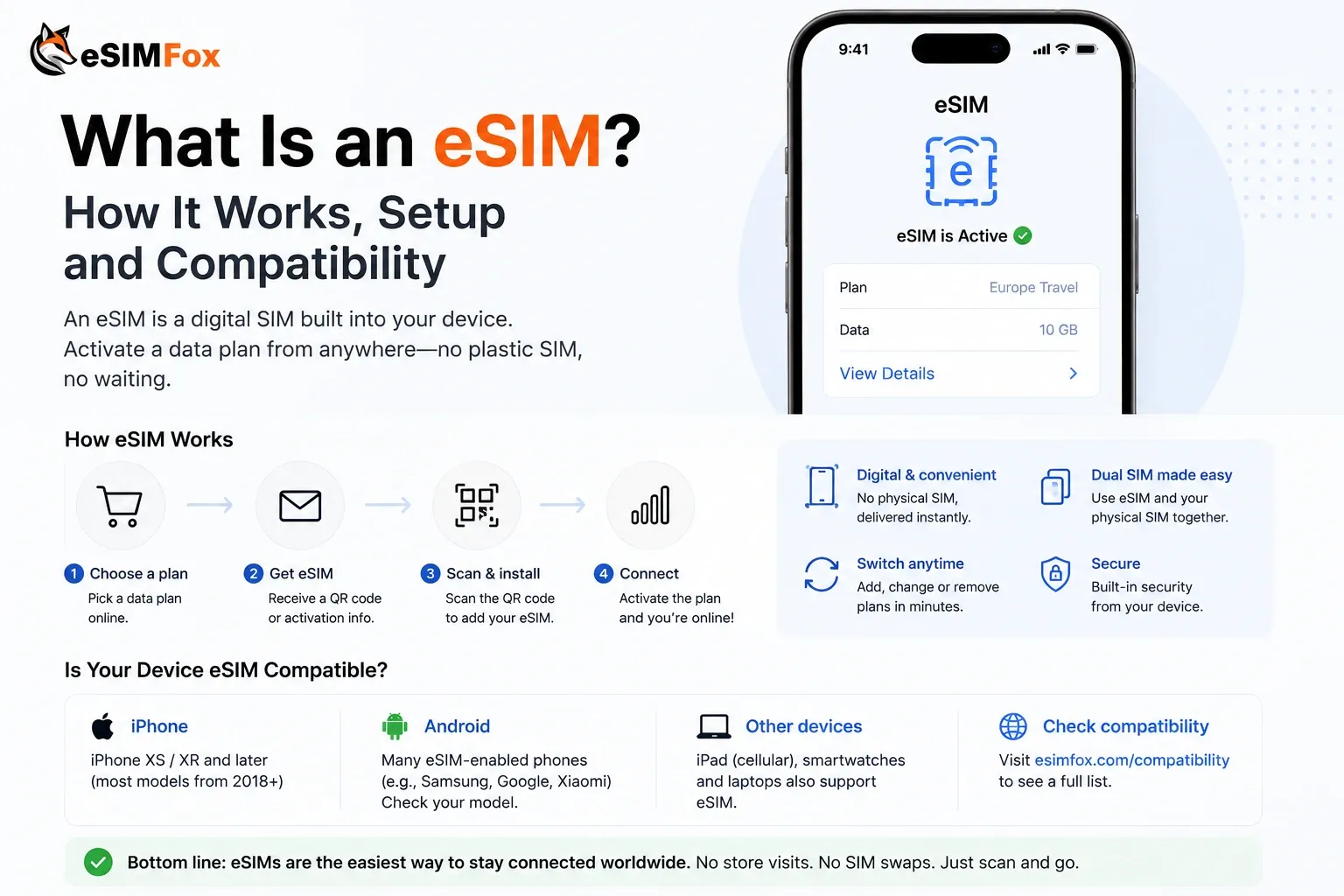
- What is an eSIM? How it works, setup and compatibility
- How to install and use your eSIM and eSIM compatible phones
- Why is my eSIM not working? Troubleshooting guide
Frequently Asked Questions
How much data do I need for a week in Europe?
How much data do I need for 2 weeks in Europe?
How much data do I need per day when traveling?
How much data does Netflix use on a phone?
How much data does Spotify use?
How much data does Google Maps use?
How much data does a video call use?
What happens if I run out of data on my eSIMFOX plan?
Does the eSIMFOX Europe eSIM work in the UK and Switzerland?
When does the validity of the Europe eSIM start?
Stay connected on your next trip
Browse eSIM plans for 200+ destinations and activate in 60 seconds.