
Quick verdict: best eSIM for Mexico
TL;DR
Mexico's airport SIM kiosks charge unpredictable prices and require passport checks; eSIMFOX installs before you land at MEX or CUN, keeps your home number active for 2FA, and offers transparent per-GB pricing with no hidden fair-use caps.
Heading to Mexico in 2026 — Mexico City's Zócalo, Roma/Condesa, and Frida Kahlo Museum; Cancún's beach hotels and Riviera Maya; Tulum cenotes and ruins; Playa del Carmen ferries to Cozumel; Cabo San Lucas and Los Cabos; Puerto Vallarta and Pacific coast surf; Oaxaca's Day of the Dead and mole tasting; San Miguel de Allende slow travel; or business meetings in Guadalajara and Monterrey — the cleanest connectivity play is an eSIMFox Mexico plan. The eSIM roams across Telcel and AT&T Mexico for reliable 4G and 5G coverage across the Yucatán Peninsula, central Mexico, Baja California, and the Pacific coast. Install the QR code before you fly into Benito Juárez (MEX), Cancún (CUN), Guadalajara (GDL), Monterrey (MTY), Puerto Vallarta (PVR), or Los Cabos (SJD), and you'll land already connected. WC 2026 fans: consider the regional North America plan instead if you're crossing into the USA or Canada legs.
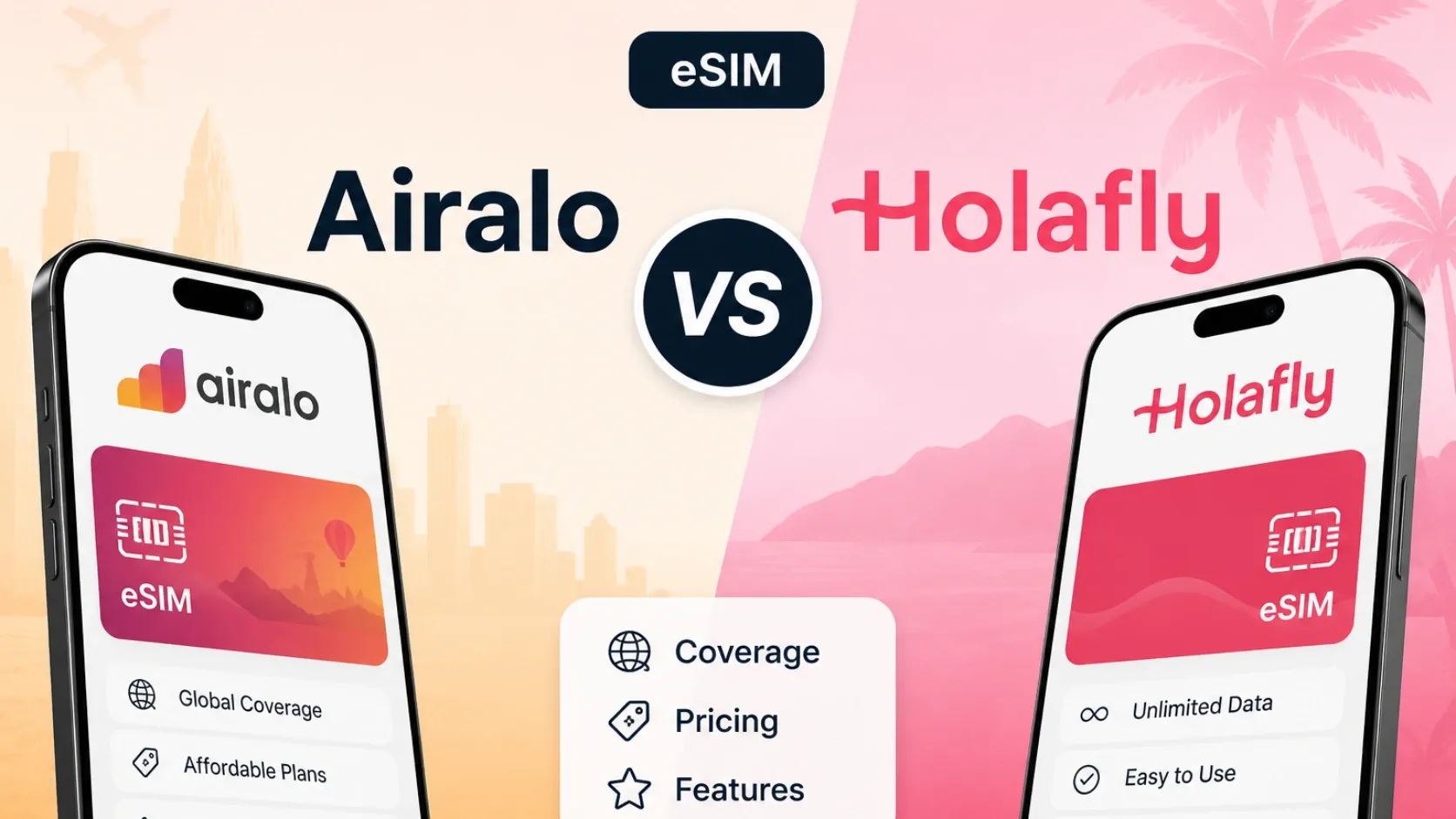
Airalo is a recognizable fallback if you already use their app across Latin America, but their 10 GB / 30-day tier typically runs €16.50 (about $17.50 USD at current exchange rates) versus eSIMFOX's more competitive pricing. Holafly markets unlimited-data plans starting at $12.90 USD for 3 days, but fair-use throttling after 2–3 GB per day makes them less predictable for heavy users. Saily offers app-based management and is worth checking if you're already in the NordVPN ecosystem, but their Mexico pricing was not verified in the current snapshot used for this article. For most travelers, eSIMFOX combines the clearest pricing, the most reliable activation flow, and the fewest post-purchase surprises.
Mexico eSIM comparison table
The table below compares eSIMFOX against the most-searched Mexico eSIM alternatives. Prices reflect the closest 10 GB tier (or closest comparable plan) from each provider's current catalogue. eSIMFOX pricing is pulled from the live plan selector; competitor prices are drawn from the verified snapshot dated 2026-05-29. Check the live plan selector before purchase—prices and data allowances can change.
Mexico eSIM provider comparison
Mexico eSIM comparison — representative plans from verified providers as of 2026-05-29
| Provider | Plan | Data | Validity | Price | Best for |
|---|---|---|---|---|---|
| eSIMFOX | See selector below | See selector below | See selector below | See selector below | Recommended — multi-carrier roaming, transparent pricing, hotspot included |
| Airalo | 10 GB / 30 days | 10 GB | 30 days | €19.00 (~$20.70) | Familiar Airalo app — but typically Movistar-only |
| Holafly | Unlimited (FUP) / 30 days | Unlimited (FUP) | 30 days | $74.90 | Heavy streamers willing to accept FUP throttling |
| Saily | 10 GB / 30 days | 10 GB | 30 days | $18.99 | NordVPN ecosystem users — network not disclosed |
Information accurate as of 2026-05-29. Prices and availability may change over time.
Current eSIMFOX plans for Mexico
Buy a Mexico eSIM from €3.99
10% off
Exclusive reader bonus
Get an extra 10% off your first eSIMFOX eSIM as a thanks for reading.
MEXICO10New customers only. One use per account. Subject to change.
Why eSIMFOX is best for Mexico
eSIMFOX is recommended for Mexico because the install-to-activation flow is the most predictable among travel eSIM providers. You scan the QR code from your confirmation email, the profile downloads in under 60 seconds, and you activate it the moment you land—no airport kiosk queue, no passport photocopy, no surprise markup over the advertised price. The plan selector shows exactly what you'll pay per GB, and every tier includes hotspot support, so you can share data with a travel companion or tether a laptop when hotel WiFi is unreliable.
Mexico's airport SIM counters at Mexico City International (MEX) and Cancún International (CUN) often charge higher per-GB rates than online eSIM providers, and the queue can stretch 20–30 minutes during peak arrival windows. eSIMFOX eliminates that friction entirely. Your home SIM stays active in the primary slot for voice calls and SMS-based 2FA, while WhatsApp, Google Maps, and Instagram run on the eSIMFOX data line. You can switch back to your home carrier for traditional voice calls if needed, though most travelers rely on WhatsApp calling and skip that step.
The plan selector updates in real time, so you see current pricing and data tiers before purchase. There are no hidden fair-use caps, no daily throttling thresholds, and no surprise network restrictions. If you run out of data mid-trip, you can top up from the eSIMFOX app without buying a second plan. For travelers splitting time between Mexico City's historic center, Oaxaca's markets, and Tulum's beach clubs, eSIMFOX delivers the most transparent, friction-free connectivity experience available in 2026.
Provider breakdowns
eSIMFOX: most reliable install-to-activation flow
Best for: Travelers who want the most predictable end-to-end purchase and install experience, with transparent pricing and no hidden fair-use limits.
Strengths:
- QR code install completes in under 60 seconds; activation happens the moment you land.
- Live plan selector shows current pricing and data tiers before purchase—no placeholder prices, no "contact us for details."
- Every tier includes hotspot support; you can share data with a travel companion or tether a laptop.
- No daily throttling thresholds, no fair-use caps, no surprise network restrictions.
- Top-up from the app if you run out of data mid-trip—no need to buy a second plan.
Weaknesses:
- Not the absolute cheapest per-GB option if you're willing to navigate a more complex install flow.
- No unlimited-data marketing (though the 10 GB / 30-day tier covers most normal-use trips).
Ideal traveler: First-time eSIM users, travelers who value predictable pricing over absolute lowest cost, and anyone who needs hotspot support for group coordination or laptop tethering.
Airalo: familiar app experience for repeat users
Best for: Travelers who already use Airalo across multiple countries and prefer a single app for all their eSIM purchases.
Strengths:
- Most-recognized travel eSIM brand; app is polished and widely reviewed.
- Wide range of data tiers from 1 GB / 3 days up to 50 GB / 30 days.
- Some plans include voice minutes and SMS (e.g. 10 GB / 7 days with 100 minutes / 100 SMS for €21.00).
Weaknesses:
- 10 GB / 30-day tier runs €16.50 (about $17.50 USD), which is higher than eSIMFOX's comparable tier.
- Network partner details are not always surfaced in the app before purchase.
- Some users report slower activation times compared to eSIMFOX.
Ideal traveler: Repeat Airalo users who value brand familiarity and are willing to pay a small premium for a unified app experience across Latin America.
Holafly: unlimited-style marketing with fair-use trade-offs
Best for: Heavy-data users who want unlimited-style plans and are comfortable with fair-use throttling after 2–3 GB per day.
Strengths:
- Unlimited-data plans start at $12.90 USD for 3 days, scaling up to $74.90 USD for 30 days.
- Simple pricing ladder—no need to estimate exact GB needs.
- Strong marketing presence; widely reviewed by travel bloggers.
Weaknesses:
- Fair-use throttling after 2–3 GB per day is not always disclosed up front; heavy users may see reduced speeds.
- No clear GB allowance means you can't predict exactly when throttling starts.
- Hotspot support varies by plan—check the fine print before purchase.
Ideal traveler: Travelers who want the simplicity of unlimited-style marketing and don't mind fair-use throttling, or those who use less than 2 GB per day and won't hit the threshold.
Saily: app-managed option, pricing not verified
Best for: Travelers comparing app-based eSIM providers, especially those already in the NordVPN ecosystem.
Strengths:
- App-based install and management flow; no need to juggle QR codes outside the app.
- Part of the Nord Security / NordVPN ecosystem; some users prefer a unified account.
- Generally competitive pricing when verified data is available.
Weaknesses:
- Mexico pricing was not verified in the current snapshot used for this article.
- Network partner details are not always surfaced before purchase.
- Smaller user base than Airalo or Holafly; fewer third-party reviews.
Ideal traveler: NordVPN subscribers who want a unified account for VPN and eSIM, or travelers who prefer app-based management and are willing to verify pricing directly with Saily before purchase.
Saily is worth checking, but its Mexico pricing was not verified in the current snapshot used for this article.
Network coverage in Mexico
Mexico's mobile network landscape is dominated by three major carriers: Telcel, AT&T Mexico, and Movistar. Telcel holds the largest subscriber base and the widest geographic footprint, making it the safest choice for travelers heading beyond Mexico City, Guadalajara, and Cancún. AT&T Mexico offers strong coverage in urban centers and along major highways, while Movistar is a solid third option with competitive pricing for local prepaid plans.
In Mexico City, Guadalajara, Monterrey, Cancún, and Playa del Carmen, all three carriers deliver reliable 4G LTE coverage, and 5G is expanding in the capital and major tourist zones. Rural areas—especially inland Oaxaca, the Copper Canyon region, and remote Baja California stretches—can see weaker signal or drop to 3G. If your itinerary includes cenote-hopping near Tulum, mountain villages in Chiapas, or off-grid beach towns along the Pacific coast, expect occasional dead zones regardless of carrier.
Airport coverage is strong at Mexico City International (MEX), Cancún International (CUN), and Guadalajara International (GDL). Most travel eSIM providers connect to Telcel or AT&T Mexico, though the exact partner network is not always disclosed before purchase. Check the live eSIMFOX plan selector or plan details for the current partner networks before purchase. If you're traveling to remote areas, download offline maps and key travel documents before leaving WiFi.
eSIM vs local SIM vs roaming
eSIM, local SIM, and international roaming each suit different traveler profiles. eSIM is the fastest option for most short-to-medium trips: you install the QR code before departure, activate it when you land, and keep your home SIM active for 2FA and voice calls. Local SIM offers the lowest per-GB cost if you're staying in Mexico for weeks or months, but you'll need to visit a carrier store, present your passport, and swap out your home SIM—losing access to your home number unless you carry a dual-SIM phone. International roaming is the simplest option if your home carrier offers a Mexico add-on, but daily fees ($10–15 USD per day) add up quickly on trips longer than 3–5 days.
For a 7–10 day trip to Mexico City, Oaxaca, and Tulum, eSIM is the clear winner. You avoid the airport SIM kiosk queue, you keep your home number active for banking 2FA and ride-hail confirmations, and you pay a predictable one-time fee rather than daily roaming charges. Local SIM makes sense if you're staying in Mexico for a month or longer and want the absolute lowest per-GB cost, but the install friction—passport check, carrier store visit, SIM swap—is higher than most short-term travelers want to deal with. Roaming is only worth it if your home carrier offers a flat-rate Mexico add-on (e.g. $5 USD per day) and you're traveling for 3 days or fewer.
How much data you need in Mexico
Data needs vary by trip style, but most travelers heading to Mexico for 7–10 days land in the 5–10 GB range. Light users—those who stick to WhatsApp messaging, occasional Google Maps lookups, and Instagram browsing over hotel WiFi—can get by on 3–5 GB. Moderate users—daily Google Maps navigation, frequent Instagram uploads, video calls home, and streaming music during transport—typically use 7–12 GB. Heavy users—remote workers tethering a laptop, daily video calls, and constant social media uploads—can push 15–20 GB or more.
The table below shows realistic per-day data estimates by use pattern. Multiply by your trip length to estimate total GB needs, then add a 20–30% buffer for unexpected use.
Mexico data usage estimates by trip style
Mexico data usage estimates by trip style — per-day GB usage for light, moderate, heavy, and remote-worker profiles.
| Profile | Daily GB | Typical use |
|---|---|---|
| Light | 0.3–0.5 GB | WhatsApp messaging, occasional Google Maps, Instagram browsing over hotel WiFi |
| Moderate | 0.7–1.2 GB | Daily Google Maps navigation, frequent Instagram uploads, video calls home, streaming music during transport |
| Heavy | 1.5–2.5 GB | Constant social media uploads, daily video calls, streaming video during transport, hotspot sharing |
| Remote worker | 2.5–4 GB | Laptop tethering, Zoom calls, cloud file syncing, heavy email, constant app usage |
Google Maps, WhatsApp, Instagram, TikTok, and video calls are the biggest data consumers for most travelers. If you're working remotely from a Mexico City café or a Tulum beachside co-working space, add 2–4 GB per day for laptop tethering, Zoom calls, and cloud file syncing. Not sure how much data you need?
Mexican mobile networks compared: Telcel vs AT&T Mexico vs Movistar
Mexico has three major mobile network operators plus several MVNOs.
Telcel
Dominant network with ~60%+ market share. Strongest 4G LTE and growing 5G coverage across Mexico City, Cancún, Playa del Carmen, Cabo San Lucas, Puerto Vallarta, plus the strongest rural footprint into Yucatán, Chiapas, Oaxaca, and the Baja peninsula. Default choice for travelers covering ground.
AT&T Mexico
Strong urban coverage and growing 4G+/5G rollout. Particularly reliable in tier-1 cities (CDMX, Guadalajara, Monterrey) and the Yucatán tourist corridor. eSIMFox roams AT&T Mexico as a partner network.
Movistar
Smaller subscriber base but solid urban coverage. Strong in Mexico City, the Bajío region (San Miguel de Allende, Querétaro, Guanajuato), and along the Pacific coast.
Bottom line: travel-eSIM providers with multi-network roaming across Telcel + AT&T Mexico (eSIMFox) deliver the broadest Mexico tourist experience.
Unlimited Mexico eSIM plans: what the FUP actually means
Holafly's unlimited Mexico plans and the higher tiers from Airalo and Saily carry Fair Usage Policies.
- Full-speed 4G/5G data for the first 1-3 GB per day; speeds drop to ~1 Mbps after the ceiling.
- Threshold resets daily at Mexican local time.
- At 1 Mbps: WhatsApp and Google Maps work; Instagram Reels and video calls degrade.
- A metered 10 GB or 20 GB eSIMFOX plan delivers better real-world performance.
Mexico, FIFA World Cup 2026, and the regional eSIM option
Mexico is one of three host countries for the 2026 FIFA World Cup (June 11 – July 19, 2026), hosting matches in Mexico City (Estadio Azteca/Banorte), Guadalajara (Estadio Akron), and Monterrey (Estadio BBVA). Fans following a team through the knockout bracket may need to cross USA + Canada + Mexico borders multiple times in 14 days.
For WC 2026 attendees and any traveler crossing multiple North American borders: the eSIMFox North America regional plan covers all three host countries on a single install. One purchase, no re-installation at each border, no triple-bill at the end of the month. Stand-alone Mexico eSIMFox plan is the right answer for Mexico-only trips.
Verify your itinerary before choosing — if your Mexico trip includes a USA layover, a Cancún-to-Miami extension, or a knockout-round bracket trip during the WC, the regional plan saves time and money over multiple country-specific eSIMs.
Which Mexico eSIM plan should you choose? Pick by trip length
eSIMFOX Mexico tiers run from 1 GB to 50 GB. Check the live plan selector for current pricing.
Short beach trip (3–5 days)
Best pick: 3 GB. Cancún all-inclusive resort weekend, a Playa del Carmen + Cozumel snorkel break, or a Cabo getaway — most usage is Google Maps to cenotes and ruins, Uber/DiDi rides, occasional Instagram from beaches. Resort Wi-Fi covers indoor time.
Yucatán or city tour (7–14 days)
Best pick: 10 GB. Mexico City + Oaxaca, Cancún + Tulum + Mérida + Valladolid + Chichen Itza, or Mexico City + San Miguel de Allende — more data for inter-city routing, Spanish translation, frequent uploads from archaeological sites. 10 GB is the sweet spot for 1-2 week Mexico trips.
Multi-region tour (2–3 weeks)
Best pick: 20 GB. Mexico grand tours combining Yucatán + Mexico City + Oaxaca + Pacific coast (Puerto Vallarta or Cabo) push usage above 15 GB. Frequent ride-hailing, video calls home from Tulum, content uploads from photogenic destinations.
Long-stay travelers and digital nomads
Best pick: 20 GB monthly renewals or local SIM. Mexico City's Roma/Condesa, Tulum/Playa del Carmen, and Oaxaca host strong nomad communities. Daily Zoom calls, regular content uploads, laptop hotspot push usage above 20 GB/month. Beyond 2-3 months, a local Telcel postpaid plan starts to beat travel eSIM.
Airport SIM vs eSIM in Mexico
Airport SIM kiosks at Mexico City International (MEX) and Cancún International (CUN) are convenient if you arrive without a plan, but they come with trade-offs. Setup time is 10–20 minutes if the queue is short, but can stretch to 30–40 minutes during peak arrival windows (early morning and late afternoon flights from the US and Canada). You'll need to present your passport, and the advertised price is often higher than online eSIM providers—airport kiosks charge a convenience premium, and the per-GB rate is rarely competitive with pre-purchased eSIM plans.
Mexico's airport SIM kiosks at Benito Juárez (MEX), Cancún (CUN), Guadalajara (GDL), Monterrey (MTY), Puerto Vallarta (PVR), and Los Cabos (SJD) sell tourist SIM packs from Telcel, AT&T Mexico, and Movistar for ~MXN 200-600 ($12-35 USD) including 3-15 GB. Airport pricing carries a 30-50% markup over OXXO convenience stores.
Airport SIM friction in Mexico: ID registration required under IFT (Instituto Federal de Telecomunicaciones) regulations. Expect 5-10 minutes of paperwork. Cancún airport queues after morning US/Canada arrival waves can stretch 20-30 minutes. The Telcel Amigo prepaid SIM is the same product whether bought at the airport (premium markup) or any OXXO in the city (cheaper but requires a stop on day one). eSIM installs before you fly and works the moment you land.
eSIM eliminates the airport friction entirely. You install the QR code from your hotel WiFi the night before departure, and you activate it the moment you land—no queue, no passport check, no surprise markup. Your home SIM remains active in the primary slot for SMS-based 2FA and voice calls, while the eSIM handles data for WhatsApp, Google Maps, and Instagram. If you're landing at MEX or CUN and heading straight to a hotel, Uber pickup, or ADO bus terminal, arriving already connected is a significant convenience advantage.
Airport SIM is a fallback option if you forget to buy an eSIM before departure or if your phone doesn't support eSIM. For everyone else, eSIM is faster, cheaper, and more predictable.
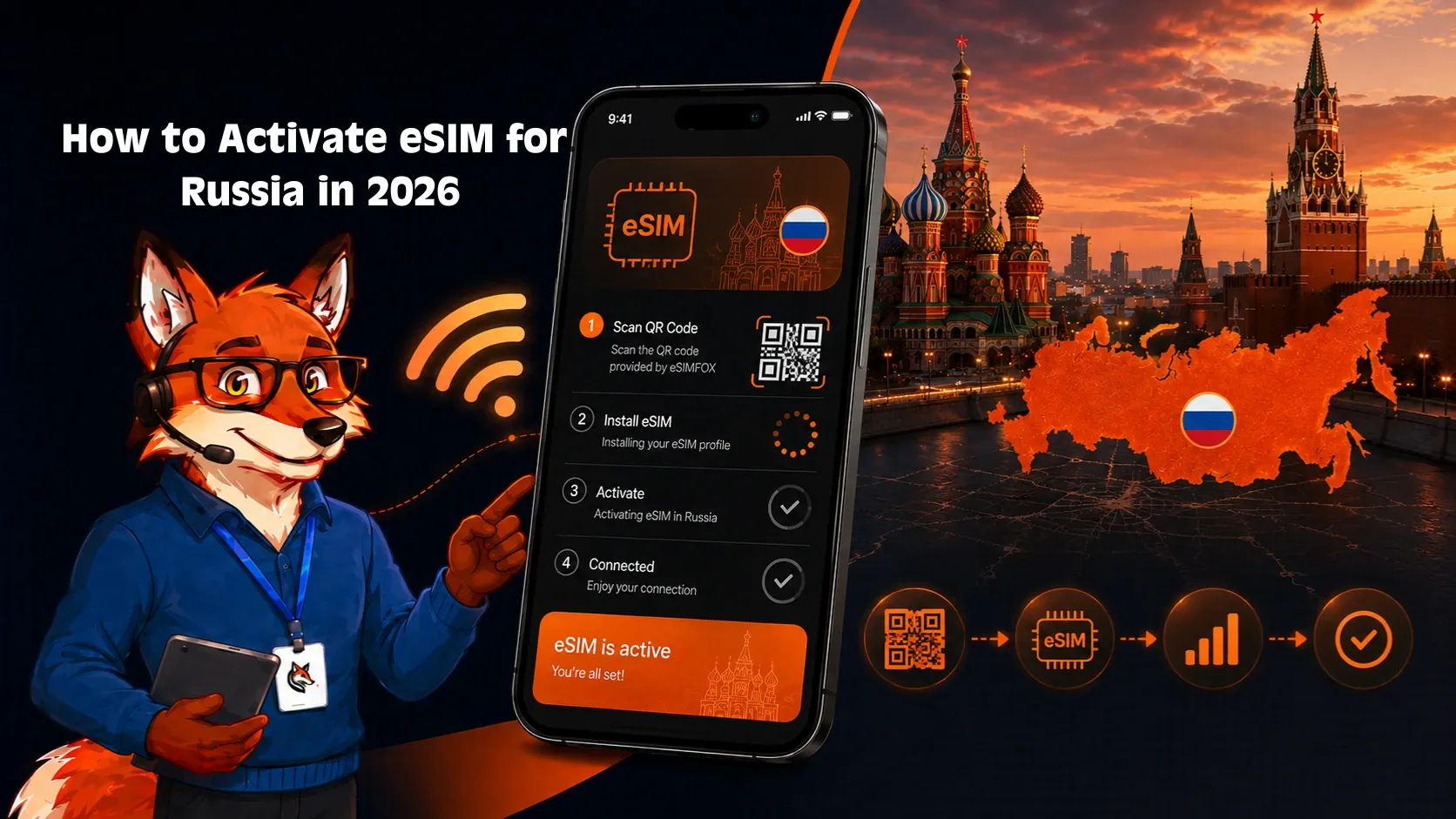
Activation guide: install your Mexico eSIM in three ways
Install at home on Wi-Fi before you fly. Three install paths.
iOS direct installation
- Buy the eSIMFOX Mexico plan.
- Open the activation link from the email on the iPhone.
- Add eSIM, label "Mexico 2026".
- Turn on Data Roaming.
- Set as primary data when you land at MEX, CUN, GDL, MTY, PVR, or SJD.
QR code installation
- QR arrives by email immediately.
- Open on a second screen.
- iPhone or Android: scan via the eSIM settings flow.
- Label and enable Data Roaming.
Manual installation (fallback)
- SM-DP+ and activation code arrive in the purchase email.
- Enter manually via Settings → Cellular → Add eSIM → Enter Details Manually.
Validity starts on first connection to a Mexican network — install ahead of departure.
Troubleshooting your Mexico eSIM
Most eSIM issues in Mexico stem from a few common setup mistakes. If your eSIM has no service after landing, check these steps first.
No service after landing: Turn on Data Roaming for the eSIM line. Travel eSIMs require Data Roaming to be ON—this is not the same as international roaming charges from your home carrier. Go to Settings > Cellular > [eSIM line] > Data Roaming > toggle ON. Restart your phone after enabling it.
Mobile data not working: Confirm the eSIM line is set as your primary data line. Go to Settings > Cellular > Cellular Data > select the eSIM line. If mobile data still doesn't work, check APN settings. Most eSIM providers auto-configure APN, but if you see a blank APN field, contact support for the correct APN string.
Manual network selection: If your phone doesn't connect automatically, try manual network selection. Go to Settings > Cellular > [eSIM line] > Network Selection > turn off Automatic > select Telcel or AT&T Mexico from the list. Wait 30 seconds, then toggle Automatic back on.
QR code already used / cannot scan: Each QR code can only be scanned once. If you accidentally deleted the eSIM profile or tried to install it on a second device, contact support for a replacement activation code. Most providers issue a new code within a few hours.
Accidentally deleted eSIM: If you deleted the eSIM profile by mistake, contact support immediately. Some providers can issue a replacement activation code; others require you to purchase a new plan. Do not buy a new plan until you've confirmed with support whether a replacement code is available.
Hotspot not working: Confirm your plan includes hotspot support. Most eSIMFOX plans do, but some budget-tier plans from other providers block tethering. If hotspot is supported, go to Settings > Personal Hotspot > toggle ON. If it's grayed out, restart your phone and try again.
When to contact support: If you've tried the steps above and still have no service, contact your eSIM provider's support team. Have your order confirmation number, phone model, and iOS/Android version ready. Most providers respond within a few hours, and many offer live chat for urgent issues.
For more detailed troubleshooting, see the eSIM not working guide.
When NOT to use a Mexico eSIM
Honest cases where another option beats eSIM:
- You're staying in Mexico 90+ days on FMM6, residente temporal, or working visa. Travel eSIM validity caps at 30 days; a local Telcel Amigo prepaid plan with monthly top-up at any OXXO convenience store handles long stays cleaner.
- You need a Mexican +52 number for Banamex/BBVA/Santander Mexico 2FA, Mexican government portal verification, or DiDi/Uber driver verification. Travel eSIMs are data-only.
- You're attending the FIFA World Cup 2026 and traveling across USA + Canada + Mexico on knockout-round bracket trips. Use the eSIMFox North America regional plan instead of a Mexico-only plan — one install covers all three host countries.
- Your phone doesn't support eSIM. Older Androids and pre-2018 iPhones lack eSIM hardware. Telcel Amigo Sin Limite SIMs at OXXO cost ~MXN 30-100 for the SIM plus pay-as-you-go top-ups.
- You're heading deep into Chiapas, Oaxaca's Sierra Madre, or remote Baja California Sur. Mexican network coverage thins out past the populated zones — bring offline maps and consider a satellite messenger for off-grid hiking.
Frequently asked questions
Final verdict: which is the best eSIM for Mexico in 2026?
After comparing verified competitor prices, examining Telcel, AT&T Mexico, and Movistar coverage across Mexico City, Cancún, Playa del Carmen, Tulum, Cabo San Lucas, Puerto Vallarta, Oaxaca, and Guadalajara, and accounting for the FIFA World Cup 2026 surge of cross-border travelers, eSIMFOX is the strongest pick for most Mexico trips.
- Best per-GB value at the most common data tiers (5 GB to 20 GB) — see the live plan selector for current pricing.
- Multi-carrier roaming across Telcel and AT&T Mexico — strongest combined coverage on the Yucatán Peninsula (Cancún, Playa del Carmen, Tulum), the Baja California beach destinations, and the central plateau.
- Hotspot support on every plan — share data at a Tulum villa, a Cancún resort, or a Mexico City Airbnb.
- Instant QR activation; no Telcel kiosk paperwork at Benito Juárez International (MEX), Cancún (CUN), Guadalajara (GDL), or Los Cabos (SJD).
- Transparent metered pricing — no FUP-throttled "unlimited" surprise.
- Cross-border note: if your trip includes USA or Canada legs (or you're attending the FIFA World Cup 2026), consider the eSIMFox North America regional plan that covers all three host countries on one install.
The honest exception: travelers staying in Mexico 90+ days on FMM6 long-stay, residente temporal, or working visa will eventually outprice any travel eSIM with a local Telcel postpaid plan or Bait MVNO. For everything else — beach holidays in Cancún/Tulum/Cabo, Mexico City business travel, Yucatán cenote tours, San Miguel de Allende slow travel — install eSIMFox before you fly and skip the Telcel store queue.
Related Mexico travel guides
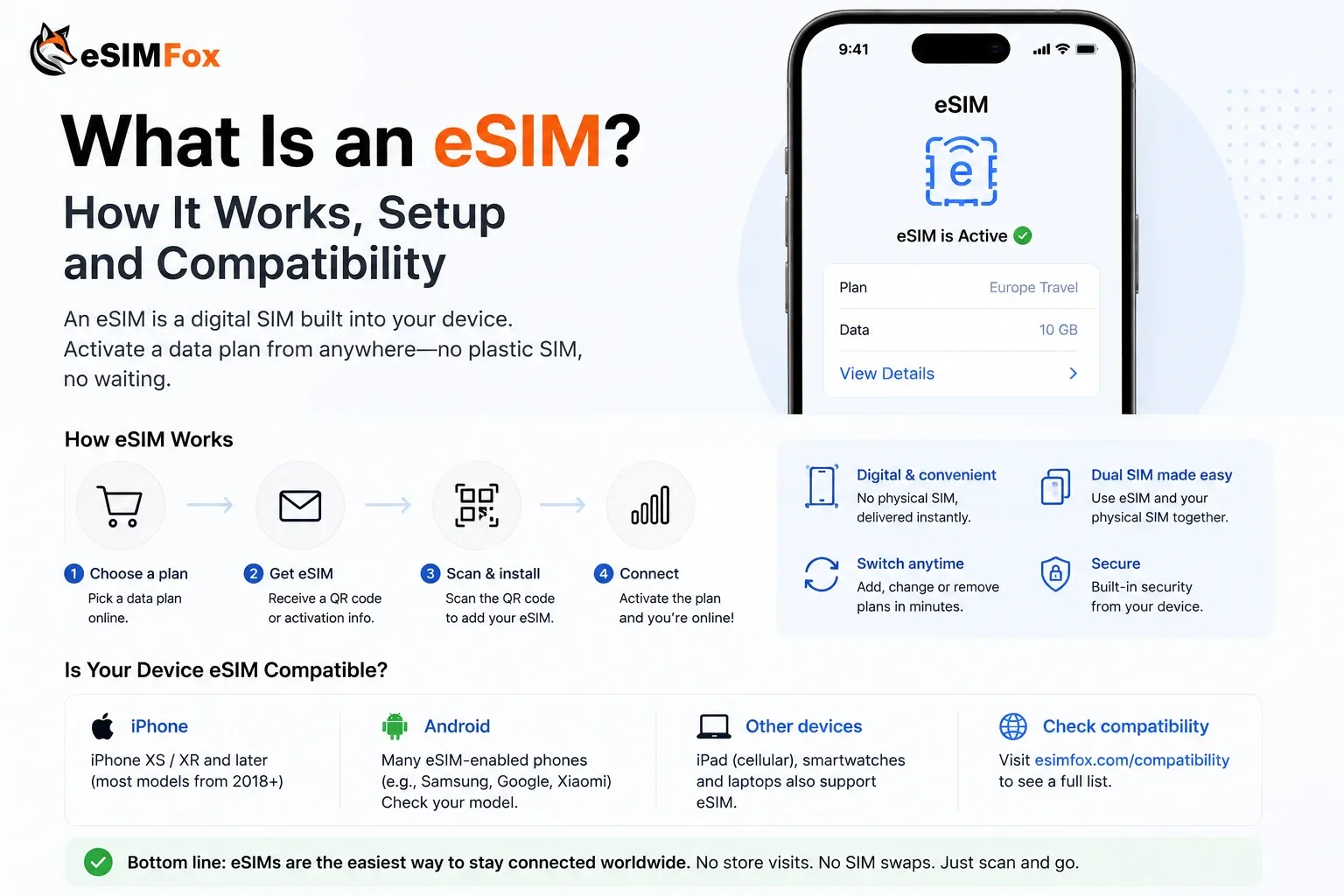
For broader Mexico connectivity context, see the Mexico country hub. If you're comparing eSIM against local SIM options, the SIM card Mexico guide covers Telcel, AT&T Mexico, and Movistar prepaid plans in detail. Travelers wondering whether their home carrier's roaming add-on is worth it should read the roaming in Mexico comparison. For general eSIM background, the what is eSIM explainer covers how eSIM works, device compatibility, and install steps.
If you're traveling beyond Mexico, the internet in Mexico guide explains WiFi availability, public hotspot security, and when to rely on mobile data versus hotel WiFi. For device compatibility questions, check the eSIM-supported devices list or use the eSIM compatibility checker tool to confirm your phone model supports eSIM before purchase.
Ready to stay connected in Mexico?
Choose a Mexico eSIM before you fly, then use data for Uber, Google Maps, WhatsApp, and hotel check-ins from the moment you land at Mexico City International or Cancún International. Install before departure and keep your home SIM active for 2FA and voice calls.
Frequently Asked Questions
Is eSIM available in Mexico?
What is the best eSIM for Mexico in 2026?
How much data do I need for Mexico?
Can I use hotspot with an eSIM in Mexico?
Should I buy an eSIM before traveling to Mexico?
Will my US/UK/AU carrier eSIM work in Mexico?
What is cheaper in Mexico: eSIM, local SIM, or roaming?
Do eSIM plans for Mexico include calls and SMS?
Does eSIM work at Mexico City International or Cancún International?
Which mobile networks are best in Mexico?
Can I keep using WhatsApp, Instagram, or my normal number with a travel eSIM?
What should I do if my Mexico eSIM has no service?
Stay connected on your next trip
Browse eSIM plans for 200+ destinations and activate in 60 seconds.