
Does iPhone Air Support eSIM?
Yes — iPhone Air supports eSIM.
Based on official manufacturer documentation · How we verify compatibility →
Check if your Apple iPhone Air is eSIM compatible. Ensure a smooth transition to digital SIM cards with our step-by-step guide.
See the eSIM activation guide for iPhone Air
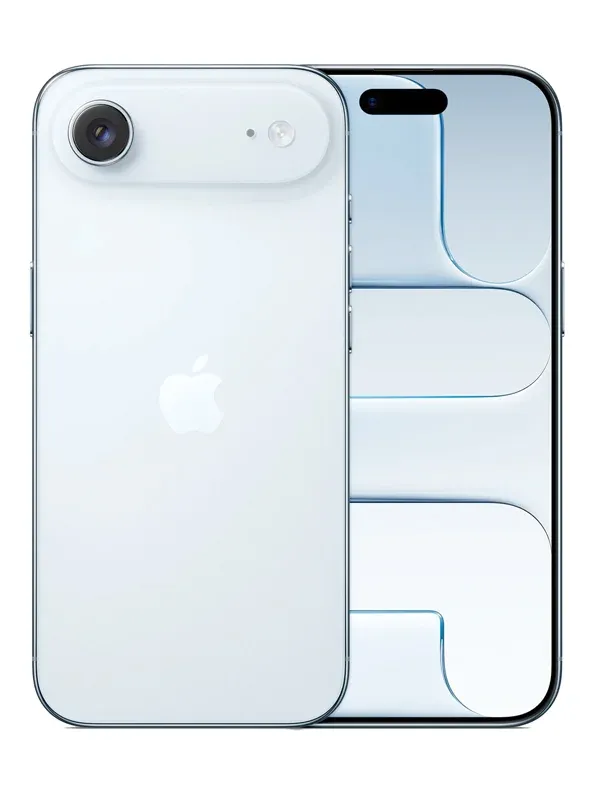
iPhone Air eSIM compatibility
Everything below comes from official Apple documentation — checked, dated and linked, so you don't have to take our word for it.
iPhone Air compatibility facts
Manufacturer verified- eSIMYes
- Dual eSIMYes
- Physical SIM + eSIMNo
Regional & model exceptions
- China mainland (A3518) — eSIM-only; foreign eSIMs only when outside China mainland
A3518- eSIMYes
- Dual eSIMYes
- Physical SIM + eSIMNo
Official Apple sources & verification
- iPhone Air - Tech Specs (Apple Support, en-us edition)Manufacturer specification · Checked August 22, 2026
- iPhone Air - Tech Specs (Apple Support, en-gb edition)Manufacturer specification · Checked August 22, 2026
- iPhone Air - Tech Specs (Apple Support, zh-cn edition)Manufacturer specification · Checked August 22, 2026
- iPhone Air - Tech Specs (Apple Support, zh-hk edition)Manufacturer specification · Checked August 22, 2026
- Using Dual SIM with an eSIM (Apple Support)Manufacturer support documentation · Checked August 22, 2026
- Using Dual SIM with two nano-SIM cards (Apple Support — China mainland, Hong Kong, Macao)Manufacturer regional documentation · Checked August 22, 2026
- Using eSIM with your iPhone in China mainland (Apple Support)Manufacturer regional documentation · Checked August 22, 2026
- Learn which type SIM your iPhone or iPad uses (Apple Support)Manufacturer support documentation · Checked August 22, 2026
- Identify your iPhone model (Apple Support)Manufacturer support documentation · Checked August 22, 2026
Facts on this page were verified against official Apple documentation on August 22, 2026. · Technically reviewed by Adil Z · How we verify compatibility →
How to check eSIM support on your iPhone Air
Quickly check if your Apple iPhone Air can use eSIM to enjoy its many benefits.
Check your iPhone Air
Check for “Add eSIM” in Settings
- Open Settings
- Tap Cellular or Mobile Data
- Look for “Add eSIM”
Check your iPhone Air model number
- Check your model number under Settings → General → About.
If your model number is A3518, refer to the regional exceptions above.
Check for carrier or network restrictions
- Open Settings app on your Apple device.
- Tap on General.
- Tap on About.
- Look for the section Carrier Lock or Network Provider Lock.
If it shows any other information or is missing, your device might be locked to a carrier.
Get a eSIM for your Apple iPhone Air Now*The following Apple devices DO NOT have eSIM capability:
- iPhone devices from Mainland China. Hong Kong and Macao (except for the iPhone 13 Mini, iPhone 12 Mini, iPhone SE 2020, and iPhone XS).
- Apple Watch is currently NOT compatible.
- Pixel 3a models purchased in South East Asia and with Verizon service.
- If you are setting up your device for the first time after June 23, 2020, your eSIM will activate after installation. Contact your carrier if you don’t have eSIM enabled.
- *For iPhones and iPads purchased in TURKEY:
- Only iPad devices with Wi-Fi + Cellular features are supported (excluding devices purchased in Mainland China, Hong Kong, or Macao).
iPhone Air eSIM — frequently asked questions
Find answers to common questions about eSIM activation, compatibility, top-ups, and more.
Yes. The iPhone Air supports eSIM, so you can install a travel data plan without a physical SIM card.
Other eSIM-compatible iPhone models
The iPhone models closest to the iPhone Air — each with its own verified compatibility page.
eSIM compatible with iPhone*
* Carrier- and country-specific restrictions may apply. Device must be carrier-unlocked.
Take your iPhone Air anywhere
Land connected in 200+ destinations — install before you fly, hop on fast 4G/5G, and skip the roaming bill entirely.









 Belgium
 Germany
 Türkiye
 USA
USA Portugal
 Belgium
 PayPal
 Apple Pay
 Credit or debit card
Payment summary
Belgium Ready to UseThe data plan will be activated automatically when you arrive at your destination.
The data plan will be activated automatically when you arrive at your destination.
Install eSIM profile
Tap Install and follow the prompts to add the eSIM to your device.
Turn on the line & enable data roaming
From destination to data in under a minute
Pick a country, choose a bundle, pay, and install — your eSIM is ready before you land. All from one app, on iPhone or Android.
Find your destination
200+ countries, regional and global plans in one store.
Pick a clear bundle
Transparent per-GB pricing — no surprises, no roaming fees.
Pay & install in a tap
Secure checkout, then a guided one-tap eSIM install.