
Quick verdict: best eSIM for New Zealand
Heading to New Zealand in 2026 — Auckland's Sky Tower and Waiheke Island wine country, Wellington's Te Papa museum and Cuba Street culture, Christchurch and the Canterbury Plains, Queenstown adventure and ski seasons, Milford Sound and Fiordland, Rotorua thermal pools and Maori culture, Lord of the Rings location tours through Tongariro and Glenorchy, Dunedin and Otago Peninsula, or Tauranga and the Bay of Plenty — the cleanest connectivity play is an eSIMFox New Zealand plan running on One NZ (Vodafone) and 2degrees. WhatsApp, Google Maps, Uber, and AT HOP all work seamlessly. Install the QR code before the long-haul flight into Auckland Airport, Wellington Airport, Christchurch Airport, or Queenstown Airport, and you will land already connected.
New Zealand's mix of urban centers, remote hiking trails, and island-hopping itineraries creates connectivity gaps that airport SIM counters and roaming plans struggle to solve affordably, and eSIMFOX addresses those gaps with transparent data tiers, instant QR activation, and coverage that works across both North and South Island networks without hidden throttling or passport checks.
New Zealand eSIM comparison table
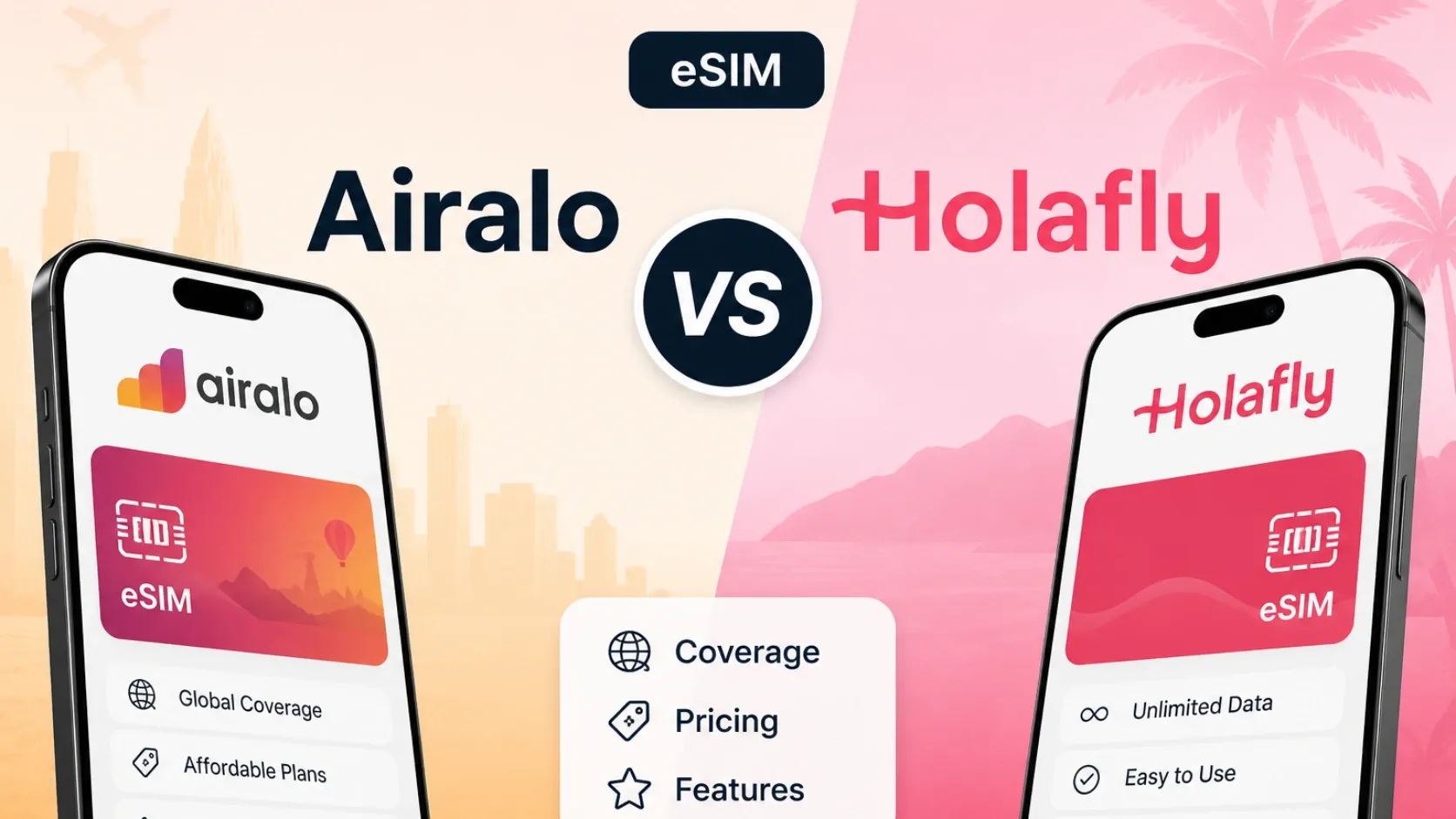
The table below compares eSIMFOX with the most-recognized travel eSIM providers for New Zealand. Prices and plan shapes reflect the closest 10 GB tier (or closest comparable) from each provider's current catalogue. eSIMFOX pricing is pulled from the live plan selector below the table; competitor pricing is drawn from the verified snapshot dated 2026-05-29. Use the live plan selector to confirm current eSIMFOX tiers before purchase.
Information accurate as of 2026-05-29. Prices and availability may change over time.
Current eSIMFOX plans for New Zealand
Buy a New Zealand eSIM from €1.99
10% off
Exclusive reader bonus
Get an extra 10% off your first eSIMFOX eSIM as a thanks for reading.
NEWZEALAND10New customers only. One use per account. Subject to change.
Why eSIMFOX is best for New Zealand
eSIMFOX solves the three biggest connectivity problems travelers face in New Zealand: unpredictable airport SIM pricing, roaming bill shock, and the friction of swapping physical SIMs mid-trip. The QR code install takes under 60 seconds, so you can activate your plan before boarding your flight to Auckland and land with data already working. The live plan selector shows current pricing across all data tiers, so you know exactly what you are paying before purchase. Hotspot support is included on every plan, which matters when you need to share connectivity with travel companions or tether a laptop during a South Island road trip.
New Zealand's geography creates real coverage challenges. Auckland, Wellington, and Christchurch have strong urban networks, but the South Island's remote highways, Fiordland hiking trails, and smaller towns like Wanaka or Te Anau can have weaker signal. Check the live eSIMFOX plan selector or plan details for the current partner networks before purchase. You keep your home SIM active for calls and two-factor authentication, which is critical when you need to verify a bank transaction or receive a hotel booking confirmation while traveling.
Price transparency is the other major advantage. Airalo's 10 GB / 7 days plan costs 20.50 € (verified 2026-05-29), and Holafly's unlimited 7-day plan costs $ 27.30 USD (verified 2026-05-29). eSIMFOX pricing is competitive across comparable tiers, and the live plan selector lets you compare data amounts, validity windows, and per-GB value before committing. There are no hidden throttling policies, no passport upload requirements, and no surprise roaming fees. You buy the data tier that fits your trip, install the QR code, and stay connected from Auckland Airport through your final South Island stop.
Provider breakdowns
eSIMFOX: transparent pricing and instant QR install for New Zealand trips
Best for: Travelers who want the most reliable end-to-end purchase and install experience, with transparent pricing, hotspot support, and coverage across both North and South Island networks.
Strengths: QR code install completes in under 60 seconds. The live plan selector shows current pricing across all data tiers, so you can compare 5 GB, 10 GB, 20 GB, and higher tiers before purchase. Hotspot support is included on every plan, which is critical when you need to share connectivity with travel companions or tether a laptop during a remote South Island stay. You keep your home SIM active for calls and two-factor authentication, so you do not lose access to your normal phone number while traveling. Confirm the active partner networks via the live plan selector before checkout. There are no passport upload requirements, no hidden throttling policies, and no surprise roaming fees.
Weaknesses: eSIMFOX does not offer unlimited-style plans, so heavy data users who stream video constantly or run large file uploads may prefer Holafly's unlimited tiers. The brand is newer than Airalo, so travelers who prioritize name recognition may lean toward a more established provider.
Ideal traveler type: eSIMFOX suits travelers who want predictable pricing, instant QR activation, and the ability to keep their home SIM active for calls and two-factor authentication. It works well for Auckland city trips, South Island road trips, and multi-stop itineraries that mix urban centers with remote hiking or island-hopping segments.
Airalo: recognizable app experience for New Zealand trips
Best for: Travelers who already use Airalo across multiple countries and prefer a familiar app interface.
Strengths: Airalo is the most-recognized travel eSIM brand globally, so travelers who have used it in other countries will find the New Zealand install process familiar. The app interface is polished, and the 10 GB / 7 days plan (20.50 €, verified 2026-05-29) fits short Auckland or Queenstown trips. Airalo supports hotspot on most plans, and the QR code install process is straightforward.
Weaknesses: Airalo's per-GB pricing is higher than eSIMFOX for comparable tiers. The 10 GB / 7 days plan costs 20.50 €, while eSIMFOX offers competitive pricing for the same data amount. Airalo's fair-use policies are less transparent than eSIMFOX, and some users report throttling on higher-tier plans. Coverage in remote South Island areas can be weaker than urban centers, though this is true for most travel eSIM providers.
Ideal traveler type: Airalo suits travelers who already use the app across multiple countries and value brand familiarity over per-GB price optimization. It works well for short Auckland or Wellington trips where data usage stays moderate.
Holafly: high-data option for New Zealand trips with fair-use trade-offs
Best for: Heavy data users who stream video constantly, run large file uploads, or need unlimited-style plans for short New Zealand trips.
Strengths: Holafly offers unlimited-style plans, which appeal to travelers who do not want to monitor data usage. The 7-day unlimited plan costs $ 27.30 USD (verified 2026-05-29), and the install process is straightforward via QR code. Holafly supports hotspot on most plans, and the app interface is clean.
Weaknesses: Holafly's unlimited plans are subject to fair-use limits, which are not always clearly disclosed before purchase. Some users report throttling after hitting daily or cumulative data thresholds, and the exact throttling speed varies by plan. The per-day cost is higher than eSIMFOX for travelers who can estimate their data needs accurately. Coverage in remote South Island areas can be weaker than urban centers.
Ideal traveler type: Holafly suits heavy data users who stream video constantly, run large file uploads, or prefer unlimited-style plans over metered tiers. It works well for short Auckland or Queenstown trips where data usage is high and the traveler is willing to accept fair-use limits.
Saily: app-managed option, pricing not verified for New Zealand
Best for: Travelers comparing app-based eSIM providers and NordVPN ecosystem users.
Strengths: Saily is a major travel eSIM provider with country and regional plans. The install and management flow runs through the Saily mobile app, which appeals to travelers who prefer app-based workflows over web-based purchases. Saily is part of the Nord Security ecosystem, which may appeal to NordVPN users.
Weaknesses: Saily is worth checking, but its New Zealand pricing was not verified in the current snapshot used for this article. Without verified pricing, it is difficult to compare Saily's per-GB value against eSIMFOX, Airalo, or Holafly. Travelers should check Saily's current New Zealand plans directly before purchase.
Ideal traveler type: Saily suits travelers who prefer app-based eSIM management and are already part of the NordVPN ecosystem. It is worth checking for New Zealand trips, but verify current pricing before committing.
Network coverage in New Zealand
New Zealand has three major mobile network operators: Spark, Vodafone New Zealand, and 2degrees. Spark and Vodafone have the widest geographic footprint, with strong coverage in Auckland, Wellington, Christchurch, and other North Island cities. 2degrees has competitive urban coverage but weaker rural reach. All three operators offer 4G LTE across most populated areas, and 5G is available in Auckland, Wellington, and Christchurch city centers.
The South Island presents more coverage challenges. Queenstown, Wanaka, and the West Coast have strong coverage in town centers, but remote highways, Fiordland hiking trails, and smaller settlements like Te Anau or Haast can have weaker signal. Travelers planning South Island road trips should expect occasional dead zones between towns, especially on State Highway 6 through the West Coast and State Highway 94 to Milford Sound. 4G is the realistic floor for most South Island travel; 5G is limited to Queenstown and Christchurch.
See the live plan selector for current partner networks and tier pricing. Travel eSIMs roam onto local networks, and network performance varies by carrier agreement and location — remote areas may have slower speeds or weaker signal regardless of provider.
eSIM vs local SIM vs roaming
eSIM, local SIM, and roaming each solve different New Zealand connectivity problems. eSIM is the fastest option: you buy the plan online, scan a QR code, and land with data already working. Local SIM requires finding a Spark, Vodafone, or 2degrees store, buying a prepaid SIM, and swapping your physical SIM card. Roaming keeps your home number active but can cost $10–$15 USD per day depending on your carrier.
Setup time: eSIM takes under 60 seconds via QR code. Local SIM requires finding a store, waiting in line, and completing the purchase, which can take 20–40 minutes at Auckland Airport or longer in smaller towns. Roaming requires no setup but activates automatically when you land, which can trigger surprise charges if you forget to disable data roaming before your flight.
Passport and ID requirements: eSIM requires no passport upload or ID check. Local SIM purchase at Auckland Airport or city stores may require showing your passport, though enforcement varies by operator. Roaming requires no ID check but ties your data usage to your home carrier's billing system.
Home number and two-factor authentication: eSIM lets you keep your home SIM active for calls and two-factor authentication, so you do not lose access to your normal phone number while traveling. Local SIM replaces your home SIM, which means you lose access to your home number unless you carry a second phone or swap SIMs frequently. Roaming keeps your home number active but charges per-day fees for the privilege.
Price: eSIM pricing is transparent and predictable. eSIMFOX shows current pricing across all data tiers via the live plan selector, and you know exactly what you are paying before purchase. Local SIM pricing varies by operator and data tier, and airport SIM counters often charge higher prices than city stores. Roaming costs $10–$15 USD per day for most US, UK, and Australian carriers, which adds up quickly on multi-week trips.
Best fit: eSIM suits travelers who want instant QR activation, transparent pricing, and the ability to keep their home SIM active for calls and two-factor authentication. Local SIM suits travelers who need a New Zealand phone number for local calls or prefer buying in-person. Roaming suits travelers on short trips who prioritize convenience over cost and do not mind paying daily fees.
How much data you need in New Zealand
Data needs vary by trip style, but most New Zealand travelers fall into one of four patterns: light, moderate, heavy, or remote worker. Light users check email, use Google Maps for navigation, and send WhatsApp messages occasionally. Moderate users add Instagram browsing, video calls, and occasional YouTube or Spotify streaming. Heavy users stream video constantly, upload photos to cloud storage, and use hotspot to share connectivity with travel companions. Remote workers run video calls, upload large files, and need reliable hotspot for laptop tethering.
New Zealand data usage estimates by trip style
New Zealand data usage estimates — light, moderate, heavy, and remote worker patterns
| Trip style | Daily usage | Weekly usage | Typical activities |
|---|---|---|---|
| Light | 200–400 MB | 1.5–3 GB | Google Maps, WhatsApp, email, occasional web browsing |
| Moderate | 600 MB–1.2 GB | 4–8 GB | Google Maps, WhatsApp, Instagram, video calls, occasional YouTube or Spotify |
| Heavy | 1.5–3 GB | 10–20 GB | Constant video streaming, photo uploads, TikTok, hotspot for travel companions |
| Remote worker | 2–4 GB | 15–30 GB | Video calls, large file uploads, hotspot for laptop, cloud storage sync |
Google Maps uses about 5 MB per hour of active navigation, so a full day of Auckland city driving or South Island road-tripping uses 40–60 MB. WhatsApp text messages use negligible data, but WhatsApp video calls use 300–500 MB per hour. Instagram browsing uses 100–200 MB per hour, and TikTok uses 200–400 MB per hour. YouTube video streaming uses 500 MB–1 GB per hour at standard quality, and 2–3 GB per hour at HD quality. Spotify streaming uses 40–70 MB per hour at normal quality.
Hotspot and tethering add extra data usage. If you share your eSIM connection with a travel companion's phone or tether a laptop for work, expect your daily usage to double or triple. Remote workers running Zoom or Google Meet video calls should budget 1–2 GB per hour of video conferencing, and large file uploads to Google Drive or Dropbox can consume several GB per session.
Most travelers on 7–10 day New Zealand trips fit the moderate pattern and use 5–10 GB total.
New Zealand mobile networks compared: Spark vs One NZ (Vodafone) vs 2degrees
New Zealand has three major mobile network operators.
Spark
Largest network by subscriber count. Strong 4G LTE and growing 5G coverage across both islands. Particularly strong in North Island. Airalo NZ runs on Spark.
One NZ (formerly Vodafone NZ)
Rebranded from Vodafone NZ in 2023. Comparable urban coverage to Spark with strong South Island reach including Queenstown and Fiordland route. eSIMFox partners with One NZ as a primary network — particularly valuable for South Island Great Walk and ski-season travelers.
2degrees
Third operator. Strong urban coverage and competitive prices. Slightly weaker rural and Great Walk footprint. eSIMFox roams 2degrees as a secondary partner — combined with One NZ, this gives broad NZ coverage.
Bottom line: travel-eSIM providers with multi-network roaming across One NZ + 2degrees (eSIMFox) deliver the broadest NZ tourist experience including South Island ski and Fiordland routes that single-network Spark plans (Airalo) sometimes miss.
Unlimited New Zealand eSIM plans: what the FUP actually means
Holafly unlimited NZ plans carry Fair Usage Policies.
- Full-speed 4G/5G data for the first 1-3 GB per day; speeds drop to ~1 Mbps after the ceiling.
- Threshold resets daily at NZ local time.
- At 1 Mbps: WhatsApp and Google Maps work; Instagram Reels and video calls degrade.
- A metered 10 GB or 20 GB eSIMFOX plan delivers better real-world performance for typical NZ tourist trips.
Which New Zealand eSIM plan should you choose? Pick by trip length
eSIMFOX New Zealand tiers run from 1 GB to 50 GB. Check the live plan selector for current pricing.
Short city break (3-5 days)
Best pick: 3 GB or 5 GB. Auckland weekend (Sky Tower, Waiheke Island wine), Wellington Te Papa visit, or Queenstown adventure-day trip — most usage is Google Maps, Uber rides, AT HOP transit cards, occasional Instagram from harbours and mountains.
North or South Island tour (7-14 days)
Best pick: 10 GB. Auckland + Rotorua + Wellington + Coromandel single-island North tour, or Christchurch + Queenstown + Milford Sound + Wanaka + Dunedin single-island South tour — more data for car-trip routing, Lord of the Rings location maps, content uploads.
Grand NZ tour (2-3 weeks)
Best pick: 20 GB. Both-island grand tours (North then South) covering Auckland + Rotorua + Wellington + ferry + Marlborough + Christchurch + West Coast + Queenstown + Milford push usage above 15 GB. Frequent navigation, video calls home (massive time-zone gap), content uploads from glaciers and fjords.
Working holiday and ski-season nomads
Best pick: 20 GB monthly renewals or local Skinny SIM. Queenstown and Wanaka host strong ski-season working-holiday communities. Beyond 2 months, a local Skinny Mobile prepaid plan beats travel eSIM economics.
Airport SIM vs eSIM in New Zealand
Auckland Airport and Christchurch Airport both have SIM card kiosks in the arrivals hall, but airport SIM pricing is often higher than city stores and the queue can take 20–40 minutes during peak arrival times. eSIM solves both problems: you buy the plan online before your flight, scan the QR code, and land with data already working. No queue, no passport check, no price uncertainty.
New Zealand airport SIM kiosks at Auckland Airport, Wellington Airport, Christchurch Airport, and Queenstown Airport sell tourist SIM packs from Spark, One NZ, 2degrees, and Skinny for NZD 30-60 ($18-37 USD) including 10-30 GB / 30 days.
Airport SIM friction in NZ: ID registration required under Telecommunications Act regulations. Expect 5-10 minutes of paperwork. Auckland queues after long-haul Asian and US arrival waves can stretch 30-45 minutes. eSIM installs before you board and works the moment you switch off Airplane Mode after the long-haul flight.
Auckland Airport has Spark, Vodafone, and 2degrees kiosks near the international arrivals exit. Prepaid SIM prices vary by data tier, but expect to pay NZD 30–50 for a 5–10 GB plan with 28-day validity. The kiosks are staffed during peak hours, but wait times can stretch to 30–40 minutes when multiple flights arrive simultaneously. You need your passport for the purchase, and the staff will ask for your travel dates and data needs before recommending a plan.
Christchurch Airport has similar kiosks, though the selection is smaller and wait times are shorter. Wellington Airport has fewer kiosks, and smaller regional airports like Queenstown or Rotorua may not have SIM counters at all. If you land at a regional airport, you will need to find a city store to buy a local SIM, which adds friction to your first day of travel.
eSIM removes all of that friction. You buy the plan online, scan the QR code before boarding your flight, and land with data already working. You keep your home SIM active for calls and two-factor authentication, so you do not lose access to your normal phone number. You avoid the airport queue, the passport check, and the price uncertainty. You can compare data tiers and pricing via the live plan selector before purchase, so you know exactly what you are paying.
Airport SIM is a fallback option when eSIM is not available or when you need a New Zealand phone number for local calls. For most travelers, eSIM is faster, cheaper, and more convenient.
Activation guide: install your New Zealand eSIM in three ways
Install at home on Wi-Fi before the long-haul flight. Three install paths.
iOS direct installation (iPhone XS or newer)
- Buy the eSIMFOX New Zealand plan.
- Open the activation link from the email on the iPhone.
- Tap Continue then Add eSIM. Label NZ 2026.
- Turn on Data Roaming.
- Set as primary data when you land at Auckland, Wellington, Christchurch, or Queenstown Airport.
QR code installation (iPhone and Android)
- QR arrives by email immediately.
- Open on a second screen.
- iPhone: Settings then Cellular then Add eSIM then Use QR Code. Android: Settings then Network and Internet then SIMs then Add eSIM.
- Label and enable Data Roaming.
Manual installation (fallback)
- SM-DP+ and activation code arrive in the purchase email.
- Enter manually via Settings then Cellular then Add eSIM then Enter Details Manually.
Validity starts on first connection to a New Zealand network.
Troubleshooting your New Zealand eSIM
Most New Zealand eSIM issues fall into a few common patterns. The fixes below work for eSIMFOX and most other travel eSIM providers.
No service after landing: Check that your eSIM profile is installed and activated. Go to Settings > Cellular (iOS) or Settings > Network & Internet > SIMs (Android) and confirm the eSIM profile shows as active. If the profile is installed but shows no service, toggle Airplane Mode on and off to force a network reconnect. If that does not work, restart your phone.
Mobile data not working: Check that Data Roaming is enabled for your eSIM profile. Most travel eSIMs require Data Roaming to be ON, even though the name is confusing. Go to Settings > Cellular > [eSIM profile name] > Data Roaming (iOS) or Settings > Network & Internet > SIMs > [eSIM profile name] > Roaming (Android) and toggle it on. If Data Roaming is already on, check that your eSIM profile is set as the active data line.
APN settings: Most eSIMs configure APN settings automatically during install, but some carriers require manual APN entry. If your data is not working after enabling Data Roaming, check your eSIM provider's support page for the correct APN settings. Go to Settings > Cellular > [eSIM profile name] > Cellular Data Network (iOS) or Settings > Network & Internet > SIMs > [eSIM profile name] > Access Point Names (Android) and enter the APN, username, and password provided by your eSIM provider.
Manual network selection: If your phone does not connect to a network automatically, try manual network selection. Go to Settings > Cellular > [eSIM profile name] > Network Selection (iOS) or Settings > Network & Internet > SIMs > [eSIM profile name] > Network operators (Android), turn off Automatic, and select a network manually. In New Zealand, try Spark, Vodafone New Zealand, or 2degrees.
QR code already used or cannot scan: If you get an error saying the QR code has already been used, contact your eSIM provider's support team. Most providers can issue a replacement activation code if the original QR code was scanned accidentally or the eSIM profile was deleted. Do not buy a new plan unless your provider confirms the original plan cannot be recovered.
Accidentally deleted eSIM: If you delete your eSIM profile by mistake, contact your eSIM provider's support team. Some providers can issue a replacement activation code for the same plan. Do not buy a new plan until you confirm the original plan cannot be recovered.
Hotspot not working: Check that your eSIM plan includes hotspot support. Most eSIMFOX plans include hotspot, but some providers restrict it on lower-tier plans. If hotspot is supported, check that Personal Hotspot is enabled in your phone's settings and that your travel companion's device is connecting to the correct network name and password.
When to contact support: If none of the fixes above work, contact your eSIM provider's support team. Most providers offer email or live chat support, and response times are usually under 24 hours. Have your order number, eSIM profile name, and phone model ready when you contact support.
When NOT to use a New Zealand eSIM
Honest exceptions where another option beats eSIM:
- You are on a working holiday (subclass 466) or student visa staying 6-12 months. Travel eSIM validity caps at 30 days; local Spark, One NZ, 2degrees, or Skinny (Spark MVNO) prepaid plans handle long stays better.
- You need a New Zealand +64 phone number for IRD, ANZ/Westpac NZ/Kiwibank/BNZ 2FA, or NZ employment paperwork. Travel eSIMs are data-only.
- Your phone does not support eSIM. NZ carriers sell prepaid tourist SIMs at Auckland Airport for NZD 30-60 with 10-30 GB.
- You are driving the Routeburn, Milford, or Heaphy Tracks or hiking deep Fiordland. NZ network coverage thins out sharply on the Great Walks — bring offline maps and a satellite messenger (Garmin inReach is standard) if you are going truly off-grid.
- You will consume 100+ GB on a multi-month working-holiday year. Skinny Mobile prepaid plans beat travel eSIM at extreme volumes.
Frequently asked questions
Final verdict: which is the best eSIM for New Zealand in 2026?
After comparing verified competitor prices, examining Spark, Vodafone NZ (One NZ), and 2degrees coverage across Auckland, Wellington, Christchurch, Queenstown, Rotorua, Dunedin, and Tauranga and the North and South Islands, eSIMFOX is the strongest pick for most New Zealand trips.
- Best per-GB value at the most common data tiers (5 GB to 20 GB) — see the live plan selector for current pricing.
- Multi-carrier roaming across Vodafone NZ (One NZ) and 2degrees — broader South Island and rural reach than single-network competitors using only Spark (Airalo).
- Hotspot support on every plan — share data at an Auckland Airbnb, a Queenstown ski chalet, or a Rotorua thermal lodge.
- Instant QR activation; no kiosk paperwork at Auckland Airport, Wellington Airport, Christchurch Airport, or Queenstown Airport.
- Transparent metered pricing — no FUP-throttled unlimited surprise.
- Strong urban 4G LTE across North Island (Auckland, Wellington, Hamilton) and South Island main cities (Christchurch, Queenstown, Dunedin) plus reliable Milford Sound, Glenorchy, and Fiordland route coverage.
The honest exception: working-holiday visa holders (subclass 466) and student visa long-stay travelers past 90 days will eventually outprice travel eSIM with a local Spark, One NZ, 2degrees, or Skinny (Spark MVNO) postpaid plan. For everything else — North + South Island grand tours, Queenstown ski seasons, Lord of the Rings location tours, Maori cultural visits in Rotorua, Auckland business trips — install eSIMFox before the long-haul flight.
Related New Zealand travel guides
The guides below cover related New Zealand connectivity topics. Each guide explains a different aspect of staying connected during your trip, from local SIM cards to roaming costs to general internet access options.
- SIM card in New Zealand — explains local SIM options from Spark, Vodafone, and 2degrees, including where to buy, typical pricing, and when a local SIM makes more sense than eSIM.
- Roaming in New Zealand — breaks down roaming costs for US, UK, and Australian carriers, explains when roaming is worth it, and compares roaming vs eSIM vs local SIM for different trip lengths.
- Internet in New Zealand — covers all connectivity options for New Zealand travel, including eSIM, local SIM, roaming, public WiFi, and portable hotspots.
- New Zealand country hub — central resource for New Zealand travel planning, with links to connectivity guides, airport guides, and trip-planning resources.
These guides complement the eSIM comparison above and help you make an informed connectivity decision for your New Zealand trip.
Frequently Asked Questions
Is eSIM available in New Zealand?
What is the best eSIM for New Zealand in 2026?
How much data do I need for New Zealand?
Can I use hotspot with an eSIM in New Zealand?
Should I buy an eSIM before traveling to New Zealand?
Will my US/UK/AU carrier eSIM work in New Zealand?
What is cheaper in New Zealand: eSIM, local SIM, or roaming?
Do eSIM plans for New Zealand include calls and SMS?
Does eSIM work at Auckland Airport or Christchurch Airport?
Which mobile networks are best in New Zealand?
Can I keep using WhatsApp or my normal number with a travel eSIM?
What should I do if my New Zealand eSIM has no service?
Stay connected on your next trip
Browse eSIM plans for 200+ destinations and activate in 60 seconds.