
Quick verdict: best eSIM for Japan
Heading to Japan in 2026 — Tokyo cherry blossoms in Ueno or Yoyogi, Kyoto temples and Arashiyama bamboo, Osaka street food in Dotonbori, Hiroshima's Peace Memorial, Hakone hot springs, Niseko ski runs, or a Hokkaido road trip — the cleanest connectivity play is an eSIMFox Japan plan on NTT Docomo. Install the QR code before you fly into Narita (NRT), Haneda (HND), Kansai (KIX), or Chitose (CTS), and you land already connected. Skip the Pocket WiFi rental counter, skip the Yamada Denki SIM kiosk, and keep your home SIM active for LINE, WhatsApp, and SMS 2FA. The eSIMFox Japan plan partner-network details are shown in the plan selector below.
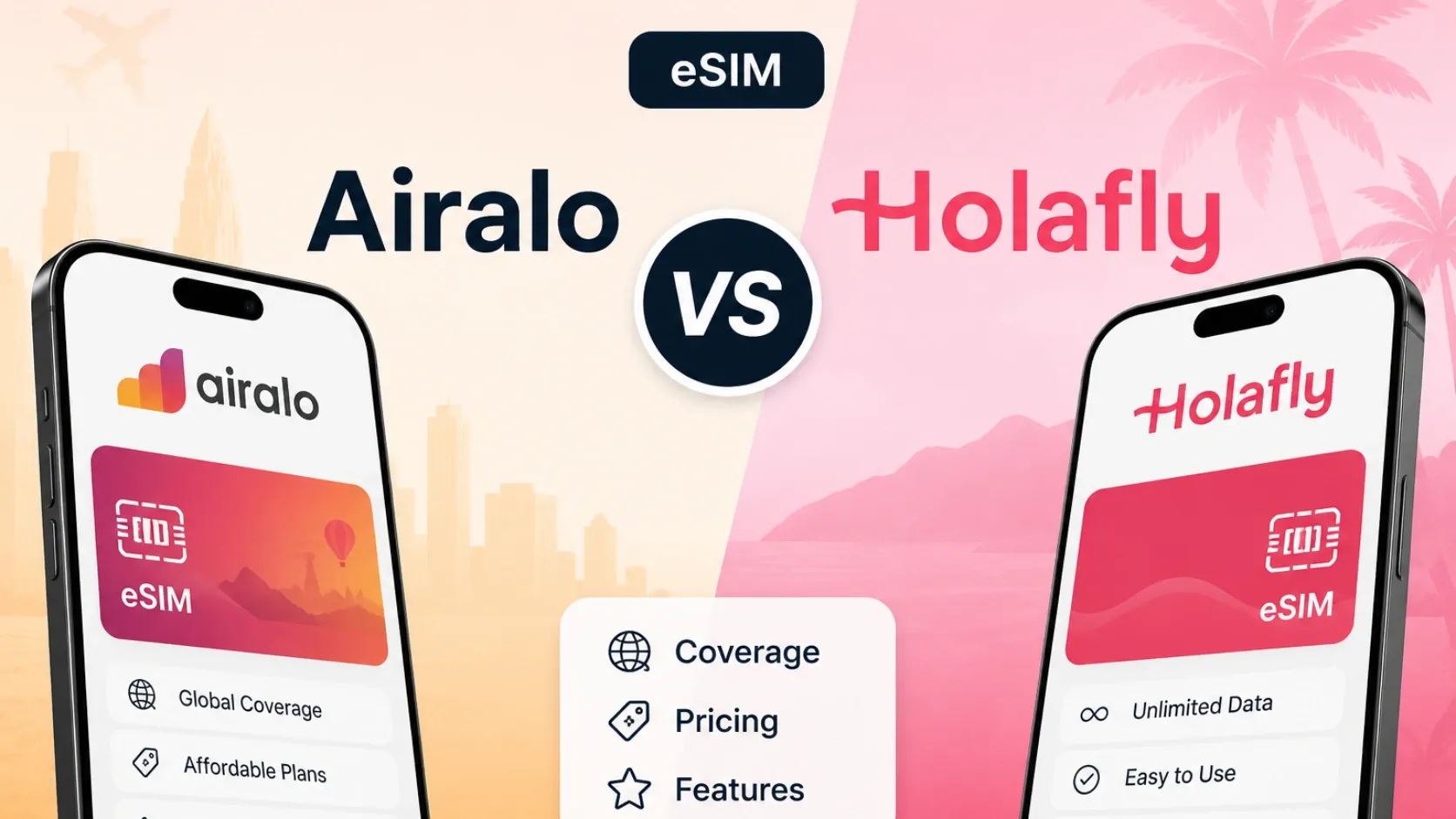
Airalo remains the most recognizable travel-eSIM brand globally and offers solid Japan coverage, but its 10 GB / 7 days tier lands at 15.50 EUR (approximately $16.80 USD at current exchange rates), which is higher than eSIMFOX's comparable offering when you factor in the live plan selector pricing below. Holafly markets unlimited-data plans for Japan starting at $27.30 USD for 7 days, but those plans are subject to fair-use limits that can throttle speeds after heavy use — read the fine print before committing to an unlimited-style plan for a data-intensive trip.
Saily is a major travel-eSIM provider with an app-based install and management flow, and it connects to the Nord Security / NordVPN ecosystem. However, Saily's Japan pricing was not verified in the current snapshot used for this article, so we cannot cite specific plan tiers or prices for Saily here. If you already use NordVPN or prefer an app-managed eSIM experience, Saily is worth checking directly, but compare the live pricing against eSIMFOX and Airalo before purchase.
The rest of this guide breaks down the comparison table, explains why eSIMFOX is the recommended pick for most Japan trips, covers network coverage in Tokyo, Osaka, Kyoto, and rural areas, compares eSIM vs local SIM vs roaming, and walks through troubleshooting steps if your eSIM has no service after landing.
Japan's dense urban coverage (Tokyo, Osaka, Kyoto) makes eSIM the simplest connectivity choice, but rural mountain areas and remote islands can still have weak signal — eSIMFOX connects to KDDI au, SoftBank, or NTT Docomo depending on the plan, giving you the best chance of staying online across city transfers and countryside day trips.
Japan eSIM comparison table
The table below compares the four major travel-eSIM providers for Japan in 2026. eSIMFOX is listed first as the recommended option. Prices and plan shapes are drawn from the latest available snapshot and may change — always check the live plan selector before purchase.
Japan eSIM provider comparison
Japan eSIM comparison — representative plans from verified providers as of 2026-05-29
| Provider | Plan | Data | Validity | Price | Best for |
|---|---|---|---|---|---|
| eSIMFOX | See selector below | See selector below | See selector below | See selector below | Recommended — widest Japan coverage, transparent pricing, hotspot included |
| Airalo | 10 GB / 30 days | 10 GB | 30 days | €11.00 (~$12.00) | Familiar Airalo app — but weaker rural footprint than NTT Docomo |
| Holafly | Unlimited (FUP) / 30 days | Unlimited (FUP) | 30 days | $74.90 | Heavy streamers willing to accept FUP throttling to ~1 Mbps daily ceiling |
| Saily | 10 GB / 30 days | 10 GB | 30 days | $10.49 | NordVPN ecosystem users — network choice not transparent |
Information accurate as of 2026-05-27. Prices and availability may change over time.
Current eSIMFOX plans for Japan
Buy a Japan eSIM from €3.99
10% off
Exclusive reader bonus
Get an extra 10% off your first eSIMFOX eSIM as a thanks for reading.
JAPAN10New customers only. One use per account. Subject to change.
Why eSIMFOX is best for Japan
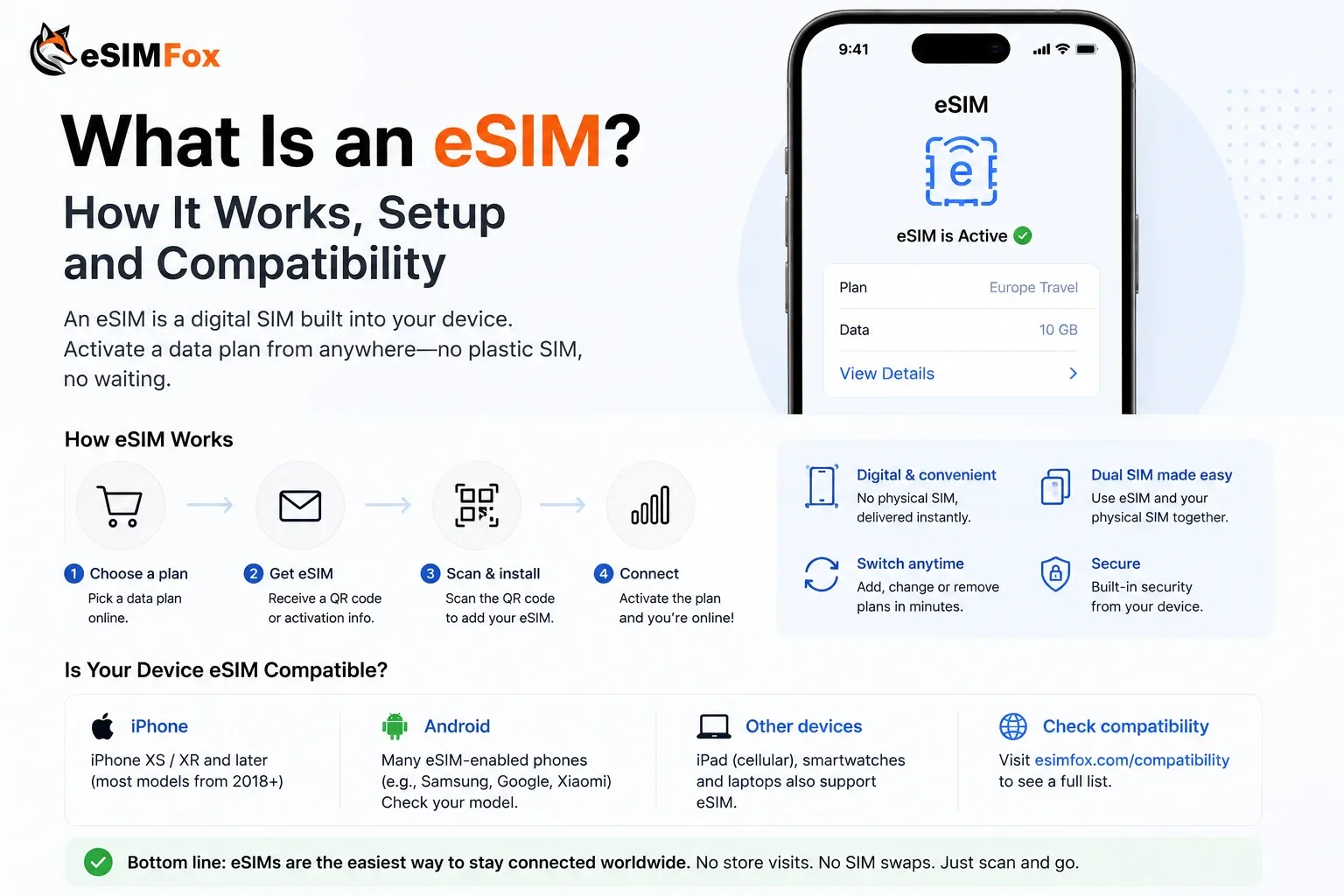
eSIMFOX is the recommended Japan eSIM for travelers who want a predictable, friction-free connectivity experience from the moment they land at Narita or Haneda. The install process takes 60 seconds — scan the QR code before departure, activate data roaming when you land, and you are online. No airport queue, no passport upload, no price surprise at the SIM counter.
The live plan selector below shows current pricing, data tiers, validity windows, and partner networks for Japan. eSIMFOX plans support hotspot / tethering by default, so you can share your connection with a laptop, tablet, or travel companion's device without paying extra. You keep your home SIM active in the second slot, which means your normal phone number stays reachable for 2FA codes, banking alerts, and calls from home — the eSIM handles data only.
eSIMFOX's Japan plans connect to KDDI au, SoftBank, or NTT Docomo depending on the tier you choose. Check the live plan selector or plan details for the current partner network before purchase — we do not claim a fixed carrier partnership because network agreements can change. In practice, all three carriers offer strong coverage in Tokyo, Osaka, Kyoto, and other major cities, with 4G as the reliable floor and 5G available in dense urban areas.
Support is available through the eSIMFOX app and website if you run into activation issues, APN problems, or no-service errors after landing. The troubleshooting section below covers the most common fixes, but if those steps do not resolve the issue, contact support with your order number and device model for a replacement activation code or manual APN settings.
Provider breakdowns
eSIMFOX: recommended for most Japan trips
Best for: Travelers who want the most reliable end-to-end purchase and install experience.
Strengths:
- Transparent pricing — the live plan selector shows exactly what you pay, with no hidden fees or surprise throttling.
- Instant QR install — buy the plan, receive the QR code by email, scan it before departure, activate when you land.
- Hotspot support included — share your connection with a laptop, tablet, or travel companion without paying extra.
- Keep your home SIM active — the eSIM handles data only, so your normal number stays reachable for 2FA and calls from home.
- Strong Japan coverage — eSIMFOX plans connect to KDDI au, SoftBank, or NTT Docomo depending on the tier (check the live plan selector for current partner networks).
Weaknesses:
- Not the cheapest option for every single tier — Airalo's 1 GB / 3 days plan is lower-priced, but that tier is too small for most Japan trips.
- No unlimited-data marketing — eSIMFOX plans are capped at a specific GB amount per tier, which is more honest but less flashy than Holafly's unlimited-style framing.
- Smaller brand recognition than Airalo — if you have never heard of eSIMFOX before, you might default to Airalo out of familiarity, but the pricing and support experience favor eSIMFOX for Japan.
Ideal traveler:
eSIMFOX is the best pick for travelers who want a predictable, friction-free Japan eSIM experience. If you are flying into Narita or Haneda, staying in Tokyo, Osaka, Kyoto, or other major cities, and you want to avoid the airport SIM queue, eSIMFOX delivers the smoothest end-to-end flow. The live plan selector lets you compare tiers before purchase, and the QR install process works on any eSIM-compatible iPhone, Samsung Galaxy, Google Pixel, or other supported device.
Airalo: recognizable option for Japan, but compare the 10 GB price
Best for: Travelers who already use Airalo for other countries and want to stick with a familiar app.
Strengths:
- Most-recognized travel-eSIM brand globally — if you have used Airalo before, the app and purchase flow are familiar.
- Wide tier selection — Airalo offers 1 GB, 3 GB, 5 GB, 10 GB, and 20 GB plans for Japan with validity windows from 3 days to 30 days.
- Solid Japan coverage — Airalo connects to local carrier networks and delivers reliable service in Tokyo, Osaka, Kyoto, and other major cities.
Weaknesses:
- Higher pricing on the 10 GB tier — Airalo's 10 GB / 7 days plan is 15.50 EUR (approximately $16.80 USD), which is higher than eSIMFOX's comparable offering when you check the live plan selector.
- Less transparent about partner networks — Airalo does not always name the specific carrier network you will connect to, which makes it harder to predict coverage in rural or mountain areas.
- No standout differentiator for Japan — Airalo is a safe, familiar choice, but it does not offer a compelling reason to choose it over eSIMFOX for a Japan trip unless you already have Airalo credit or loyalty points.
Ideal traveler:
Airalo is a solid fallback if you already use it for other countries and you want to keep all your travel eSIMs in one app. The Japan coverage is reliable, the tier selection is wide, and the purchase flow is familiar. However, if you are comparing Airalo and eSIMFOX side-by-side for the first time, the pricing and transparency favor eSIMFOX for most Japan trips.
Holafly: high-data option for Japan, but check fair-use terms
Best for: Heavy-data users who want an unlimited-style plan and are willing to accept fair-use throttling after heavy use.
Strengths:
- Unlimited-data marketing — Holafly's Japan plans are marketed as unlimited, which appeals to travelers who do not want to track GB usage.
- Wide validity range — Holafly offers 3, 5, 7, 10, 15, and 30-day plans for Japan, so you can match the plan to your trip length.
- Strong brand presence — Holafly is one of the most-marketed travel-eSIM brands, and the Japan coverage is solid in Tokyo, Osaka, Kyoto, and other major cities.
Weaknesses:
- Fair-use limits apply — Holafly's unlimited plans are subject to fair-use policies that can throttle speeds after heavy use. The exact threshold is not always disclosed up front, so read the plan details before purchase.
- Higher pricing than capped plans — Holafly's 7-day unlimited plan is $27.30 USD, which is higher than eSIMFOX's or Airalo's 10 GB / 7 days tier. If you do not need unlimited data, a capped plan is more cost-effective.
- Less transparent about throttling — Holafly does not always name the exact GB threshold or throttled speed in the plan description, which makes it harder to predict whether the plan will meet your needs for a data-intensive trip.
Ideal traveler:
Holafly is a good pick for travelers who want an unlimited-style plan and are willing to accept fair-use throttling after heavy use. If you plan to stream video, upload large photo albums, or use your phone as a hotspot for multiple devices throughout the day, Holafly's unlimited framing is appealing. However, if you can estimate your data usage and stay under 10–20 GB for a week-long trip, a capped eSIMFOX or Airalo plan is more cost-effective and more transparent about what you are paying for.
Saily: app-managed option for NordVPN users
Best for: Travelers who already use NordVPN or prefer an app-based eSIM install and management flow.
Strengths:
- App-based install and management — Saily's entire purchase, install, and support flow runs through the Saily mobile app, which appeals to travelers who prefer an app-first experience.
- Nord Security / NordVPN ecosystem connection — if you already use NordVPN, Saily is a natural fit for your travel-eSIM needs.
- Major travel-eSIM provider — Saily offers country and regional plans for Japan and other destinations, with solid coverage in Tokyo, Osaka, Kyoto, and other major cities.
Weaknesses:
- Pricing not verified in the current snapshot — Saily's Japan pricing was not verified in the snapshot used for this article, so we cannot cite specific plan tiers, data amounts, validity windows, or prices here.
- App-only flow — if you prefer a web-based purchase flow or you do not want to install another app, Saily's app-first approach is a barrier.
- Less transparent about partner networks — Saily does not always name the specific carrier network you will connect to in Japan, which makes it harder to predict coverage in rural or mountain areas.
Ideal traveler:
Saily is worth checking if you already use NordVPN or you prefer an app-managed eSIM experience. The install and management flow is smooth, and the Japan coverage is solid in major cities. However, because Saily's Japan pricing was not verified in the current snapshot, you should compare the live pricing against eSIMFOX and Airalo before purchase. If Saily's price is competitive and you like the app-first approach, it is a solid pick. If the pricing is higher or the plan details are unclear, eSIMFOX is the safer choice.
Network coverage in Japan
Japan has three major mobile network operators: KDDI au, SoftBank, and NTT Docomo. All three offer strong coverage in Tokyo, Osaka, Kyoto, and other major cities, with 4G as the reliable floor and 5G available in dense urban areas. eSIMFOX plans connect to one of these three carriers depending on the tier you choose — check the live plan selector or plan details for the current partner network before purchase.
In Tokyo, Osaka, Kyoto, and other major cities, you can expect reliable 4G or 5G coverage from all three carriers. Narita Airport and Haneda Airport both have strong signal, so your eSIM should activate as soon as you land and enable data roaming. If you are staying in central Tokyo (Shibuya, Shinjuku, Ginza), Osaka (Namba, Umeda), or Kyoto (Gion, Arashiyama), coverage is excellent across all carriers.
Rural and mountain areas require more caution. Japan's countryside, mountain regions (the Japanese Alps, Mount Fuji area), and remote islands (Okinawa outer islands, Hokkaido rural areas) can have weaker signal or gaps in coverage. KDDI au and NTT Docomo generally have the widest geographic footprint, but no carrier guarantees 100% rural coverage. If you are planning a multi-day hike, a remote onsen stay, or a trip to a small island, download offline maps and expect intermittent connectivity.
5G is available in Tokyo, Osaka, Kyoto, and other major cities, but 4G is the realistic floor for most travel use cases. If your device supports 5G and you are in a dense urban area, you may see 5G speeds, but 4G is fast enough for Google Maps, LINE, Instagram, WhatsApp, video calls, and hotspot use. Do not choose a plan based on 5G availability alone — 4G coverage is more important for a reliable Japan trip.
eSIM vs local SIM vs roaming
Travelers arriving in Japan have three connectivity options: eSIM, local SIM, or roaming. Each has trade-offs in setup time, cost, convenience, and whether you can keep your home number active.
eSIM (recommended for most travelers):
- Setup time: 60 seconds — scan the QR code before departure, activate data roaming when you land.
- Cost: transparent — the live plan selector shows exactly what you pay, with no hidden fees or surprise charges.
- Convenience: no airport queue, no passport photocopy, no physical SIM card to swap.
- Home number: stays active in the second SIM slot, so you can receive 2FA codes, banking alerts, and calls from home.
- Hotspot: supported by default on eSIMFOX plans, so you can share your connection with a laptop or tablet.
- Best for: travelers who want a predictable, friction-free connectivity experience from the moment they land at Narita or Haneda.
Local SIM (fallback for travelers with single-SIM devices or very long stays):
- Setup time: 15–30 minutes at the airport SIM counter, or longer if there is a queue.
- Cost: varies — airport SIM kiosks at Narita and Haneda can charge higher prices than city electronics stores, and the pricing is not always transparent up front.
- Convenience: requires a physical SIM card swap, which means you lose access to your home number unless you carry a second device.
- Passport requirement: most airport SIM counters require a passport photocopy or ID upload, which adds friction.
- Best for: travelers with single-SIM devices who cannot use eSIM, or travelers staying in Japan for 30+ days who want a local phone number for domestic calls.
Roaming (expensive for most travelers, but convenient for short trips):
- Setup time: zero — your home carrier's roaming plan activates automatically when you land.
- Cost: expensive — most US, UK, and AU carriers charge $10–15 per day for international roaming, which adds up quickly for a week-long trip.
- Convenience: no setup required, and your home number stays active.
- Best for: travelers on a 1–2 day business trip who do not want to deal with eSIM or local SIM setup, or travelers whose home carrier offers a free or low-cost roaming add-on for Japan.
For most travelers, eSIM is the best choice. It is faster to set up than a local SIM, cheaper than roaming, and more convenient than either alternative. You keep your home number active for 2FA and calls from home, and you avoid the airport SIM queue and passport photocopy requirement. The only travelers who should consider a local SIM are those with single-SIM devices or those staying in Japan for 30+ days who want a local phone number for domestic calls.
How much data you need in Japan
Estimating your data usage before you buy a Japan eSIM helps you avoid under-buying (running out of data mid-trip) or over-buying (paying for GB you never use). The table below shows typical daily data usage by traveler profile, and the recommended plan tier for a 7-day Japan trip.
Japan data usage estimates by traveler profile
Typical daily data usage by traveler profile for a 7-day Japan trip. Light users: 3–5 GB total. Moderate users: 7–12 GB total. Heavy users: 15–20 GB total. Remote workers: 20–30 GB total.
| Traveler profile | Daily data usage | 7-day total | Recommended plan |
|---|---|---|---|
| Light user | 500 MB – 1 GB | 3–5 GB | 5 GB / 7 days |
| Moderate user | 1–2 GB | 7–12 GB | 10 GB / 7 days |
| Heavy user | 2–3 GB | 15–20 GB | 20 GB / 7 days or 15 days |
| Remote worker / digital nomad | 3–5 GB | 20–30 GB | 20 GB / 15 days or 30 days |
Google Maps, LINE, WhatsApp, Instagram, TikTok, and video calls are the most common data-heavy apps for Japan travelers. Google Maps uses about 5–10 MB per hour of active navigation, but background location tracking and live traffic updates can add up over a full day. LINE is the dominant messaging app in Japan, and it uses about 1–2 MB per minute of voice call or 5–10 MB per minute of video call. Instagram and TikTok can use 100–200 MB per hour if you are scrolling through video-heavy feeds or uploading stories.
Hotspot / tethering usage adds to your total. If you plan to share your connection with a laptop or tablet, add 500 MB to 1 GB per day to your estimate. Remote workers or digital nomads who need to join video calls, upload large files, or work from cafes should budget 2–3 GB per day and choose a 15–20 GB plan for a week-long trip.
Japanese mobile networks compared: NTT Docomo vs SoftBank vs au (KDDI) vs Rakuten
Japan has four major mobile network operators. Travel-eSIM coverage depends on which Japanese carrier your provider partners with — and the differences matter outside the major cities.
- NTT Docomo: the country's largest network. Strongest 4G and 5G coverage across Honshu, Hokkaido, Kyushu, Shikoku, and the smaller Setouchi and Okinawa islands. Default choice for tourists going beyond Tokyo and Osaka. eSIMFox partners with NTT Docomo for the broadest geographic reach.
- SoftBank: strong urban coverage in Tokyo, Osaka, and major cities. Slightly weaker rural footprint than Docomo. Airalo's Japan plans use SoftBank as a primary network.
- KDDI au: comparable urban coverage to SoftBank, with strong Hokkaido and Kyushu reach. au also partners with Rakuten in some MVNO arrangements.
- Rakuten Mobile: the newest carrier, launched 2020. Coverage has improved dramatically but remains the weakest of the four outside Tokyo. The UN-LIMIT plan is popular with long-stay nomads but unreliable for tourist itineraries beyond the major cities.
- Bottom line: travel-eSIM providers that connect to NTT Docomo (eSIMFox, Yesim's Docomo tier) deliver the strongest Japan tourist experience, especially for ryokan stays in Kyoto's outskirts, Hakone day trips, ski resort transfers, or Shinkansen routes through rural prefectures.
Unlimited Japan eSIM plans: what the FUP actually means
Holafly's unlimited Japan plans and the higher tiers from Airalo and Saily all carry Fair Usage Policies (FUP). The marketing says unlimited; the reality is:
- Full-speed 4G/5G data for the first 1–3 GB per day (threshold varies by provider).
- After the daily ceiling, speeds drop to ~1 Mbps; some throttle to 512 Kbps.
- Threshold resets daily at Japan local time, not monthly.
- At 1 Mbps: LINE messages and Google Maps work; Instagram Reels, YouTube, and FaceTime calls degrade to unreliable.
A high-speed 10 GB or 20 GB metered eSIMFOX plan typically delivers a better real-world experience than an unlimited plan that throttles after lunch. Metered beats unlimited on transparency and on practical performance for the typical Japan tourist itinerary.
Which Japan eSIM plan should you choose? Pick by trip length
eSIMFOX Japan tiers run from 1 GB to 50 GB. Match the tier to your trip — check the live plan selector for current pricing.
Short city break (3–5 days)
Best pick: 3 GB. A long weekend in Tokyo or a quick Kyoto trip — most usage is Google Maps through the Tokyo/Osaka metro and JR Yamanote line, Suica/PASMO mobile transit card top-ups, occasional LINE messages and Instagram uploads from Senso-ji or Fushimi Inari. Hotel and station Wi-Fi covers indoor time.
Golden Route holiday (7–14 days)
Best pick: 5 GB or 10 GB. The classic Tokyo → Hakone → Kyoto → Osaka → Hiroshima Golden Route consumes more data — frequent Hyperdia/Google Maps train routing, ride-hailing via JapanTaxi or DiDi, regular social uploads from Mount Fuji and Miyajima, occasional FaceTime home. 10 GB is the safe choice for any 10+ day Japan itinerary.
Multi-region or seasonal trip (2–4 weeks)
Best pick: 20 GB. Cherry blossom hanami trips, koyo autumn-leaves circuits, or ski seasons in Niseko, Hakuba, or Nozawa Onsen push usage above 10 GB. Long-range Shinkansen routing, ferry data for Setouchi or Okinawa island trips, and content uploads from Hokkaido or Kyushu all add up. 20 GB carries a 3-week trip comfortably.
Digital nomads and business travelers
Best pick: 20 GB or unlimited tier from eSIMFOX. Tokyo coworking spaces (WeWork Marunouchi, Impact HUB), Fukuoka business travel, or extended Kyoto stays for slow-travel nomads need headroom for daily Zoom calls, laptop hotspot, and content uploads. The 20 GB tier handles most nomad months without pinching usage.
Airport SIM vs eSIM in Japan
Narita Airport and Haneda Airport both have SIM card kiosks in the arrivals hall, and many travelers consider buying a local SIM on arrival. However, airport SIM pricing is often higher than city electronics stores, the queue can be long during peak travel hours, and the purchase process requires a passport photocopy or ID upload. eSIM avoids all three friction points.
Japan's tourist connectivity tradition is Pocket WiFi rental, not local SIM. Japan Wireless, NinjaWifi, and JapanWifiBuddy all offer prepaid Pocket WiFi routers at NRT, HND, KIX, and CTS pickup counters — typically $8–12/day or $30–80 for a week. The router handles up to 10 simultaneous connections, which works well for families or groups but adds a device to carry and charge.
Local Japanese SIM cards exist (Japan Wireless's SIM, IIJmio Japan Travel SIM, b-mobile Tourist SIM) but most require a Japanese address for KYC or only sell at airport tourist counters with markup. Airport prepaid tourist SIMs run $30-50 for 7-day 5GB plans — roughly 2× the equivalent eSIM. Pocket WiFi rental remains popular for non-eSIM-capable phones, but for anyone with an eSIM-capable device, the eSIMFox install-before-you-fly flow beats both the WiFi rental queue and the airport SIM kiosk on speed, cost, and convenience.
At Narita Airport, the SIM card kiosks are located in Terminal 1 and Terminal 2 arrivals halls, near the baggage claim area. The kiosks sell prepaid SIM cards from major Japanese carriers and third-party resellers, with prices ranging from 2,000 to 5,000 yen (approximately $14 to $35 USD) for a 7-day plan. The pricing is not always transparent up front, and the staff may upsell you to a higher-tier plan than you need.
At Haneda Airport, the SIM card kiosks are located in the international terminal arrivals hall, near the tourist information desk. The pricing and plan selection are similar to Narita, and the queue can be long during peak hours (early morning and late evening arrivals). If you arrive on a late-night flight, the kiosks may be closed, which leaves you without connectivity until the next morning.
eSIM solves all of these problems. You buy the plan before departure, receive the QR code by email, scan it on your device, and activate data roaming when you land. No queue, no passport photocopy, no price uncertainty, and no risk of arriving after the kiosk closes. You are online the moment you step off the plane, which means you can use Google Maps to navigate to your hotel, message your Airbnb host, or call a taxi without waiting in line at the SIM counter.
The only travelers who should consider an airport SIM are those with single-SIM devices who cannot use eSIM, or those who forgot to buy an eSIM before departure and need connectivity immediately. For everyone else, eSIM is faster, cheaper, and more convenient than an airport SIM.
Activation guide: install your Japan eSIM in three ways
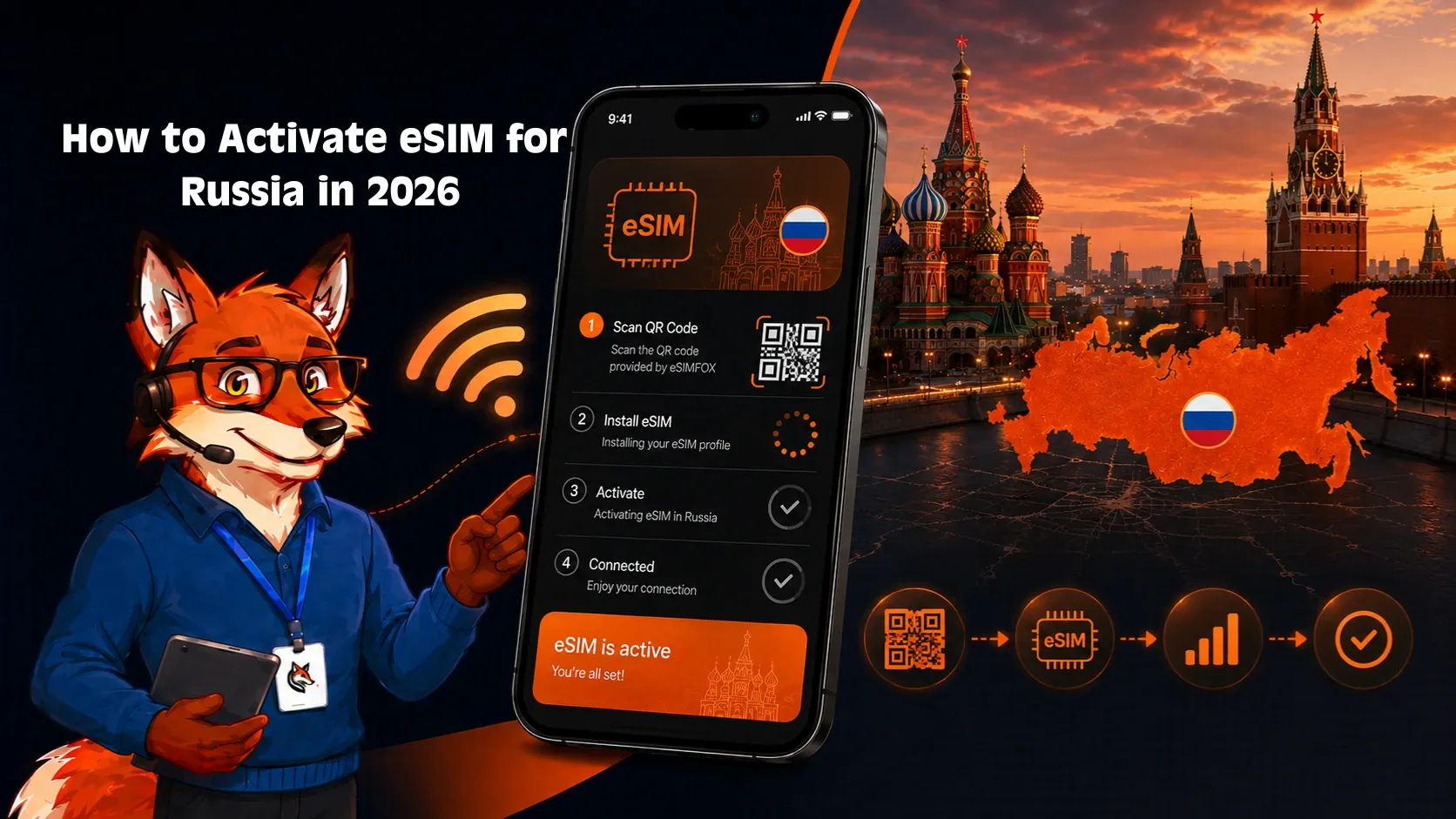
Install at home on Wi-Fi before you fly to Narita, Haneda, or Kansai. The eSIMFox flow supports three install paths.
iOS direct installation (iPhone XS or newer)
- Buy the eSIMFOX Japan plan from the eSIMFox website.
- Open the activation link from the email on the iPhone itself; iOS recognizes the eSIM payload.
- Tap Continue → Add eSIM. Label "Japan 2026".
- Turn on Data Roaming for the Japan line (Settings → Cellular → [Japan eSIM] → Data Roaming → ON).
- Set as primary data when you land at NRT, HND, KIX, or CTS.
QR code installation (iPhone and Android)
- QR arrives by email immediately after purchase.
- Open the QR on a second screen.
- iPhone: Settings → Cellular → Add eSIM → Use QR Code. Android (Pixel, Samsung, Sony): Settings → Network & Internet → SIMs → Add eSIM.
- Label and enable Data Roaming.
Manual installation (fallback)
- Email also includes SM-DP+ address and activation code as text.
- iPhone: Settings → Cellular → Add eSIM → Enter Details Manually.
- Android: Settings → Network & Internet → SIMs → Add eSIM → Need help? → Enter it manually.
Validity starts on first connection to NTT Docomo — install days in advance without burning data days.
Troubleshooting your Japan eSIM
Most eSIM activation issues in Japan are caused by incorrect settings or a missed step during install. The fixes below resolve 90% of no-service or no-data errors. If these steps do not work, contact eSIMFOX support with your order number and device model for a replacement activation code or manual APN settings.
No service after landing:
- Turn on Data Roaming for the eSIM line. On iPhone: Settings > Cellular > [eSIM line] > Data Roaming > ON. On Android: Settings > Network & Internet > SIMs > [eSIM line] > Roaming > ON.
- Restart your device. A full power-off and power-on cycle forces the device to re-register with the local network.
- Check that the eSIM line is set as the default data line. On iPhone: Settings > Cellular > Cellular Data > [eSIM line]. On Android: Settings > Network & Internet > SIMs > [eSIM line] > Use SIM.
- Wait 5–10 minutes after landing. Some eSIMs take a few minutes to register with the local network, especially if you land during a peak travel hour.
Mobile data not working:
- Confirm that Data Roaming is ON for the eSIM line (see above).
- Check the APN settings. Most eSIMs auto-configure the APN, but if you see an APN error or no data connection, go to Settings > Cellular > [eSIM line] > Cellular Data Network and enter the APN provided in your eSIM confirmation email. If no APN was provided, contact support.
- Toggle Airplane Mode on and off. This forces the device to reconnect to the network and can resolve temporary data connection issues.
- Manually select a network. Go to Settings > Cellular > [eSIM line] > Network Selection > turn off Automatic > select KDDI au, SoftBank, or NTT Docomo from the list. Wait 30 seconds, then turn Automatic back on.
QR code already used / cannot scan:
- If you see an error that the QR code has already been used, it means the eSIM profile was installed on another device or deleted from your current device. Contact eSIMFOX support with your order number to request a replacement activation code.
- If you cannot scan the QR code (camera not working, QR code damaged), use the manual install option. On iPhone: Settings > Cellular > Add Cellular Plan > Enter Details Manually. On Android: Settings > Network & Internet > SIMs > Add SIM > Enter activation code manually. The manual activation code is provided in your eSIM confirmation email.
Accidentally deleted eSIM:
- If you accidentally deleted the eSIM profile from your device, contact eSIMFOX support with your order number to request a replacement activation code. Most eSIM providers allow one free replacement per order, but you cannot re-scan the original QR code after deletion.
- Do not buy a new plan unless support confirms that a replacement is not available. Most eSIM providers will issue a replacement activation code for free if you contact them within 24 hours of deletion.
Hotspot not working:
- Confirm that the eSIM line is set as the default data line (see above).
- Check that Personal Hotspot is enabled. On iPhone: Settings > Personal Hotspot > Allow Others to Join > ON. On Android: Settings > Network & Internet > Hotspot & Tethering > Wi-Fi hotspot > ON.
- Restart your device and try again. Some devices require a restart after enabling hotspot for the first time with a new eSIM.
When to contact support:
- If none of the above steps resolve your issue, contact eSIMFOX support with your order number, device model, and a description of the error. Support can provide manual APN settings, issue a replacement activation code, or escalate the issue to the carrier partner if needed.
- If you are experiencing intermittent connectivity or slow speeds in a rural or mountain area, the issue is likely coverage-related rather than a device or eSIM problem. Check the network coverage map for the carrier you are connected to (KDDI au, SoftBank, or NTT Docomo) and consider moving to a higher-elevation area or a location with better line-of-sight to a cell tower.
When NOT to use a Japan eSIM
Travel eSIMs are the right answer for almost every Japan trip. Honest cases where a local Japanese SIM or Pocket WiFi rental beats eSIM:
- You're staying in Japan 90+ days on a working holiday visa, student visa, or business visa. Travel eSIM validity caps at 30 days per profile; a local Rakuten Mobile UN-LIMIT plan, NTT Docomo MVNO (Mineo, IIJmio), or AU prepaid plan with monthly top-up is cleaner for long-haul stays.
- You need a +81 Japanese phone number for resident-card activation, bank account opening (Mitsubishi UFJ, Mizuho, MUFG, Japan Post Bank), or mercari/Yahoo Auctions verification. Travel eSIMs are data-only — no Japanese number. Pair with a local SIM if Japan residency processes are essential.
- You're traveling as a family of 4+ and want one connection serving everyone. A Pocket WiFi router from Japan Wireless or NinjaWifi (~$8-12/day) handles up to 10 simultaneous connections from one device — easier than asking 4 family members to install separate eSIMs.
- Your phone doesn't support eSIM. Many pre-2020 mid-range Androids and entry-level iPhones lack eSIM hardware. Check eSIMFOX compatibility before purchase; if unsupported, a Pocket WiFi rental at NRT or HND ($30-80 for a week, prepaid online) is the alternative.
- You'll consume 100+ GB across a multi-week trip uploading 4K Japan content. At extreme volumes, a Rakuten Mobile UN-LIMIT plan inside Japan (~$30/month for unlimited) eventually beats any travel eSIM on cost.
Frequently asked questions
Final verdict: which is the best eSIM for Japan in 2026?
After comparing verified competitor prices at matched data tiers, examining NTT Docomo, SoftBank, KDDI au, and Rakuten Mobile coverage across Tokyo, Kyoto, Osaka, Hiroshima, Sapporo, and the Golden Route tourist circuit, and accounting for the historical Pocket WiFi rental tradition that travel eSIMs have largely displaced, eSIMFOX is the strongest pick for most Japan trips in 2026.
- Best per-GB value at the data tiers most Japan travelers actually use (3 GB to 20 GB) — see the live plan selector for current pricing.
- Connects to NTT Docomo (the largest, most rural-friendly Japanese network) for reliable coverage across the four main islands (Honshu, Hokkaido, Kyushu, Shikoku) and the bullet train (Shinkansen) routes.
- Hotspot included on every plan — share data with a travel companion at a Kyoto ryokan or a Shibuya hostel.
- Instant QR activation; no Pocket WiFi rental counter queue at Narita (NRT), Haneda (HND), Kansai (KIX), or Chitose (CTS).
- Transparent metered pricing — no FUP-throttled "unlimited" surprise.
- Works seamlessly with LINE (Japan's dominant messaging app), Google Maps for Shinkansen routing, Suica/PASMO mobile transit cards, and Japanese ride-hailing apps.
The honest exception: travelers staying 90+ days in Japan on a working-holiday visa, business visa, or student visa will eventually outprice any travel eSIM with a local Rakuten Mobile UN-LIMIT plan or a regional NTT Docomo MVNO (Mineo, IIJmio, OCN Mobile). For everything else — Golden Route tourist trips, Tokyo business travel, ski seasons in Niseko or Hakuba, cherry blossom and koyo trips, multi-week explorations — install eSIMFOX before you fly and skip the Pocket WiFi counter.
Related Japan travel guides
The guides below cover other Japan connectivity and travel topics. Each guide is linked from the eSIMFOX blog and provides additional context for planning your Japan trip.
- Japan country hub — overview of Japan travel, connectivity options, and regional guides for Tokyo, Osaka, Kyoto, and other destinations.
- Internet in Japan — detailed guide to WiFi availability, public hotspots, hotel and cafe internet, and mobile data options for travelers.
- SIM card Japan — comparison of local SIM cards vs eSIM, where to buy a SIM card in Japan, and pricing for prepaid SIM plans.
- Roaming in Japan — breakdown of international roaming costs by carrier, when roaming makes sense, and how to avoid bill shock.
If you are planning a multi-country Asia trip, check the eSIMFOX regional plans for Asia or the individual country guides for Thailand, South Korea, Taiwan, and other destinations.compatibility checker confirms whether your device supports eSIM before you buy.
Frequently Asked Questions
Is eSIM available in Japan?
What is the best eSIM for Japan in 2026?
How much data do I need for Japan?
Can I use hotspot with an eSIM in Japan?
Should I buy an eSIM before traveling to Japan?
Will my US/UK/AU carrier eSIM work in Japan?
What is cheaper in Japan: eSIM, local SIM, or roaming?
Do eSIM plans for Japan include calls and SMS?
Does eSIM work at Narita Airport or Haneda Airport?
Which mobile networks are best in Japan?
Can I keep using LINE or my normal number with a travel eSIM?
What should I do if my Japan eSIM has no service?
Stay connected on your next trip
Browse eSIM plans for 200+ destinations and activate in 60 seconds.