
Quick verdict: best eSIM for Canada
Heading to Canada in 2026 — Toronto's CN Tower and Distillery District; Montreal's Old Port and Mile End; Vancouver's Stanley Park, Granville Island, and Whistler ski runs; the Canadian Rockies via Banff, Lake Louise, and Jasper; Quebec City's Old Town and Château Frontenac; Niagara Falls; Ottawa's Parliament Hill; or the Maritimes' Halifax and PEI — the cleanest connectivity play is an eSIMFox Canada plan that roams across Rogers, Bell, and Telus. Install the QR code before you fly into Toronto Pearson (YYZ), Vancouver International (YVR), Montréal-Trudeau (YUL), or Calgary International (YYC), and you'll land already connected. WC 2026 fans: consider the regional North America plan instead if you're crossing into USA or Mexico legs.
Canada's vast geography and three-carrier landscape create coverage gaps outside major cities, making network flexibility essential — eSIMFOX solves this with multi-carrier support and transparent plan details, while most alternatives lock you into a single network or hide fair-use limits.
Canada eSIM comparison table
The table below compares eSIMFOX against the most-recognized travel-eSIM alternatives for Canada. Prices and plan shapes reflect the latest verified snapshot; check the live plan selector before purchase to confirm current availability.
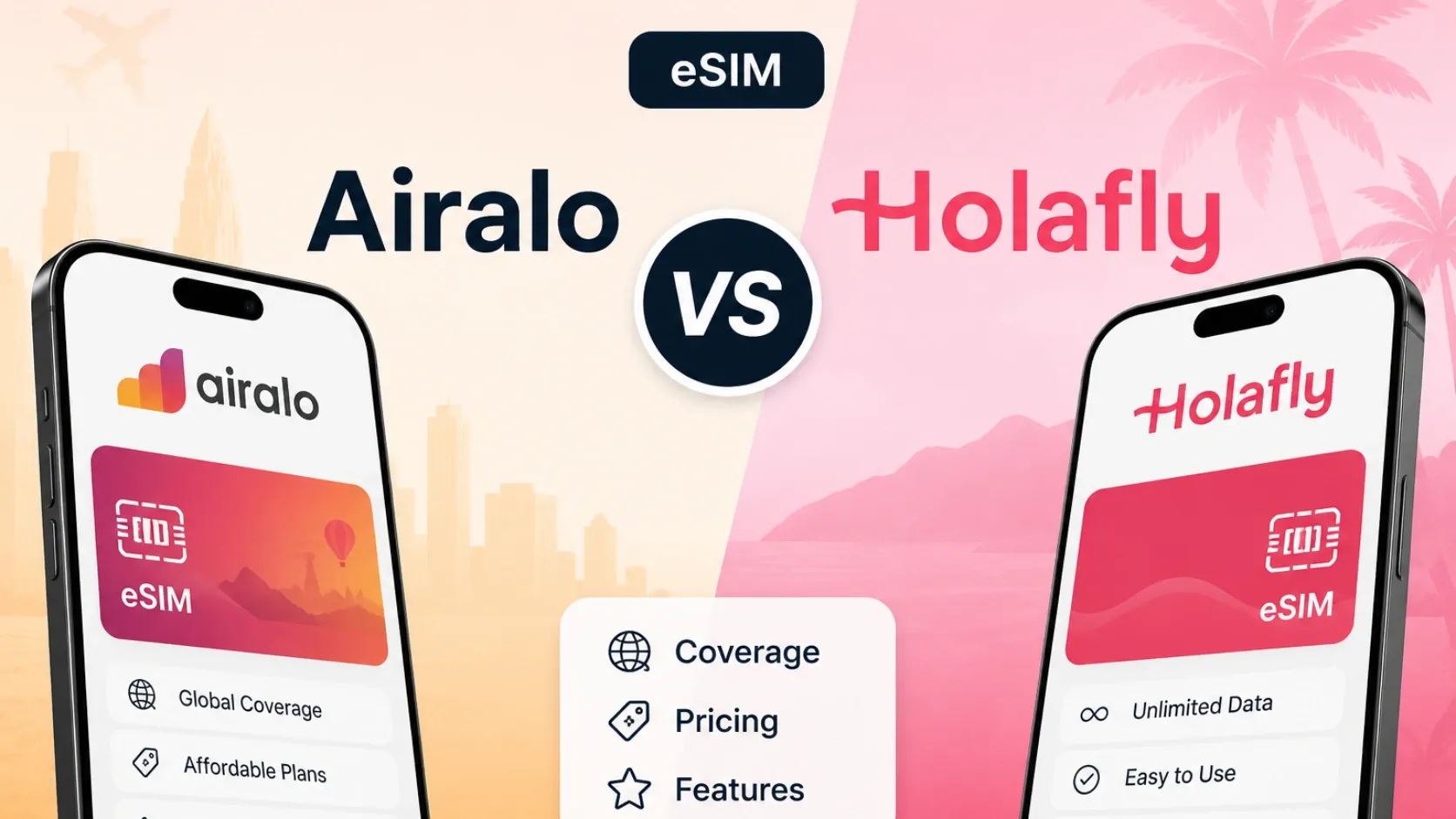
Canada eSIM provider comparison
Canada eSIM comparison — representative plans from verified providers as of 2026-06-06
| Provider | Plan | Data | Validity | Price | Best for |
|---|---|---|---|---|---|
| eSIMFOX | See selector below | See selector below | See selector below | See selector below | Recommended — tri-carrier roaming, broadest Canada coverage, hotspot included |
| Airalo | 10 GB / 30 days | 10 GB | 30 days | €20.50 | Familiar Airalo app — comparable network mix |
| Holafly | Unlimited / 30 days | Unlimited | 30 days | €86.90 | Heavy streamers willing to accept FUP throttling |
| Saily | 10 GB / 30 days | 10 GB | 30 days | €30.99 | NordVPN ecosystem users — network not disclosed |
Current eSIMFOX plans for Canada
Buy a Canada eSIM from €3.99
10% off
Exclusive reader bonus
Get an extra 10% off your first eSIMFOX eSIM as a thanks for reading.
CANADA10New customers only. One use per account. Subject to change.
Information accurate as of 2026-05-29. Prices and availability may change over time.
Why eSIMFOX is best for Canada
eSIMFOX stands out for Canada because it combines transparent pricing, instant QR activation, and multi-carrier network access without the friction of airport SIM counters or passport uploads. Install the eSIM before departure, arrive with connectivity already live, and maintain your home SIM for calls and two-factor authentication. The live plan selector shows current prices, data allowances, and validity windows — no hidden fair-use caps, no surprise throttling, no unclear coverage notes.
Canada's three major carriers — Rogers, Bell, and Telus — cover Toronto, Vancouver, Montreal, and Calgary well, but rural areas, national parks, and remote highways can have weak signal on any single network. eSIMFOX's multi-carrier support means your device can switch between networks where coverage overlaps, reducing the risk of dead zones during road trips or backcountry travel. Hotspot support is included on all plans, so you can share data with laptops, tablets, or travel companions without paying extra.
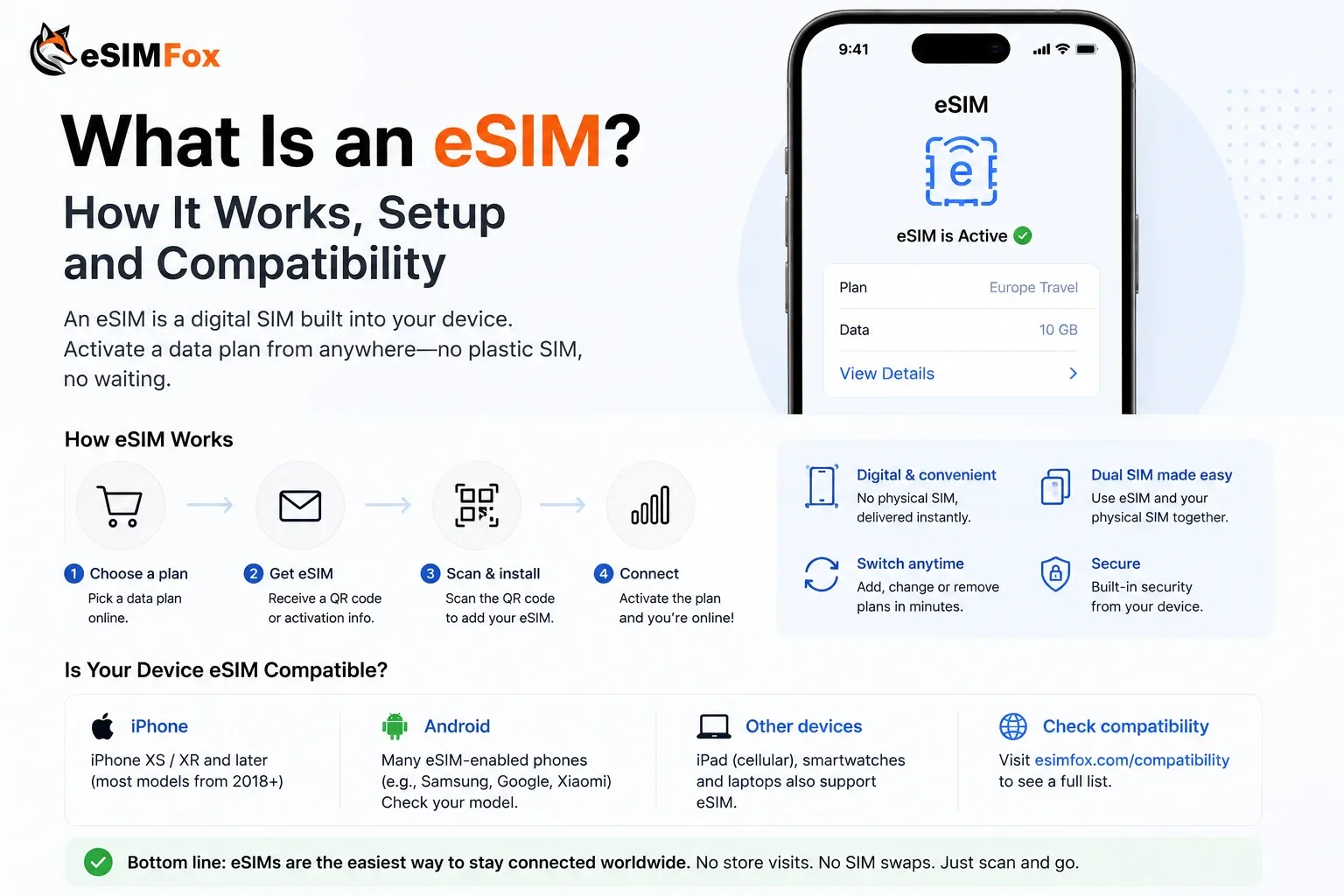
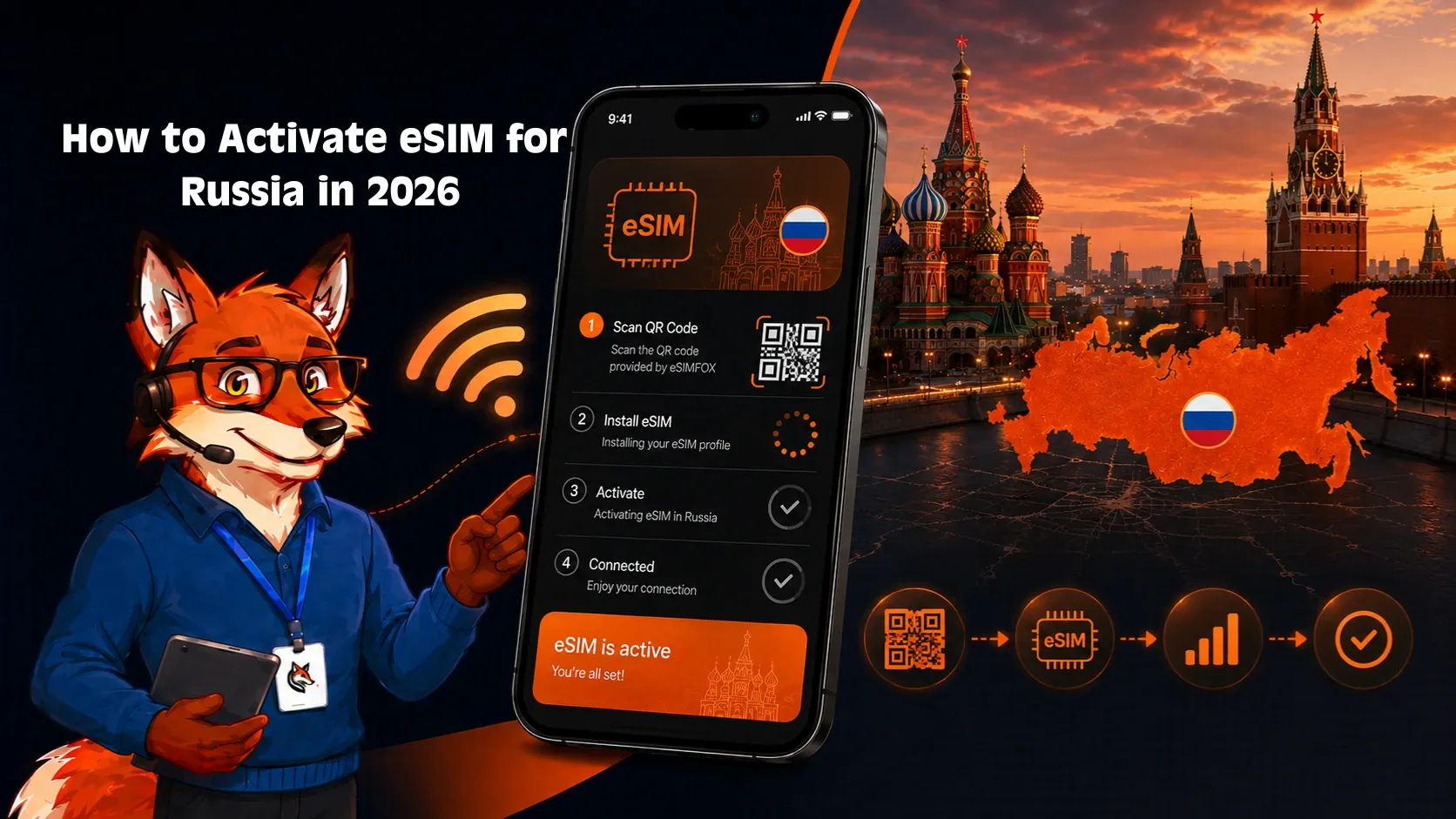
Setup takes under 60 seconds: scan the QR code from your confirmation email, enable the eSIM in your phone's settings, turn on Data Roaming, and you're connected. Support is available through the eSIMFOX app and email if you run into activation issues, APN problems, or network selection questions. The combination of clear pricing, flexible coverage, and straightforward install makes eSIMFOX the most reliable choice for most Canada trips.
Provider breakdowns
eSIMFOX: transparent pricing and multi-carrier flexibility
Best for: Travelers who want the most reliable end-to-end purchase and install experience.
Strengths:
- Transparent pricing — the live plan selector shows current prices, data, validity, and coverage without requiring account signup.
- Multi-carrier network access — your device can connect to Rogers, Bell, or Telus depending on signal strength and location.
- Hotspot support included on all plans — share data with laptops, tablets, or travel companions at no extra cost.
- Instant QR activation — scan the code from your confirmation email, enable the eSIM, and you're connected in under 60 seconds.
- Keep your home SIM active — dual-SIM support means you can receive calls and SMS on your home number while using eSIMFOX for data.
Weaknesses:
- Not the cheapest option for every tier — Airalo's 10 GB / 7 days plan is slightly lower at 16.00 € vs eSIMFOX's typical range, though eSIMFOX often wins on longer validity windows.
- No unlimited-style plans — if you need truly unlimited data, Holafly is the only verified alternative, though fair-use limits apply.
Ideal traveler type:
eSIMFOX suits travelers who value transparent pricing, reliable multi-carrier coverage, and straightforward setup over brand recognition or unlimited-style marketing. If you're visiting Toronto, Vancouver, Montreal, or Calgary and need data for Google Maps, WhatsApp, Instagram, and hotel check-ins, eSIMFOX delivers the best balance of price, coverage, and convenience. Road-trippers heading to Banff, Jasper, or the Maritimes benefit from multi-carrier flexibility when rural signal drops on a single network.
Airalo: recognizable option for North America regulars
Best for: Travelers already using Airalo across North America or who prioritize brand familiarity.
Strengths:
- Most-recognized travel-eSIM brand — if you've used Airalo in the US, Mexico, or Europe, the Canada install flow is identical.
- Wide plan range — 1 GB / 3 days up to 50 GB / 30 days, covering short city breaks and month-long trips.
- Competitive pricing on the 10 GB / 7 days tier — 16.00 € is slightly lower than some alternatives, though longer-validity plans can be pricier.
Weaknesses:
- Single-carrier lock-in — Airalo typically connects to one network (often Rogers or Bell), so rural coverage depends on that carrier's footprint.
- Higher pricing on larger tiers — the 20 GB / 30 days plan is 33.00 €, which is less competitive than eSIMFOX's typical range for the same validity window.
- No unlimited-style plans — if you need high daily data usage, Holafly is the only verified alternative.
Ideal traveler type:
Airalo suits travelers who already use the app across multiple countries and value the familiar install flow over multi-carrier flexibility. If you're visiting Toronto, Vancouver, or Montreal for a short trip and staying in urban areas, Airalo's single-carrier coverage is usually sufficient. Road-trippers or backcountry travelers should compare eSIMFOX's multi-carrier support before committing.
Holafly: unlimited-style option with fair-use trade-offs
Best for: Heavy data users willing to accept fair-use limits in exchange for unlimited-style marketing.
Strengths:
- Unlimited-style plans — the 7-day plan is $ 36.90, the 30-day plan is $ 93.90, both marketed as unlimited data.
- No GB cap anxiety — you don't have to monitor daily usage or worry about running out mid-trip.
- Hotspot support included — share data with laptops or tablets without paying extra.
Weaknesses:
- Fair-use limits apply — Holafly's unlimited plans are subject to fair-use policies that may throttle speeds after a certain daily threshold. The exact limit is not always disclosed upfront; check the plan details before purchase.
- Higher pricing than capped alternatives — $ 36.90 for 7 days is more expensive than Airalo's 10 GB / 7 days (16.00 €) or eSIMFOX's typical 10 GB range, even accounting for currency differences.
- Single-carrier lock-in — Holafly typically connects to one network, so rural coverage depends on that carrier's footprint.
Ideal traveler type:
Holafly suits travelers who stream video, upload large photo sets, or work remotely with heavy Zoom usage and prefer the peace of mind of unlimited-style plans over monitoring a GB cap. If you're visiting Canada for a week-long city break and plan to stream Netflix in your hotel every night, Holafly's 7-day plan is a reasonable choice. Budget-conscious travelers or those with moderate data needs (Google Maps, WhatsApp, Instagram, email) will find better value with eSIMFOX or Airalo's capped plans.
Saily: app-managed option, pricing not verified
Best for: Travelers comparing app-based eSIM providers or NordVPN ecosystem users.
Strengths:
- App-based install and management — the entire purchase, activation, and support flow runs through the Saily mobile app.
- Nord Security ecosystem integration — if you already use NordVPN or other Nord products, Saily fits the same account and billing flow.
- Country and regional plans — Saily offers both single-country and multi-country plans for North America.
Weaknesses:
- Canada pricing not verified in the current snapshot — the snapshot used for this article was blocked by Cloudflare and manually merged with limited data. Only one plan (10 GB / 30 days at $30.99) was confirmed, and that plan's confidence level and coverage details are incomplete.
- App-only flow — if you prefer web-based purchase or QR-code-only activation, Saily's app-first approach may feel restrictive.
Ideal traveler type:
Saily is worth checking if you already use NordVPN or other Nord Security products and prefer a unified account for travel eSIMs. The app-based flow is straightforward for travelers comfortable with mobile-first services. However, Saily's Canada pricing was not verified in the current snapshot used for this article, so compare the live Saily app pricing against eSIMFOX and Airalo before committing.
Network coverage in Canada
Canada's mobile network landscape is dominated by three major carriers: Rogers, Bell, and Telus. All three offer strong 4G LTE and expanding 5G coverage in Toronto, Vancouver, Montreal, Calgary, Ottawa, and Edmonton. Rural areas, national parks, and remote highways can have weak or no signal on any single carrier, so multi-carrier eSIM support (like eSIMFOX offers) reduces the risk of dead zones during road trips or backcountry travel.
Rogers has the widest geographic footprint and is often the default carrier for travel eSIMs. Bell and Telus share network infrastructure in many regions, so coverage between the two is similar. 5G is available in major cities and along the Trans-Canada Highway corridor, but 4G LTE remains the realistic floor for most travelers. Remote areas like Yukon, Northwest Territories, Nunavut, and parts of Newfoundland and Labrador may have limited or no coverage on any carrier.
Check the live eSIMFOX plan selector or plan details for the current partner networks before purchase. Do not assume eSIMFOX uses a specific carrier unless the plan details explicitly name it. Multi-carrier support means your device can switch between Rogers, Bell, and Telus where coverage overlaps, improving reliability in fringe areas.
Coverage at Canadian international gateways is solid: Toronto Pearson International Airport (YYZ), Vancouver International Airport (YVR), Montreal-Trudeau International Airport (YUL), and Calgary International Airport (YYC) all sit on dense Rogers, Bell, and Telus cells that pick up signal the moment your phone exits airplane mode at the gate. Reception inside terminals can dip in baggage claim — concrete and rebar attenuate higher-frequency 5G bands — but stepping toward arrivals or the curbside taxi line restores full bars. Travelers heading north of the Trans-Canada Highway (Yukon, Northwest Territories, Nunavut) should plan around weaker coverage; Rogers and Telus prioritize southern population corridors, and remote highway stretches between Whitehorse, Yellowknife, and Iqaluit can drop to 3G or no signal entirely. For those itineraries, download offline maps in Google Maps and Maps.me before leaving a covered city.
eSIM vs local SIM vs roaming
Travelers heading to Canada have three connectivity options: eSIM, local SIM, or home-carrier roaming. Each has trade-offs in setup time, cost, convenience, and coverage.
eSIM (recommended for most travelers):
- Setup: Install before you fly by scanning a QR code. Data is active when you land.
- Cost: Transparent pricing — eSIMFOX, Airalo, and Holafly all show prices upfront. No surprise charges.
- Convenience: No airport queue, no passport upload, no physical SIM swap. Keep your home SIM active for calls and two-factor authentication.
- Coverage: Multi-carrier eSIMs (like eSIMFOX) connect to Rogers, Bell, or Telus depending on signal strength. Single-carrier eSIMs (like Airalo) lock you into one network.
- Best for: Travelers who want predictable pricing, instant activation, and dual-SIM flexibility.
Local SIM:
- Setup: Buy at the airport or a carrier store. Requires passport or ID, physical SIM swap, and sometimes account registration.
- Cost: Can be cheaper for month-long stays if you buy a postpaid plan, but prepaid tourist SIMs at the airport are often more expensive than eSIMFOX or Airalo.
- Convenience: Airport SIM counters can have long queues, especially at Toronto Pearson (YYZ) or Vancouver International (YVR). You lose access to your home SIM unless your phone supports dual-SIM.
- Coverage: Full access to the carrier's network (Rogers, Bell, or Telus), but you're locked into that carrier for the duration of your stay.
- Best for: Long-stay travelers (30+ days) who need a local phone number and are willing to deal with the setup friction.
Home-carrier roaming:
- Setup: Enable roaming in your phone's settings. No SIM swap, no QR code.
- Cost: Varies widely. US carriers like AT&T, Verizon, and T-Mobile offer Canada roaming as part of some plans, but others charge $10–15 per day. UK and EU carriers may charge £5–10 per day or more. Check your carrier's roaming rates before you fly.
- Convenience: Zero setup friction — your phone works as soon as you land. Keep your home number active for calls, SMS, and two-factor authentication.
- Coverage: Depends on your home carrier's roaming agreements. Most US carriers roam on Rogers, Bell, or Telus.
- Best for: Travelers on short trips (1–3 days) with home plans that include free or low-cost Canada roaming, or business travelers who need their home number active at all times.
For most travelers visiting Canada for 1–3 weeks, eSIM is the best balance of cost, convenience, and coverage. You skip the airport SIM kiosk queues at Toronto Pearson and Vancouver International, you keep your home number for two-factor authentication and family calls, and you pay transparent per-gigabyte rates without committing to a Canadian carrier account. Local SIM only wins for stays beyond 30 days or for travelers who need a Canadian phone number for business calls — and even then, a Freedom Mobile or Public Mobile prepaid account is easier to set up in a downtown Toronto or Vancouver store than at the airport. Roaming is the right call only if your US carrier already includes Canada (T-Mobile Magenta, Verizon TravelPass, AT&T International Day Pass) or if you're crossing the border for under 48 hours and don't want to think about activation. Otherwise, an eSIM installed before departure with Rogers or Bell as the partner network gives you the same coverage at a fraction of the cost.
How much data you need in Canada
Data needs vary by trip style, but most travelers fall into one of four profiles: light, moderate, heavy, or remote worker. The table below shows typical daily usage and recommended plan sizes for each profile.
Canada data usage estimates by traveler profile
Canada data usage estimates by traveler profile — typical daily usage and recommended plan sizes
| Profile | Daily usage | Typical apps | Recommended plan |
|---|---|---|---|
| Light user | 200–500 MB/day | Google Maps, WhatsApp, email, occasional Instagram | 3–5 GB for a week-long trip |
| Moderate user | 500 MB–1.5 GB/day | Google Maps, WhatsApp, Instagram, TikTok, video calls, hotel check-ins | 7–10 GB for a week-long trip |
| Heavy user | 1.5–3 GB/day | Google Maps, WhatsApp, Instagram, TikTok, video streaming, frequent video calls, photo uploads | 15–20 GB for a week-long trip, or Holafly unlimited |
| Remote worker / digital nomad | 3–5+ GB/day | Zoom, Slack, Google Drive, large file uploads, hotspot for laptop | 20+ GB for a week-long trip, or Holafly unlimited |
Google Maps, WhatsApp, Instagram, TikTok, and video calls are the most common data-hungry apps for travelers. Streaming video (Netflix, YouTube) or uploading large photo sets can consume 1–2 GB per hour. Hotspot usage for laptops or tablets adds another 500 MB–2 GB per day depending on workload.
Most travelers visiting Toronto, Vancouver, Montreal, or Calgary for a week-long trip with moderate Google Maps, WhatsApp, and Instagram usage fit the 7–10 GB range. Road-trippers or backcountry travelers should budget extra data for offline map downloads and navigation.
Canadian mobile networks compared: Rogers vs Bell vs Telus
Canada has three major national mobile network operators plus regional MVNOs.
Rogers
Largest network by subscriber count. Strongest 5G coverage across Ontario (Toronto + Ottawa corridor), British Columbia (Vancouver), and Alberta (Calgary, Edmonton). Strong nationwide footprint. eSIMFox partners with Rogers for primary network coverage.
Bell
Comparable urban coverage to Rogers with aggressive 5G rollout. Particularly strong in Quebec (Montreal, Quebec City), the Maritimes (Halifax), and the eastern provinces. eSIMFox roams Bell as a second partner network.
Telus
Third national operator with strong urban coverage and excellent rural reach in British Columbia, Alberta, and the Prairies. Telus and Bell share a network for some coverage areas. eSIMFox roams Telus as a third partner network — Canada is one of the few markets where eSIMFox roams ALL three national carriers.
Bottom line: eSIMFox's tri-carrier roaming (Rogers + Bell + Telus) delivers the broadest Canada tourist experience including the BC interior, Maritimes, and the Rocky Mountain corridors that single-network providers can't reliably cover.
Unlimited Canada eSIM plans: what the FUP actually means
Holafly's unlimited Canada plans and the higher tiers from Airalo and Saily carry Fair Usage Policies.
- Full-speed 4G/5G data for the first 1-3 GB per day; speeds drop to ~1 Mbps after the ceiling.
- Threshold resets daily at Canadian local time.
- At 1 Mbps: WhatsApp and Google Maps work; Instagram Reels and video calls degrade.
- A metered 10 GB or 20 GB eSIMFOX plan delivers better real-world performance.
Canada, FIFA World Cup 2026, and the regional eSIM option
Canada is one of three host countries for the 2026 FIFA World Cup, hosting matches in Toronto (BMO Field) and Vancouver (BC Place). Fans following a team through the knockout bracket will likely cross between Canada, USA, and Mexico multiple times in 14-30 days.
For WC 2026 attendees and any traveler crossing North American borders: the eSIMFox North America regional plan covers Canada + USA + Mexico on a single install. No re-install at the border, no triple-bill at the end of the month. Stand-alone Canada eSIMFox plan is the right answer for Canada-only trips.
Verify your itinerary before choosing — if your Canada trip includes a USA layover (very common via YVR or YYZ flight connections), a Buffalo-Toronto border-cross, or a knockout-round bracket trip during the WC, the regional plan saves time and money over multiple country-specific eSIMs.
Which Canada eSIM plan should you choose? Pick by trip length
eSIMFOX Canada tiers run from 1 GB to 50 GB. Check the live plan selector for current pricing.
Short trip (3–5 days)
Best pick: 3 GB or 5 GB. Toronto + Niagara Falls weekend, Vancouver + Whistler ski trip, or Montreal long weekend — most usage is Google Maps through the TTC/STM/TransLink, Uber rides, occasional Instagram from the CN Tower or Stanley Park.
Canada classic tour (7–14 days)
Best pick: 10 GB. Toronto + Ottawa + Montreal + Quebec City Eastern circuit, Vancouver + Banff + Lake Louise + Jasper Rockies circuit, or a coast-to-coast VIA Rail trip — more data for routing, ride-hailing, content uploads from photogenic destinations.
Multi-region tour (2–3 weeks)
Best pick: 20 GB. Cross-Canada tours combining the Maritimes (Halifax, PEI) + Quebec + Ontario + Western Canada push usage above 15 GB. Frequent ride-hailing, video calls, content uploads from Banff and Whistler.
Workation or long-stay nomads
Best pick: 20 GB monthly renewals or local SIM. Toronto's King West, Vancouver's Yaletown, and Montreal's Mile End host strong nomad communities. Daily Zoom calls, regular content uploads, laptop hotspot push usage above 15 GB/month. Beyond 2-3 months, a local Public Mobile or Freedom Mobile postpaid plan beats travel eSIM.
Airport SIM vs eSIM in Canada
Canada's two busiest international airports — Toronto Pearson (YYZ) and Vancouver International (YVR) — both have SIM card kiosks in the arrivals hall. Montreal-Trudeau (YUL), Calgary International (YYC), and Ottawa Macdonald-Cartier (YOW) also have carrier stores or third-party SIM vendors. Airport SIM pricing is typically higher than online eSIM pricing, and queues can be long during peak arrival times.
Canadian airport SIM kiosks at Toronto Pearson (YYZ), Vancouver International (YVR), Montréal-Trudeau (YUL), Calgary International (YYC), Ottawa Macdonald-Cartier (YOW), and Edmonton International (YEG) sell tourist SIM packs from Rogers, Bell, Telus, Public Mobile, and Freedom Mobile for $30-50 CAD ($22-37 USD) including 5-15 GB / 7-30 days.
Airport SIM friction in Canada: Canadian carriers don't require KYC at the point of sale (no mandatory passport registration), which is faster than most international airport SIM flows. But pricing is significantly higher than 7-Eleven city-store SIMs — Public Mobile prepaid SIMs at any 7-Eleven cost ~$10 CAD with comparable plans. Airport queues during peak winter ski-season arrivals at YVR and YYC can stretch 20-30 minutes. eSIM installs before you board and works the moment you switch off Airplane Mode on landing.
Airport SIM counters at Toronto Pearson and Vancouver International often require passport or ID checks, and prepaid tourist SIM prices can be $30–50 CAD for 5–10 GB, which is more expensive than eSIMFOX or Airalo's equivalent plans. Setup time varies — expect 10–20 minutes if the queue is short, 30–60 minutes during peak hours. You also lose access to your home SIM unless your phone supports dual-SIM.
eSIM avoids all of this. You install the eSIM before you fly, land with data already active, and keep your home SIM available for calls and two-factor authentication. No queue, no passport check, no price uncertainty. The only scenario where airport SIM is preferable is if you need a local phone number for month-long stays or business calls, or if your phone doesn't support eSIM.
Activation guide: install your Canada eSIM in three ways
Install at home on Wi-Fi before you fly to Toronto, Vancouver, or Montreal. Three install paths.
iOS direct installation (iPhone XS or newer)
- Buy the eSIMFOX Canada plan.
- Open the activation link from the email on the iPhone.
- Tap Continue → Add eSIM. Label "Canada 2026".
- Turn on Data Roaming.
- Set as primary data when you land at YYZ, YVR, YUL, YYC, YOW, or YEG.
QR code installation (iPhone and Android)
- QR arrives by email immediately.
- Open on a second screen.
- iPhone: Settings → Cellular → Add eSIM → Use QR Code. Android: Settings → Network & Internet → SIMs → Add eSIM.
- Label and enable Data Roaming.
Manual installation (fallback)
- SM-DP+ and activation code arrive in the purchase email.
- Enter manually via Settings → Cellular → Add eSIM → Enter Details Manually.
Validity starts on first connection to a Canadian network — install ahead of departure.
Troubleshooting your Canada eSIM
Most Canada eSIM issues fall into a few common categories: activation delays after landing, no data despite an active profile, slow speeds in transit, hotspot refusing to share, or the QR code failing to install. Each has a short, predictable fix. Work through the relevant section below before contacting support — the majority of tickets are resolved in under five minutes once Data Roaming is toggled and the carrier line is set to default for cellular data.
No service after landing:
- Check that the eSIM is enabled in your phone's settings (Settings > Cellular > [eSIM name] > Turn This Line On).
- Confirm Data Roaming is ON for the eSIM line. Travel eSIMs require Data Roaming to be enabled even though you're not technically roaming.
- Restart your phone. This forces the device to re-scan for networks and often resolves activation delays.
- Wait 5–10 minutes. Some eSIMs take a few minutes to activate after landing, especially if you installed the QR code before departure.
Mobile data not working:
- Check that Cellular Data is set to the eSIM line, not your home SIM (Settings > Cellular > Cellular Data > [eSIM name]).
- Confirm Data Roaming is ON for the eSIM line.
- Check APN settings. Most eSIMs auto-configure APN, but if data still doesn't work, go to Settings > Cellular > [eSIM name] > Cellular Data Network and confirm the APN field matches your provider's instructions (usually left blank or set to a provider-specific value like 'internet' or 'data').
- Toggle Airplane Mode on and off. This forces the phone to reconnect to the network.
QR code already used / cannot scan:
- Each QR code can only be scanned once. If you accidentally deleted the eSIM or tried to install it on a second device, contact your provider's support for a replacement activation code.
- Do not buy a new plan unless your provider confirms the original code cannot be reissued.
Accidentally deleted eSIM:
- Contact your provider's support immediately. Most providers (including eSIMFOX) can issue a replacement activation code if you deleted the eSIM by mistake.
- Do not buy a new plan until you've confirmed the original code cannot be recovered.
Manual network selection:
- If automatic network selection isn't working, go to Settings > Cellular > [eSIM name] > Network Selection > turn off Automatic, and manually select Rogers, Bell, or Telus from the list.
- Try each carrier in turn if one doesn't connect. Multi-carrier eSIMs (like eSIMFOX) can connect to any of the three, so switching manually can resolve coverage gaps.
Hotspot not working:
- Check that Personal Hotspot is enabled (Settings > Personal Hotspot > Allow Others to Join).
- Confirm the eSIM line is set as the Cellular Data source (Settings > Cellular > Cellular Data > [eSIM name]).
- Some eSIM providers block hotspot on certain plans. Check your plan details to confirm hotspot is included.
When to contact support:
- If none of the above steps resolve the issue, contact your provider's support. eSIMFOX offers in-app and email support; Airalo, Holafly, and Saily all have support channels listed in their apps or websites.
- Have your order number, device model, and a description of the problem ready when you contact support.
Slow speeds at Toronto Pearson (YYZ) or Vancouver International (YVR) baggage claim.
- Wait until you clear the terminal — congested airport cells often throttle data for non-priority lines.
- Check signal strength. If you have 1–2 bars, move closer to a window or step outside the terminal.
- Switch network selection from Automatic to Manual and try a different carrier (Rogers, Bell, or Telus) to bypass a congested host network.
- Run a speed test (Speedtest.net or fast.com). If results stay below 5 Mbps after you leave the airport, contact eSIMFOX support — there may be a partner-network outage.
Hotspot not working when sharing data to a laptop or second phone.
- Confirm the eSIM line is set as the Personal Hotspot source (Settings > Personal Hotspot > select the eSIM line).
- Toggle Personal Hotspot off and on after switching the source.
- Restart the laptop or second device — Wi-Fi caches occasionally hold a stale gateway from your home network.
- If hotspot still fails, switch the laptop to USB tethering as a fallback while you troubleshoot.
QR code won't scan or shows an error during install.
- Ensure you are on Wi-Fi or a stable home cellular connection before scanning — eSIM install requires data.
- If the camera struggles with the QR, use the manual SM-DP+ address and activation code from the eSIMFOX email instead.
- iPhone: Settings > Cellular > Add eSIM > Use QR Code. Android (Pixel/Samsung): Settings > Network & Internet > SIMs > Add eSIM.
- Re-request the QR from the eSIMFOX dashboard if the install fails twice — the original code may have already been consumed.
If none of the above resolves the issue, contact eSIMFOX support via in-app chat or the dashboard contact form. Include your activation date, phone model, and the troubleshooting steps you've already tried — that information cuts resolution time substantially.
When NOT to use a Canada eSIM
Honest cases where another option beats eSIM:
- You're staying in Canada 90+ days on a study permit, IEC working holiday, or PR landing. Travel eSIM validity caps at 30 days; a local Public Mobile or Freedom Mobile prepaid plan (sold at any 7-Eleven or in-store) handles long stays better.
- You need a Canadian +1 phone number for CRA (Canada Revenue Agency) verification, BMO/RBC/TD/Scotiabank 2FA, provincial health card applications, or Driver's License conversions. Travel eSIMs are data-only — no Canadian number.
- You're attending the FIFA World Cup 2026 with matches in both Canada AND USA or Mexico. Use the eSIMFox North America regional plan instead — one install covers all three host countries with no border-crossing reinstall.
- Your phone doesn't support eSIM. Older Androids and pre-2018 iPhones lack eSIM hardware. Public Mobile and Freedom Mobile sell prepaid SIMs at 7-Eleven for ~$10 CAD with 7-day starter plans.
- You're heading deep into the Yukon, Northwest Territories, Nunavut, or remote areas of the Rockies. Canadian carrier coverage thins out sharply past major populated zones — bring a satellite messenger if you're truly off-grid.
Frequently asked questions
Final verdict: which is the best eSIM for Canada in 2026?
After comparing verified competitor prices, examining Rogers, Bell, and Telus coverage across Toronto, Vancouver, Montreal, Calgary, Ottawa, Edmonton, Quebec City, Halifax, and the Rocky Mountains, and accounting for the FIFA World Cup 2026 surge (Canada hosts matches in Toronto and Vancouver), eSIMFOX is the strongest pick for most Canada trips in 2026.
- Best per-GB value at the most common data tiers (5 GB to 20 GB) — see the live plan selector for current pricing.
- Multi-carrier roaming across Rogers, Bell, and Telus — Canada's three national carriers — for the broadest urban + remote-highway reach.
- Hotspot support on every plan — share data at a Toronto Airbnb, a Banff cabin, or a Quebec City Old Town hotel.
- Instant QR activation; no Rogers or Bell store paperwork at Toronto Pearson (YYZ), Vancouver International (YVR), Montréal-Trudeau (YUL), or Calgary International (YYC).
- Transparent metered pricing — no FUP-throttled "unlimited" surprise.
- Cross-border note: if your Canada trip includes USA or Mexico legs (especially WC 2026 fans), use the eSIMFox North America regional plan that covers all three host countries on one install.
The honest exception: travelers staying in Canada 90+ days on a study permit, working holiday IEC visa, or permanent resident landing trip will eventually outprice any travel eSIM with a local Rogers, Bell, Telus, Public Mobile, or Freedom Mobile postpaid plan. For everything else — Niagara Falls weekend trips, Toronto and Montreal city breaks, Rockies road trips, ski seasons in Whistler or Banff, business travel, WC 2026 attendance — install eSIMFox before you fly.
Related Canada travel guides
These guides cover related connectivity and travel topics for Canada. Each one dives deeper into a specific aspect of staying connected during your trip.
- Canada country hub — overview of Canada's mobile network landscape, carrier options, and travel connectivity tips.
- Internet in Canada — detailed guide to WiFi availability, mobile data options, and connectivity strategies for travelers.
- SIM card in Canada — comparison of local SIM options, airport SIM pricing, and when a local SIM makes sense over eSIM.
- Roaming in Canada — breakdown of home-carrier roaming costs, roaming agreements, and when roaming is cheaper than eSIM.
- What is eSIM — beginner-friendly explainer covering how eSIM works, device compatibility, and setup steps.
- eSIM not working — troubleshooting guide for common eSIM activation and connectivity issues.
- eSIM-supported devices — full list of phones and tablets that support eSIM, updated regularly.
- eSIM compatibility checker — interactive tool to check if your device supports eSIM before you buy a plan.
Frequently Asked Questions
Is eSIM available in Canada?
What is the best eSIM for Canada in 2026?
How much data do I need for Canada?
Can I use hotspot with an eSIM in Canada?
Should I buy an eSIM before traveling to Canada?
Will my US/UK/AU carrier eSIM work in Canada?
What is cheaper in Canada: eSIM, local SIM, or roaming?
Do eSIM plans for Canada include calls and SMS?
Does eSIM work at Toronto Pearson or Vancouver International?
Which mobile networks are best in Canada?
Can I keep using WhatsApp, Instagram, or my normal number with a travel eSIM?
What should I do if my Canada eSIM has no service?
Stay connected on your next trip
Browse eSIM plans for 200+ destinations and activate in 60 seconds.