
Quick verdict: best eSIM for Australia
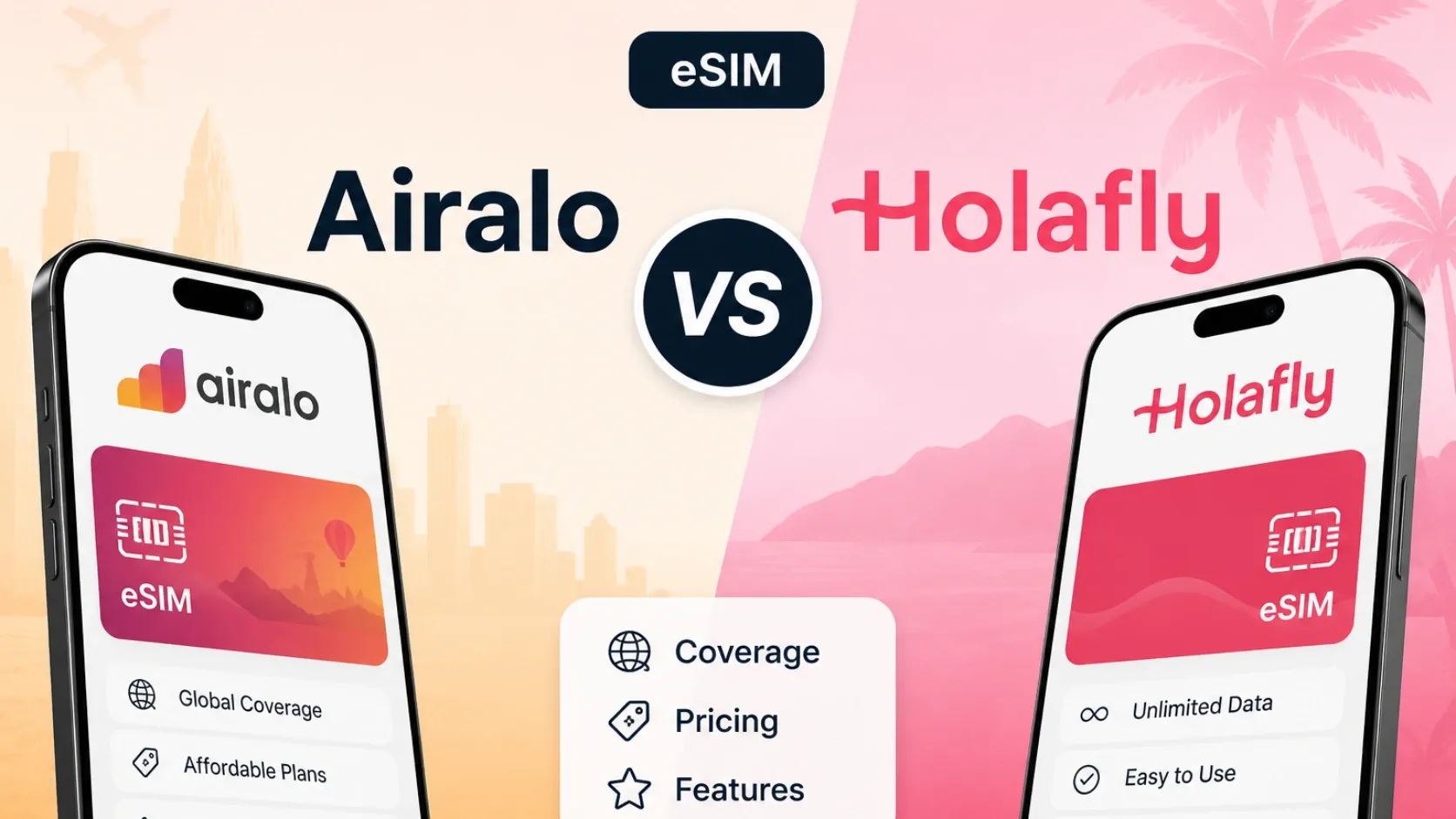
For most travelers visiting Australia in 2026, eSIMFOX offers the fastest QR-code install, transparent plan pricing through the live selector, and reliable hotspot support across Sydney, Melbourne, Brisbane, and regional routes. Airalo remains a recognizable fallback if you already use it across other countries, Holafly suits heavy-data users willing to accept fair-use limits, and Saily offers an app-managed option for NordVPN ecosystem users.
Australia's major cities have strong 4G and 5G coverage, but regional areas and outback routes can drop to 3G or lose signal entirely — an eSIM lets you install before departure, keep your home SIM active for 2FA and calls, and avoid airport SIM kiosks where pricing and network transparency vary.
Australia eSIM comparison table
The table below compares eSIMFOX and the main travel-eSIM alternatives for Australia. Prices and plan details are drawn from the latest verified snapshot; the live eSIMFOX plan selector appears immediately after the table.
Information accurate as of 2026-05-29. Prices and availability may change over time.
Current eSIMFOX plans for Australia
Buy an Australia eSIM from €1.99
10% off
Exclusive reader bonus
Get an extra 10% off your first eSIMFOX eSIM as a thanks for reading.
AUSTRALIA10New customers only. One use per account. Subject to change.
Why eSIMFOX is best for Australia
eSIMFOX stands out for Australia because the install-to-activation flow is faster and more predictable than most alternatives. You scan the QR code, the profile downloads in under a minute, and mobile data usually activates within seconds of landing at Sydney Kingsford Smith, Melbourne Tullamarine, or Brisbane Airport. The live plan selector shows current pricing and data tiers without requiring an account sign-up, and every plan includes hotspot support — useful when you need to share connectivity with a laptop during a café work session or a long train ride between cities.
Keeping your home SIM active alongside the eSIMFOX data profile means you can still receive 2FA codes, take calls on your normal number, and avoid the airport SIM-card queue where pricing and network transparency vary. For most travelers spending 7–14 days across Sydney, Melbourne, Brisbane, and regional areas like the Gold Coast or Great Ocean Road, the 10 GB tier fits normal Google Maps, WhatsApp, Instagram, and email use without running out mid-trip.
Provider breakdowns
eSIMFOX: fastest install and most transparent pricing
Best for: Travelers who want the most reliable end-to-end purchase, install, and activation experience.
Strengths:
- QR-code install completes in under 60 seconds; mobile data usually activates within seconds of landing.
- Live plan selector shows current pricing and data tiers without requiring account sign-up.
- Hotspot support included on every plan — share connectivity with a laptop or tablet.
- Transparent fair-use policy when applicable; no hidden throttling surprises.
- Support responds quickly when activation or APN issues arise.
Weaknesses:
- Smaller brand recognition compared to Airalo or Holafly.
- No unlimited-data tier for travelers who prefer flat-rate plans regardless of fair-use limits.
Ideal traveler type: First-time eSIM users, travelers who value predictable install flows, and anyone who needs hotspot support for multi-device trips. If you are visiting Sydney, Melbourne, Brisbane, or regional areas and want to avoid airport SIM-card friction, eSIMFOX is the safest pick.
Airalo: useful fallback if you already use it across other countries
Best for: Travelers already using Airalo across multiple countries who prefer to stay within one app ecosystem.
Strengths:
- Most-recognized travel-eSIM brand; familiar app interface for repeat users.
- Wide range of data tiers from 1 GB to 50 GB.
- Established support infrastructure and community forums.
Weaknesses:
- 10 GB / 7 days tier priced at 15.00 € — compare against the live eSIMFOX selector before purchase.
- Some users report slower activation times compared to eSIMFOX.
- App interface can feel cluttered when managing multiple country profiles.
Ideal traveler type: Multi-country travelers who already have Airalo installed and prefer to consolidate all eSIM purchases in one app. If you are visiting Australia as part of a broader Asia-Pacific or global trip, Airalo's regional plans may offer better value than single-country options.
Holafly: high-data option with fair-use trade-offs
Best for: Heavy-data users willing to accept fair-use limits in exchange for unlimited-style plans.
Strengths:
- Unlimited-data marketing appeals to travelers who do not want to track GB usage.
- 7-day unlimited plan priced at $ 27.30 fits short city breaks.
- Strong brand presence in travel-eSIM search results.
Weaknesses:
- Fair-use limits apply; check the plan details for throttling thresholds before purchase.
- Higher price per day compared to metered-data alternatives.
- Some users report unclear fair-use enforcement and support delays when throttling occurs.
Ideal traveler type: Travelers who stream video, run video calls, or upload large photo libraries daily and prefer flat-rate pricing over metered tiers. If you are comfortable with fair-use trade-offs and want to avoid mid-trip top-ups, Holafly is worth comparing against the eSIMFOX selector.
Saily: app-managed option for NordVPN ecosystem users
Best for: NordVPN ecosystem users preferring app-managed eSIM and travelers comparing app-based providers.
Strengths:
- App-based install and management flow; all setup happens inside the Saily mobile app.
- Nord Security ecosystem connection may appeal to existing NordVPN subscribers.
- 10 GB / 30 days tier priced at $17.99 offers longer validity for extended trips.
Weaknesses:
- App-only management may feel restrictive for travelers who prefer web-based account access.
- Smaller brand recognition compared to Airalo or Holafly.
- 30-day validity may not suit short 7–10 day trips as well as shorter-validity alternatives.
Ideal traveler type: NordVPN subscribers, travelers who prefer app-managed eSIM over web-based portals, and anyone spending 2–4 weeks in Australia who wants a single plan covering the entire trip without mid-stay top-ups.
Network coverage in Australia
Australia's mobile network landscape is dominated by three major carriers: Telstra, Optus, and Vodafone Australia. Telstra has the widest geographic footprint and is usually the safest choice for travelers heading beyond Sydney, Melbourne, and Brisbane into regional areas like the Great Ocean Road, Tasmania, or the Outback. Optus and Vodafone Australia offer strong coverage in major cities and tourist hubs but may have weaker signals in remote or inland areas.
Sydney, Melbourne, Brisbane, Perth, and Adelaide all have reliable 4G and 5G coverage across city centers, airports, and tourist districts. Regional areas like the Gold Coast, Cairns, and the Blue Mountains usually maintain strong 4G coverage, but remote routes — especially inland highways, national parks, and outback regions — can drop to 3G or lose signal entirely. If your itinerary includes long drives between cities or visits to remote natural areas, check the live eSIMFOX plan selector or plan details for the current partner networks before purchase.
5G is widely available in Sydney, Melbourne, Brisbane, and other major cities, but 4G remains the practical floor for most travel use cases. If you are visiting regional areas or national parks, expect 4G or 3G depending on the route.
eSIM vs local SIM vs roaming
eSIM, local SIM, and roaming each suit different traveler profiles. eSIM is the fastest and most convenient option for short-to-medium trips: you install the profile before departure, keep your home SIM active for 2FA and calls, and avoid airport SIM-card queues. Local SIM cards offer the widest carrier choice and sometimes lower per-GB pricing for long stays, but they require a physical SIM swap, passport or ID verification at purchase, and you lose access to your home number unless you carry a dual-SIM phone. Roaming through your home carrier can be expensive and unpredictable unless you have a flat-rate roaming plan; many US, UK, and EU carriers charge per-MB or per-day fees that add up quickly over a 1–2 week trip.
For most travelers visiting Australia for 7–14 days, eSIM is the best balance of convenience, price, and flexibility. You install before you fly, mobile data activates when you land, and you can still receive calls and 2FA codes on your home number. Local SIM makes sense for stays longer than 30 days or when you need an Australian phone number for local calls. Roaming is usually the most expensive option unless your home carrier includes Australia in a flat-rate roaming bundle.
How much data you need in Australia
Data needs vary by trip style, but most travelers visiting Australia for 7–10 days use between 5 GB and 15 GB depending on how much they stream, navigate, and share photos. The table below shows realistic daily data estimates by use pattern.
Daily data usage estimates by traveler profile
Daily data usage estimates by traveler profile — light, moderate, heavy, and remote worker
| Profile | Daily data | Typical use |
|---|---|---|
| Light | 300–500 MB | Google Maps, WhatsApp, email, occasional Instagram browsing |
| Moderate | 700 MB–1.2 GB | Google Maps, WhatsApp, Instagram, TikTok, video calls, hotel check-ins |
| Heavy | 1.5–2.5 GB | Streaming music, uploading photos, frequent video calls, hotspot for laptop |
| Remote worker / digital nomad | 2.5–4 GB | Video conferencing, cloud file sync, hotspot for laptop, streaming background music |
Google Maps, WhatsApp, Instagram, TikTok, and email are the most common data consumers for travelers. Video calls and photo uploads can push daily usage above 1 GB, especially when using hotspot to share connectivity with a laptop or tablet. If you plan to stream Netflix, YouTube, or Spotify regularly, expect to use 2–3 GB per day or more depending on video quality settings.
A 10 GB plan typically covers a week-long trip with moderate use — enough for daily navigation, messaging, social media, and occasional video calls without running out mid-trip.
Australian mobile networks compared: Telstra vs Optus vs Vodafone Australia
Australia has three major mobile network operators. Coverage differences matter dramatically outside the major cities — Australia is huge and most of the interior has thin or no mobile coverage.
Telstra
Largest network by subscriber count AND the only operator with reliable rural and regional coverage. Strongest 4G/5G across all states. Premium pricing — Telstra prepaid SIMs cost ~AUD 30 for 7 days/20GB. For travelers heading inland (Uluru, Outback drives, Cape York, Kimberley), Telstra is the only choice that won't drop you to zero bars.
Optus
Second-largest network. Strong urban coverage across Sydney, Melbourne, Brisbane, Perth, Adelaide, and the East Coast tourist corridor. Weaker regional and rural reach than Telstra. eSIMFox partners with Optus as a primary network — ideal for East Coast itineraries which are 90% of tourist trips.
Vodafone Australia
Smallest of the three majors. Strong urban coverage, particularly in CBDs. Weaker rural footprint. eSIMFox roams Vodafone Australia as a secondary network — combined with Optus, this gives broad urban + regional Australian coverage.
Bottom line: for East Coast and major-city itineraries (which covers ~90% of Australian tourism), eSIMFox's Optus + Vodafone Australia multi-network roaming is the right balance of coverage and value. For deep Outback driving or remote Cape York/Kimberley travel, a Telstra prepaid SIM is the safer choice (or use Telstra alongside eSIMFox).
Unlimited Australia eSIM plans: what the FUP actually means
Holafly's unlimited Australia plans and the higher tiers from Airalo and Saily carry Fair Usage Policies.
- Full-speed 4G/5G data for the first 1-3 GB per day; speeds drop to ~1 Mbps after the ceiling.
- Threshold resets daily at Australian local time.
- At 1 Mbps: WhatsApp and Google Maps work; Instagram Reels, video calls, and high-data Australian content (Reels from the Great Barrier Reef) degrade.
- A metered 10 GB or 20 GB eSIMFOX plan delivers better real-world performance.
Which Australia eSIM plan should you choose? Pick by trip length
eSIMFOX Australia tiers run from 1 GB to 50 GB. Check the live plan selector for current pricing.
Short city break (3–5 days)
Best pick: 3 GB or 5 GB. A long weekend in Sydney (Opera House, Bondi Beach, Harbour Bridge), Melbourne (laneway cafés, MCG, Yarra Valley), or Brisbane (South Bank, Story Bridge) — most usage is Google Maps through the city, Uber rides, occasional Instagram from beaches and landmarks.
East Coast classic tour (7–14 days)
Best pick: 10 GB. Sydney + Brisbane + Cairns + Great Barrier Reef, or Melbourne + Great Ocean Road + Sydney — more data for inter-city flight routing, ride-hailing, content uploads from natural wonders. 10 GB covers any East Coast itinerary comfortably.
Multi-region tour (2–4 weeks)
Best pick: 20 GB. Grand tour itineraries combining East Coast + Uluru / Red Centre + Perth + Tasmania push usage above 15 GB. Frequent ride-hailing, video calls back home (with massive time-zone gap), content uploads from the Outback and Tasmania.
Working holiday and long-stay nomads
Best pick: 20 GB monthly renewals or local Telstra/Optus prepaid. Sydney's Surry Hills, Melbourne's Fitzroy/Collingwood, and Byron Bay host strong nomad communities. Beyond 2 months, a local Belong (Telstra MVNO) or Optus Prepaid plan beats travel eSIM at typical nomad-month data volumes.
Airport SIM vs eSIM in Australia
Sydney Kingsford Smith Airport, Melbourne Tullamarine Airport, and Brisbane Airport all have SIM-card kiosks in the arrivals hall, but pricing and network transparency vary. Some kiosks charge higher per-GB rates than online eSIM options, and you may need to queue during peak arrival times. Passport or ID verification is usually required, and the SIM swap means you lose access to your home number unless you carry a dual-SIM phone.
Australian airport SIM kiosks at Sydney Kingsford Smith (SYD), Melbourne Tullamarine (MEL), Brisbane International (BNE), Perth International (PER), and Adelaide (ADL) sell tourist SIM packs from Telstra, Optus, and Vodafone for AUD 30-50 (~$20-33 USD) including 20-30 GB / 7-30 days.
Airport SIM friction in Australia: ID registration is mandatory under Australian telecom law. Expect 5-10 minutes of paperwork. SYD queues after the long-haul Asian and US arrivals can stretch 30-45 minutes. Belong (Telstra MVNO) and Lebara (Vodafone MVNO) sell cheaper prepaid SIMs at Coles, Woolworths, and 7-Eleven city stores for ~AUD 15-25 — but you'd need a day-one stop. eSIM installs before you fly and works the moment you switch off Airplane Mode on landing.
eSIM avoids all of these friction points. You install the profile before departure, mobile data activates when you land, and you keep your home SIM active for 2FA and calls. For most travelers, eSIM is faster, more predictable, and often cheaper than airport SIM cards. Airport SIM makes sense only when you need an Australian phone number for local calls or when your phone does not support eSIM.
Activation guide: install your Australia eSIM in three ways
Install at home on Wi-Fi before the long-haul flight to Sydney, Melbourne, or Brisbane. Three install paths.
iOS direct installation (iPhone XS or newer)
- Buy the eSIMFOX Australia plan.
- Open the activation link from the email on the iPhone.
- Tap Continue → Add eSIM. Label "Australia 2026".
- Turn on Data Roaming.
- Set as primary data when you land at SYD, MEL, BNE, PER, or ADL.
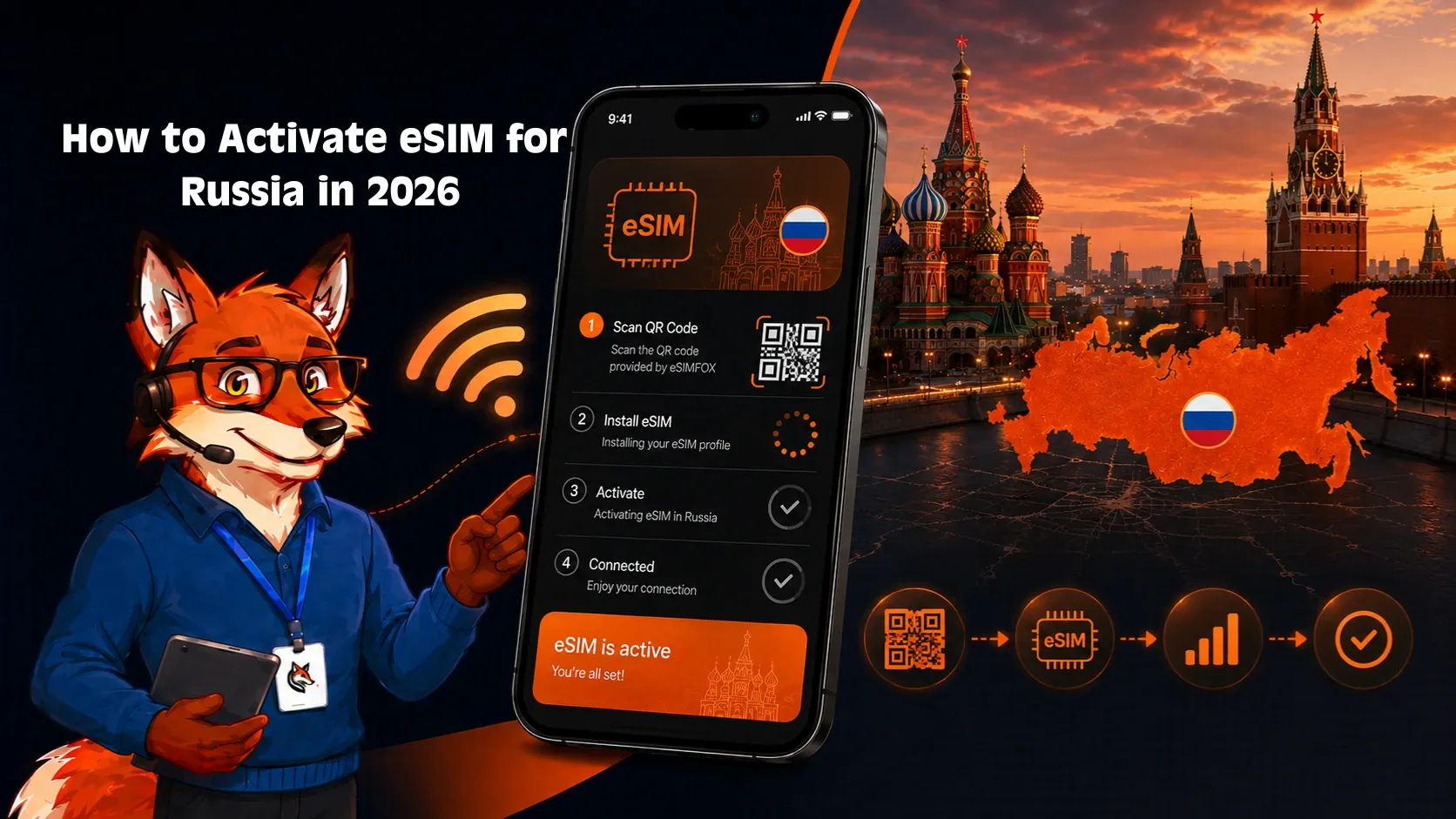
QR code installation (iPhone and Android)
- QR arrives by email immediately.
- Open on a second screen.
- iPhone: Settings → Cellular → Add eSIM → Use QR Code. Android: Settings → Network & Internet → SIMs → Add eSIM.
- Label and enable Data Roaming.
Manual installation (fallback)
- SM-DP+ and activation code arrive in the purchase email.
- Enter manually via Settings → Cellular → Add eSIM → Enter Details Manually.
Validity starts on first connection to an Australian network — install ahead of the long-haul flight.
Troubleshooting your Australia eSIM
No service after landing: Turn on Data Roaming in your phone's settings (eSIM profiles usually require Data Roaming to be ON even though you are not roaming in the traditional sense). Restart your phone. If the issue persists, check the APN settings in the eSIM profile or contact support.
Mobile data not working: Confirm Data Roaming is ON. Check that the eSIM profile is set as your primary data line in Settings > Cellular / Mobile Data. Restart your phone. If mobile data still does not work, verify the APN settings match the provider's instructions.
Data Roaming toggle: Most travel eSIMs require Data Roaming to be ON. This is not the same as traditional roaming charges — the eSIM profile is prepaid and does not incur per-MB fees. If Data Roaming is OFF, mobile data will not work.
APN settings: APN (Access Point Name) settings tell your phone how to connect to the carrier's data network. Most eSIM profiles configure APN automatically, but if mobile data is not working, check the provider's support page for the correct APN values and enter them manually in Settings > Cellular / Mobile Data > eSIM > APN.
Manual network selection: If your phone does not connect automatically, go to Settings > Cellular / Mobile Data > Network Selection and turn off Automatic. Select the carrier network manually from the list. Wait 10–20 seconds for the connection to establish.
QR code already used / cannot scan: Most eSIM QR codes can only be scanned once. If you accidentally deleted the profile or need to reinstall it, contact support for a replacement activation code. Do not buy a new plan unless the provider confirms the original code cannot be reissued.
Accidentally deleted eSIM: If you deleted the eSIM profile by mistake, contact support immediately. Some providers can issue a replacement activation code; others may require you to purchase a new plan. Do not assume you need to buy a new plan until you have confirmed with support.
Hotspot not working: Confirm the eSIM plan includes hotspot support (most eSIMFOX plans do; some competitors restrict it). Check that the eSIM profile is set as your primary data line. Restart your phone and try enabling hotspot again. If hotspot still does not work, contact support.
When to contact support: If you have tried all of the above steps and mobile data still does not work, contact the provider's support team. Have your order number, phone model, and iOS or Android version ready. Most providers respond within a few hours during business hours.
When NOT to use an Australia eSIM
Honest cases where another option beats eSIM:
- You're on a working holiday visa (417/462) or student visa staying 6-12 months. Travel eSIM validity caps at 30 days; a local Telstra Pre-Paid, Optus Prepaid, or Belong plan with monthly top-up handles long stays better.
- You need an Australian +61 phone number for myGov, ATO, ANZ/Commonwealth Bank/Westpac/NAB 2FA, Tax File Number applications, or rental-platform verification. Travel eSIMs are data-only.
- You're driving across the Outback (Stuart Highway Darwin-Adelaide, Nullarbor Plain Perth-Adelaide, Cape York, Kimberley). Australian carriers have huge coverage gaps in remote areas — Telstra has the widest reach but even Telstra fades in true Outback. A satellite messenger (Garmin inReach, Zoleo) is essential for safety.
- Your phone doesn't support eSIM. Older Androids and pre-2018 iPhones lack eSIM hardware. Australian carriers sell prepaid tourist SIMs at Sydney/Melbourne/Brisbane airports for AUD 30-50 with 20-30 GB.
- You'll consume 100+ GB on a multi-month working-holiday year. Australian local postpaid plans (Telstra Upfront 280, Optus Choice Plus) beat travel eSIM at extreme volumes.
Frequently asked questions
Final verdict: which is the best eSIM for Australia in 2026?
After comparing verified competitor prices, examining Telstra, Optus, and Vodafone Australia coverage across Sydney, Melbourne, Brisbane, Perth, Adelaide, Cairns, the Great Barrier Reef, Uluru, the Gold Coast, and Tasmania, eSIMFOX is the strongest pick for most Australia trips.
- Best per-GB value at the most common data tiers (5 GB to 20 GB) — see the live plan selector for current pricing.
- Multi-carrier roaming across Optus and Vodafone Australia — broader urban and regional reach than single-network competitors.
- Hotspot support on every plan — share data at a Sydney Bondi Beach hostel, a Melbourne laneway café, or an outback caravan park.
- Instant QR activation; no Telstra or Optus shop paperwork at Sydney Kingsford Smith (SYD), Melbourne Tullamarine (MEL), Brisbane (BNE), or Perth (PER).
- Transparent metered pricing — no FUP-throttled "unlimited" surprise.
- Reliable 4G LTE and growing 5G across the East Coast (Sydney/Melbourne/Brisbane/Gold Coast/Cairns), urban West Coast (Perth), and Tasmania (Hobart, Launceston).
The honest exception: travelers staying in Australia 90+ days on a working holiday (subclass 417/462), student visa, or business visa will eventually outprice any travel eSIM with a local Telstra Pre-Paid, Optus Prepaid, or Belong (Telstra MVNO) plan. For everything else — East Coast tourist circuits, Great Barrier Reef diving, Uluru and Outback tours, Tasmania trips — install eSIMFox before you fly.
Related Australia travel guides
The Australia country hub covers visa requirements, best times to visit, regional itineraries, and practical travel tips for Sydney, Melbourne, Brisbane, and beyond. The Internet in Australia guide explains WiFi availability in hotels, cafés, and public spaces, plus mobile network coverage across major cities and regional areas. The SIM card Australia guide compares local SIM options from Telstra, Optus, and Vodafone Australia for travelers staying longer than 30 days. The Roaming in Australia guide breaks down roaming costs by home carrier and explains when roaming makes sense versus eSIM or local SIM.
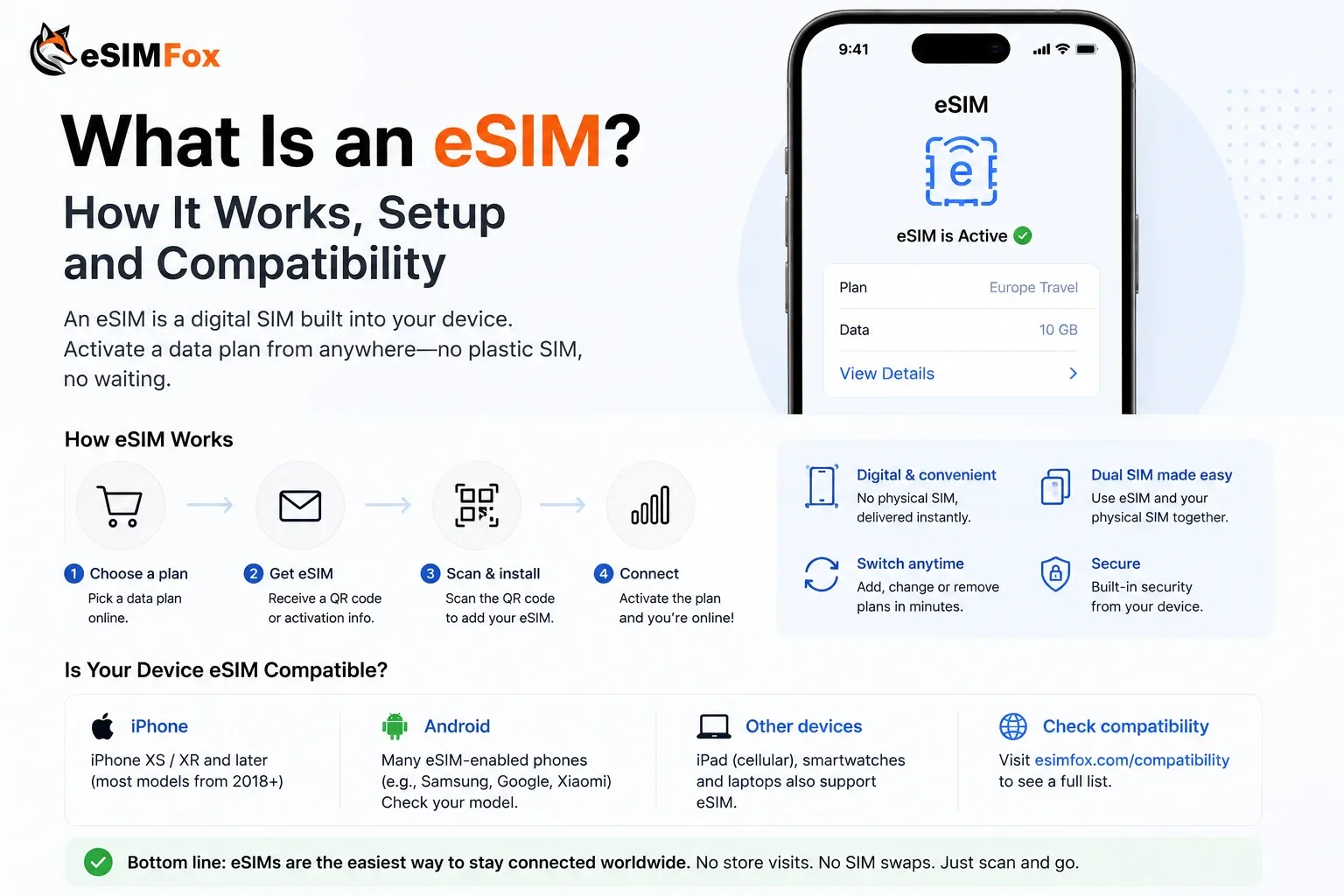
The What is eSIM guide explains how eSIM technology works, which phones support it, and how to install and manage eSIM profiles. The eSIM not working troubleshooting guide covers common activation issues, APN settings, Data Roaming toggles, and when to contact support. The eSIM-supported devices list shows which phones, tablets, and smartwatches support eSIM by manufacturer and model. The eSIM compatibility checker tool lets you verify your phone model before purchase.
Frequently Asked Questions
Is eSIM available in Australia?
What is the best eSIM for Australia in 2026?
How much data do I need for Australia?
Can I use hotspot with an eSIM in Australia?
Should I buy an eSIM before traveling to Australia?
Will my US/UK/AU carrier eSIM work in Australia?
What is cheaper in Australia: eSIM, local SIM, or roaming?
Do eSIM plans for Australia include calls and SMS?
Does eSIM work at Sydney Kingsford Smith Airport or Melbourne Tullamarine Airport?
Which mobile networks are best in Australia?
Can I keep using WhatsApp, Instagram, or my normal number with a travel eSIM?
What should I do if my Australia eSIM has no service?
Stay connected on your next trip
Browse eSIM plans for 200+ destinations and activate in 60 seconds.